
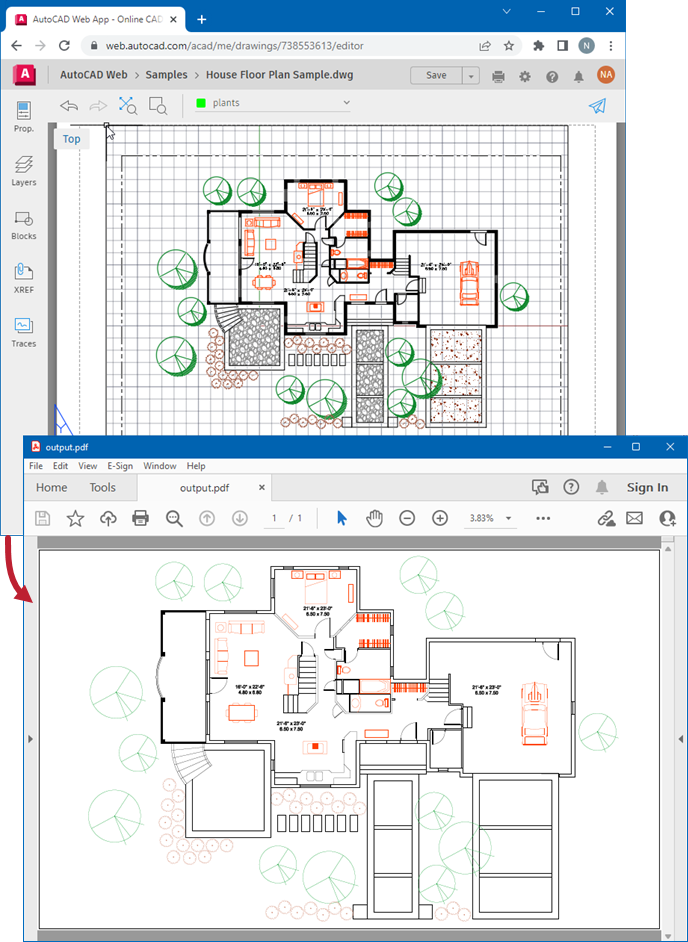
For 3D designers and engineers working with Autodesk AutoCAD, sharing and collaborating on complex models can sometimes be a hurdle. Fortunately, the OBJ file format offers a universal solution for representing 3D geometry, and a specialized plugin can streamline the conversion process directly within AutoCAD. This article delves into the capabilities of an OBJ converter for AutoCAD, focusing on its features, benefits, and how it empowers users to share their designs effortlessly. The OBJ format itself is a straightforward data representation of 3D geometry, detailing vertex positions, texture coordinates, normals, and polygonal faces. Discover how to change PDF to AutoCAD file to understand related conversion workflows.
Understanding the OBJ File Format and the AutoCAD Plugin
The OBJ file format is a widely adopted standard for 3D graphics due to its simplicity and versatility. It stores essential geometric information, including vertices, texture coordinates, and vertex normals. Faces are defined by lists of vertices, and by default, vertices are ordered counter-clockwise, negating the need for explicit face normal declarations. While OBJ coordinates are unitless, comments within the file can specify scale information.
The AutoCAD plugin we’ll be discussing is designed to bridge the gap between AutoCAD’s native modeling environment and the universal OBJ format. This plugin allows users to convert their 3D AutoCAD models into OBJ files, making them accessible for viewing and further manipulation in a variety of other 3D software and platforms. This capability is crucial for seamless collaboration and for sharing designs without requiring recipients to have specialized software like AutoCAD installed. For those dealing with intricate designs, understanding complicated AutoCAD drawings can enhance the conversion process.
Key Features and Benefits of the OBJ Converter
This plugin offers a suite of features designed to enhance the 3D modeling workflow for AutoCAD users:
- Universal File Format Generation: Easily create .OBJ files from your AutoCAD models, ensuring broad compatibility.
- Large Model Capability: Efficiently handles the conversion of even very large and complex models.
- Rapid Conversion Process: The plugin is optimized for quick generation of OBJ files, saving valuable time.
- Easy Design Sharing: Share your designs without the need for specialized viewing software, fostering better collaboration.
- Small File Size: Generated OBJ files are compact, making them easy to transfer and store.
- Quality and Size Control: Users have the ability to manage the quality and file size of the generated OBJ output.
- Color Support: The current version supports the export of colors, although texture mapping is not yet supported.
The ability to share designs without proprietary software is a significant advantage, particularly in collaborative projects or when presenting work to clients who may not be familiar with AutoCAD. If you’re looking for older versions, you might find information on how to get AutoCAD 2007 descargar.
Pricing and Licensing
The OBJ converter for AutoCAD is available in two versions: a Trial version and a Pro version.
The Trial version offers complete functionality for a period of 15 days, allowing users to thoroughly test the plugin’s capabilities before committing to a purchase. This trial period is ideal for evaluating if the plugin meets your specific project needs.
For continued use beyond the trial period, or for professional applications requiring ongoing access to .OBJ file generation and sharing, the Pro version is necessary. After purchasing the Pro version, a license key will be provided. This key is used to activate the plugin through the Help dialog within AutoCAD. Detailed instructions for license activation can be found on the vendor’s website. For alternatives, explore free PDF to AutoCAD conversion options.
Support and Resources
The developers are committed to assisting users with any questions or concerns. Comprehensive resources are available to support users:
- FAQ: A detailed Frequently Asked Questions section is available to address common queries: http://visionworkplace.com/FAQ.
- Website: The official website offers further product information and resources: http://visionworkplace.com/.
- Contact: For direct support or specific inquiries, users can reach out via email at contact@visionworkplace.com.
Ensuring your drawings are correctly scaled is also important; learn how to add a scale bar in AutoCAD. The OBJ converter ultimately simplifies the process of moving 3D design data out of AutoCAD, enhancing workflow efficiency and collaborative possibilities for professionals in the field.