
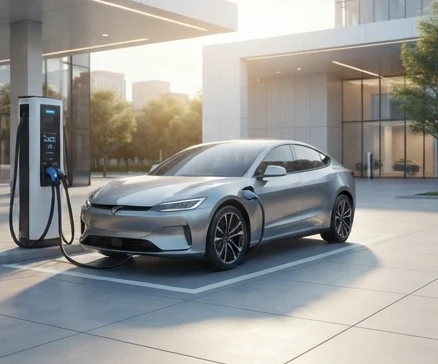
Finding electric vehicle charging stations nearby involves using real-time mapping applications like Google Maps or Apple Maps alongside dedicated charging network locators such as PlugShare, ChargePoint, EVgo, and Electrify America to filter locations by plug type, charging speed, and live availability status.
When you are on the road with a low battery and need to find a functioning electric vehicle charging station quickly, knowing how to locate, verify, and operate a nearby charger prevents range anxiety and keeps your trip on track. Drivers can successfully locate a compatible public charging station, check real-time availability, and initiate a charge by utilizing standard mapping tools, specialized network apps, and proper connector identification methods.
Finding electric vehicle charging stations nearby involves using real-time mapping applications like Google Maps or Apple Maps alongside dedicated charging network locators such as PlugShare, ChargePoint, EVgo, and Electrify America. These platforms allow you to filter locations by plug type, charging speed, and live availability status to ensure the station is open before you drive there.
How to Find EV Chargers Near You Right Now
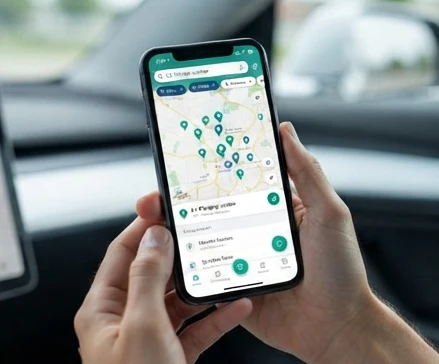
Locating public charging infrastructure requires a combination of general mapping services and dedicated network applications to verify that a station is active and vacant. Standard map apps provide quick routing, while dedicated directory apps show real-time port availability, maintenance status, and community check-ins from other drivers.
To start your search, open an application like PlugShare or Google Maps and search for public charging stations along your current route. Filter your results based on your vehicle’s specific connector standard and required power output, such as Level 2 or DC fast charging, to avoid arriving at an incompatible location. Always check the live status indicator to confirm whether the stalls are currently occupied, available, or reported out of service by recent users.
Understanding EV Charging Port Types and Compatibility
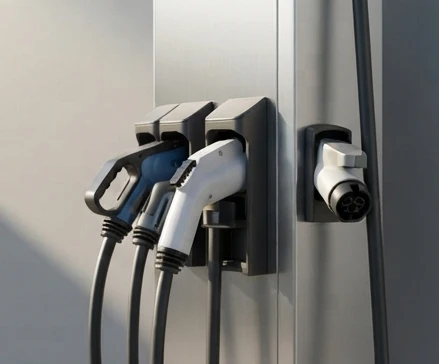
Electric vehicles rely on specific connector standards to transfer power safely from the charging station to the vehicle battery pack. Identifying your vehicle’s correct port type ensures you select a compatible chargepoint charger and avoid connection failures.
- CCS (Combined Charging System): The prevailing standard for most non-Tesla modern electric vehicles, combining a standard AC plug with high-speed DC pins.
- NACS (North American Charging Standard): Developed by Tesla and widely adopted across multiple automotive brands, allowing access to Tesla Supercharger locations and compatible third-party stations.
- CHAdeMO: A fast-charging standard primarily used by older Nissan and Mitsubishi electric vehicles.
- Level 1 and Level 2 AC: Standard J1772 connectors used for slower residential and public destination charging.
How to Identify Your Vehicle’s Charging Port
Your vehicle’s charging port is located behind a spring-loaded door on the exterior panel, typically near the rear or front quarter-panel. You can verify your exact charging standard by checking your vehicle owner’s manual or reviewing the vehicle specifications section inside your manufacturer’s mobile app. If you plan to use charging networks that feature a different plug standard than your vehicle, verify that you carry the manufacturer-approved adapter before visiting the station.
Charging Speed and Time: Level 2 vs. DC Fast Charging
Choosing the right charging speed depends entirely on how much time you have and your current battery percentage. Slower chargers suit long-duration parking, while fast chargers are designed for rapid turnaround during road trips.
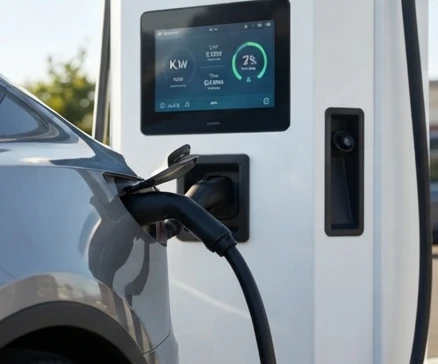
Level 2 chargers supply an AC power output typically ranging from 7 to 10 kilowatts, requiring 4 to 8 hours to add significant driving range [value_block:0]. These stations are ideal for overnight parking at hotels, workplaces, or residential locations. In contrast, DC fast chargers deliver a direct current output of 50 to 350+ kilowatts, cutting down the time required to add 200 miles of range to roughly 20 to 30 minutes [value_block:0]. DC fast charging is best reserved for road trips where time is critical, though it carries a higher cost per session than Level 2 options [value_block:0].
Charging Type and Speed Comparison
| Charging Type | Power Output | Time to Add 200 Miles | Typical Cost per Session | Best For |
|---|---|---|---|---|
| Level 2 | 7-10 kW | 4-8 giờ | 8.00 USD – 15.00 USD | Đỗ xe qua đêm, sạc tại nhà hoặc nơi làm việc |
| DC Fast Charge | 50-350+ kW | 20-30 phút | 15.00 USD – 30.00 USD | Sạc dọc đường, chuyến đi dài cần tiết kiệm thời gian |
Real-Time Pricing and Hidden Fees at Public Charging Networks
Public charging networks utilize various billing models, charging either per kilowatt-hour (kWh) consumed or per minute connected to the charger. Understanding these pricing structures helps drivers anticipate total trip expenses and avoid unexpected costs.
Major networks such as Electrify America, EVgo, and Blink set their rates based on local electricity tariffs and state regulations. Some regions mandate per-kWh billing, while others bill by the minute, which can cause charging costs to vary significantly depending on your vehicle’s maximum intake speed. Additionally, public networks enforce idle fees—charges that accumulate by the minute if your vehicle remains parked in the charging stall after the battery session is complete. Drivers can often reduce their per-kWh costs by signing up for monthly membership tiers or loyalty programs offered by individual charging providers [value_block:1].
Public Charging Network Pricing
| Network | Pricing Model | Average Per-kWh Cost | Idle Fee (After Charge Complete) | Membership Discount |
|---|---|---|---|---|
| Electrify America | Per-kWh hoặc Per-minute (tùy tiểu bang) | 0.30 – 0.45 USD | 0.40 USD – 1.00 USD / phút | Có gói thành viên hàng tháng giảm giá kWh |
| EVgo | Per-kWh hoặc Per-minute | 0.32 – 0.48 USD | 0.50 USD / phút | Có chương trình khách hàng thân thiết |
| Blink | Per-kWh / Thời gian đỗ xe | 0.35 – 0.50 USD | Biến đổi theo quy định từng trạm | Giảm giá cho thành viên đăng ký thẻ |
Free EV Charging Locations and Limitations
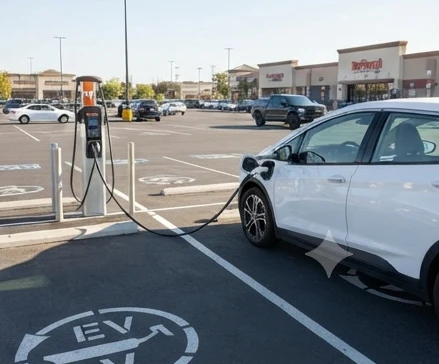
Certain commercial retailers, shopping centers, and municipal lots offer complimentary electric vehicle charging to attract customers. Retail chains such as Target and Walmart frequently feature Level 2 charging stations in their parking lots, sometimes provided free of charge or at subsidized rates.
However, these free stations typically operate at slower Level 2 speeds, meaning they are designed to add modest range while you shop rather than provide a rapid full charge. Furthermore, free stations often enforce strict time limits, and parking enforcement may ticket or tow vehicles that overstay their welcome in designated charging stalls. Availability of free charging also varies widely by region and local store management policies.
Troubleshooting: When a Nearby Charger Is Occupied or Broken
Arriving at a public charging station only to find the stalls occupied or out of service requires a calm, methodical approach to preserve your remaining battery range.
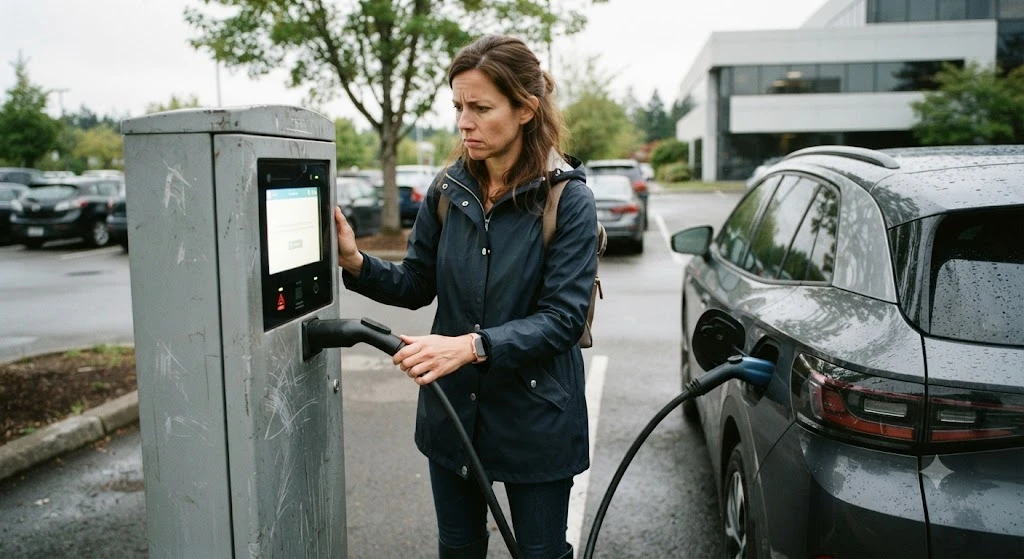
If a station is marked operational on an app but fails to deliver power upon connection, check for error codes displayed on the screen and report the malfunction directly within the app interface. When backup chargers are located several miles away, employ eco-driving techniques such as disabling climate control systems, smoothing out acceleration, and maintaining moderate speeds to stretch your remaining battery capacity. Contacting the network support hotline can also provide real-time verification of whether a remote reboot can restore power to the faulty stall.
- Kiểm tra ngay các trạm phụ trợ cách vị trí hiện tại dưới 5km trên bản đồ trực tiếp.
- Chuyển xe sang chế độ lái tiết kiệm pin (Eco mode) để hạn chế tối đa mức tiêu thụ điện năng.
- Gọi ngay hotline của mạng lưới quản lý trạm để xác nhận trạng thái nguồn điện hoặc tìm trụ thay thế khả dụng.
Maximizing Range When Charger Availability Is Limited
When battery levels drop below 10 percent and your intended charging location is unavailable, minimizing energy consumption becomes critical. Turn off seat heaters, defrosters, and cabin climate controls, as heating and cooling draw significant power from the high-voltage pack. Reduce your driving speed on highways, since aerodynamic drag increases exponentially at higher velocities, draining the battery faster. Route your navigation system immediately to the next closest confirmed working charger using real-time data filters to avoid unnecessary detours.
Step-by-Step: Starting a Charge Session and Payment
Initiating a public charging session requires proper cable seating and correct authentication through an app, RFID card, or credit card reader.
- Park your vehicle squarely within the marked charging stall and turn off the ignition.
- Unhook the appropriate charging cable from the dispenser unit and firmly seat the connector into your vehicle’s charging port until you hear a physical click and notice the locking pin engage.
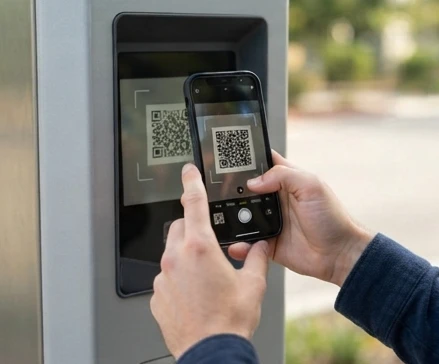
- Authenticate the session by scanning the QR code on the charger using your smartphone app, tapping an RFID membership card against the reader, or swiping a credit card if contactless payment is supported.
- Monitor the initial charging screen or your mobile app to confirm that power is flowing, voltage is ramping up, and the estimated completion time is displayed.
- Once your desired state of charge is reached, stop the session via the app or vehicle controls, press the release latch firmly on the connector, and return the cable securely to the holster.
Payment Errors and App Connection Issues: What to Do
Payment processing failures and communication errors between the mobile app and the charging hardware can disrupt your charging attempt.
If a charger fails to recognize your payment card or mobile profile, ensure your account has a valid funding source and sufficient balance. If the app loses connection mid-session, do not forceably yank the cable; instead, use the emergency stop button on the unit or stop the session via the app interface to release the locking mechanism safely. Document any error codes displayed on the screen and call the network’s customer support number to log the issue and request a credit or refund for failed charging attempts. Keeping multiple payment profiles set up across different network apps ensures you have backup options if one system experiences an outage.
Public Charging Station Etiquette and Extended Parking Fees
Responsible public charging etiquette ensures that all electric vehicle drivers have fair access to shared infrastructure.
Charging stalls are refueling spaces, not permanent parking spots. Once your vehicle reaches its target battery percentage—typically 80 percent for fast chargers, where charging speeds slow down significantly—you should move your vehicle promptly to free the stall for incoming drivers. Most major public charging networks enforce idle fees ranging from $0.50 to $1.00 per minute once the session finishes [value_block:1]. These automated charges accumulate rapidly on your connected payment method, making prompt vehicle removal essential for avoiding inflated charging session totals.
- Tránh đỗ xe quá thời hạn quy định tại trạm sau khi phiên sạc đã kết thúc hoàn toàn.
- Di chuyển phương tiện ngay khi đạt mức pin mục tiêu để nhường không gian cho các tài xế khác.
- Theo dõi thông báo trạng thái qua ứng dụng để nắm bắt thời điểm tính phí quá giờ (idle fee).
FAQ
Does Target or Walmart offer free EV charging to all customers?
Certain commercial retailers, shopping centers, and municipal lots offer complimentary electric vehicle charging to attract customers. Retail chains such as Target and Walmart frequently feature Level 2 charging stations in their parking lots, sometimes provided free of charge or at subsidized rates. However, these free stations typically operate at slower Level 2 speeds and often enforce strict time limits.
How long will my EV battery last if I cannot find a working charger nearby?
When battery levels drop low and your intended charging location is unavailable, minimizing energy consumption becomes critical. You can stretch your remaining battery capacity by turning off seat heaters, defrosters, and cabin climate controls, reducing your driving speed on highways, and routing your navigation system immediately to the next closest confirmed working charger.
Can I use an adapter to charge my non-Tesla vehicle at a Tesla Supercharger?
Non-Tesla electric vehicles can access compatible stations and networks depending on connector standards. You can verify your exact charging standard by checking your vehicle owner’s manual or mobile app. If you plan to use charging networks featuring a different plug standard, verify that you carry the manufacturer-approved adapter before visiting the station.
What should I do if the charging app shows a charger available but it’s not working when I arrive?
If a station is marked operational on an app but fails to deliver power upon connection, check for error codes displayed on the screen and report the malfunction directly within the app interface. Contacting the network support hotline can also provide real-time verification of whether a remote reboot can restore power to the faulty stall.
Do I get charged an idle fee immediately after my car finishes charging?
Public charging networks enforce idle fees, which are charges that accumulate by the minute if your vehicle remains parked in the charging stall after the battery session is complete. Most major public charging networks enforce these fees once the session finishes to ensure fair access for all drivers.