
This article provides a detailed overview of the system requirements for various versions of Autodesk Revit, a powerful software for Building Information Modeling (BIM). Whether you are a seasoned professional or new to BIM, understanding these requirements is crucial for optimal performance and a smooth workflow. We will delve into the specifics for each version, from Revit 2013 to the latest releases, covering operating systems, processors, memory, display, graphics cards, and disk space.
Evolution of Revit System Requirements
Autodesk Revit has evolved significantly over the years, with each new version often demanding more from your hardware to support enhanced features and performance. Understanding these changes helps users make informed decisions about hardware upgrades and software compatibility.
Revit 2026 and Beyond
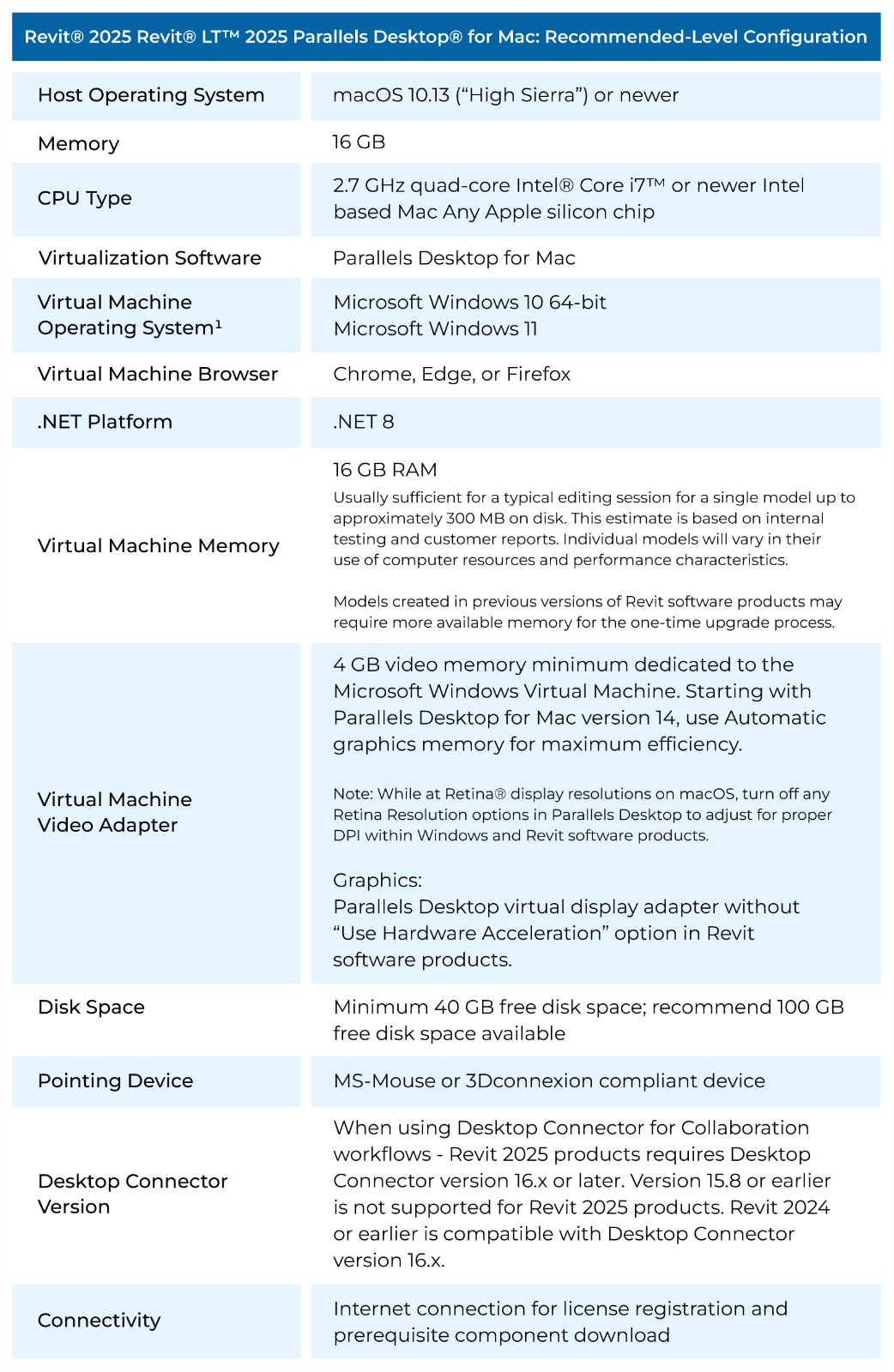
For the latest versions like Revit 2026, the requirements have been updated to leverage modern hardware capabilities. A 64-bit Windows 11 or 10 operating system is standard. Processors should be Intel® or AMD® 2 GHz or higher, with a strong emphasis on multiple cores, as these are utilized for many demanding tasks. A minimum of 16 GB of RAM is recommended, along with a display resolution of 1280 x 1024 with True Color. The graphics card needs to be DirectX 11 capable with Shared Model 5 and at least 4 GB of video memory. Disk space requirements have also increased, with 30 GB for installation and a recommendation of 100 GB free space for temporary files. Revit 2025 minimum requirements provide a good baseline for understanding recent trends.
Mid-Tier Revit Versions (2018-2025)
Versions such as Revit 2025, 2024, 2023, 2022, and older iterations like 2018 and 2017 share similar foundational requirements. These typically include a 64-bit Windows operating system (Windows 10 and later are generally recommended), a processor of 2.5 GHz or higher with multiple cores, and a minimum of 16 GB of RAM for most versions from 2023 onwards, and 8 GB for earlier versions like 2022, 2021, 2020, 2019, 2018, 2017, 2016, 2015, and 2014. Display requirements remain consistent at 1280 x 1024 with True Color. For graphics cards, a DirectX 11 compatible card with Shared Model 5 is crucial for advanced graphics, with 4 GB of video memory being recommended for versions 2018 and later. Installation disk space is typically around 30 GB, with earlier versions requiring slightly less.
Older Revit Versions (Pre-2018)
Revit versions prior to 2018, such as 2017, 2016, 2015, 2014, and 2013, had less demanding requirements. While a 64-bit operating system was preferred, some older versions supported 32-bit Windows (like XP SP2 or later for Revit 2013 and 32-bit Windows 7 for Revit 2014). The minimum RAM requirement for these versions was often 4 GB, and the disk space needed for installation was around 5 GB. However, it’s important to note that running these older versions on modern operating systems might still require compatibility adjustments. For users considering hardware for these older versions, understanding the size of Revit software in general can be helpful, though specific version sizes vary.
Key Components and Recommendations
Processor
The processor is the brain of your computer. For Revit, a faster processor with more cores will significantly improve performance, especially when dealing with complex models, rendering, and computations. Aim for the highest clock speed and the most cores your budget allows.
Memory (RAM)
Revit is a memory-intensive application. Insufficient RAM can lead to slow performance, crashes, and the inability to open large projects. 16 GB is the general minimum for recent versions, but 32 GB or more is highly recommended for professional use, especially with large and complex BIM projects.
Graphics Card (GPU)
A capable graphics card is essential for visualizing your models smoothly. Revit utilizes DirectX 11 and a graphics card with Shared Model 5. Ensure your GPU has dedicated video memory (VRAM); 4 GB is the recommended minimum for advanced graphics in most recent versions. Using a certified best graphics card for Revit 2025 will ensure compatibility and performance.
Storage
While the installation size might seem modest, Revit projects can grow very large. A Solid State Drive (SSD) is highly recommended for faster loading times and overall system responsiveness compared to traditional Hard Disk Drives (HDDs). Ensure you have ample free space for project files, temporary files, and future updates.
Conclusion
Meeting the system requirements for Autodesk Revit is paramount for efficient and productive work. Always refer to the official Autodesk documentation for the most accurate and up-to-date information for your specific Revit version. Investing in hardware that meets or exceeds these requirements will not only ensure smooth operation but also enhance your overall user experience with BIM software. Choosing the best laptop for Revit software or building a powerful desktop workstation requires careful consideration of these components. For comprehensive guidance on using Revit, exploring resources like Autodesk Revit 2025 Help can be invaluable.