
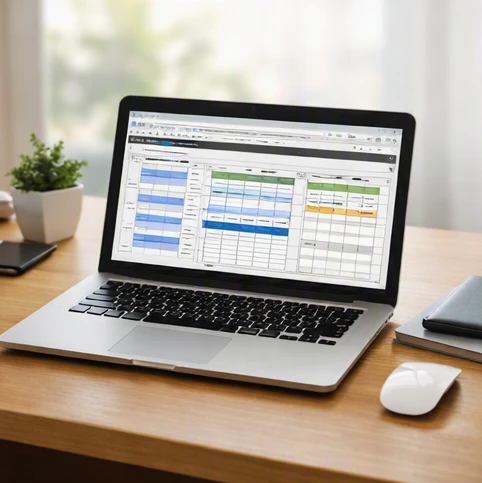
Microsoft Office Excel online training helps beginners learn spreadsheet skills through browser-based lessons, guided practice, and real tasks. A structured path starts with workbook basics, data organization, formatting, formulas, functions, sorting, filtering, charts, PivotTables, and collaboration features in Microsoft Excel.
Microsoft Office Excel online training helps beginners and working professionals build spreadsheet skills through browser-based lessons, guided practice, and real tasks. Many learners struggle because they collect disconnected tutorials without knowing which skills to learn first. This guide provides a structured path so you can choose suitable resources, complete essential Excel tasks, and build practical confidence with workbooks, formulas, analysis tools, and collaboration features.
You can learn Microsoft Excel online without prior spreadsheet experience by following a progression from workbook basics to data handling, formulas, and analysis. Online learning options include free resources, paid courses, and certificate-focused programs, each serving different goals.
Microsoft Office Excel online training connects with broader excel training office 365 resources that cover related learning paths and skill development.
Microsoft Office Excel online training: a beginner path to start
A beginner should treat Excel learning as a skill sequence rather than a list of features to memorize. Start with the environment, then move toward creating reliable spreadsheets and analyzing information. Microsoft Learn and Microsoft Support resources provide guidance on Excel features, including Excel for the web workflows, formulas, functions, and collaboration tools.
For a learner starting from zero, the goal is not to master every menu. The goal is to complete common spreadsheet tasks without needing step-by-step instructions for every click.
A practical beginner Excel learning sequence looks like this:
- Navigate workbooks, worksheets, ribbons, menus, and common Excel for the web controls.
- Enter, edit, and organize spreadsheet data using rows, columns, tables, and basic file management.
- Apply cell formatting, number formats, and simple layout improvements for readable worksheets.
- Build basic formulas and functions to calculate values and automate simple tasks.
- Practice sorting, filtering, charts, and basic analysis before moving to advanced Excel features.
The best online Microsoft Excel training for beginners usually combines short explanations with exercises. Watching videos alone can create the illusion of progress, but creating and modifying a spreadsheet reveals whether the skill is actually usable.
Core Excel skills to build before advanced topics
Before learning advanced formulas, macros, or complex analytics, beginners need a stable foundation. These skills support almost every later Excel task, whether the workbook is used for budgeting, reporting, scheduling, or data analysis.
Building spreadsheet foundations and workflows
A workbook is an Excel file that contains one or more worksheets. A worksheet is the grid where data is entered and organized. Understanding this structure prevents common beginner mistakes, such as placing unrelated information in random areas or creating unclear tables.
Start by practicing simple workplace-style tasks:
- Create a worksheet with clear column headings such as Date, Category, Amount, and Status.
- Format dates, currency, percentages, and text so the information is easy to read.
- Rename worksheets based on their purpose, such as Sales Report or Monthly Budget.
- Freeze important rows or columns when a worksheet becomes difficult to navigate.
In practical spreadsheet work, the easy-to-miss step is planning the data structure before formatting. A visually attractive spreadsheet with inconsistent columns is harder to analyze than a simple, organized table.
Learning formulas, functions, and analysis tools
Formulas allow Excel to calculate results automatically. Beginners should first understand cell references and simple functions before moving to advanced formulas.
Useful starting functions include:
SUMfor adding values.AVERAGEfor finding an average.IFfor creating simple logical decisions.VLOOKUPor newer lookup tools for finding related information in tables.
Practice formulas with a small dataset. For example, create a monthly expense worksheet, calculate total spending, compare categories, and identify the largest expense. The important skill is knowing why a formula is used, not only remembering its syntax.

After formulas, learn sorting and filtering. These tools help answer questions such as which products had the highest sales or which records require follow-up. PivotTables can then summarize larger datasets into useful views, while charts help communicate patterns visually.
Developing data visualization and collaboration skills
Excel skills become more valuable when information can be shared clearly. Data visualization means presenting spreadsheet information through charts or organized layouts so another person can understand the message quickly.
Practice choosing visuals based on the question being answered:
- Use a column chart to compare categories.
- Use a line chart to show changes over time.
- Use a table layout when readers need detailed records.
Microsoft 365 collaboration features allow users to share workbooks and work together online. However, beginners should still learn file organization, naming conventions, and data consistency because collaboration tools do not fix unclear spreadsheet design.
Choosing free courses, paid classes, and certificates
Different Excel learning formats solve different problems. Free resources are useful for exploration, paid courses often provide structure, and certificate programs can provide formal proof of completing a curriculum. They should not be treated as identical options.
Free Excel resources for self-paced learning
Free Microsoft Office Excel courses online are a good starting point when the learner has a specific question or wants to understand whether Excel fits their needs. free microsoft office excel training can support learners who want additional self-paced practice options.
Free resources work best when the learner creates a practice file alongside each lesson. For example, after learning formatting, build a one-page report. After learning formulas, calculate totals from a real dataset.
Self paced Excel classes for Office 365 are suitable for people who can create their own schedule and identify missing skills. They are less suitable for learners who need external deadlines or instructor feedback.
Common mistakes when learning Excel online
Many beginners struggle because they focus on collecting information instead of building ability. Recognizing common failure points makes online learning more efficient.
One mistake is jumping between unrelated tutorials. The warning sign is knowing many individual features but being unable to create a complete workbook. Fix this by following a sequence: structure data, format it, calculate results, analyze patterns, then present findings.
After completing basic Excel online training, continue by applying these skills to more complex projects, learning additional functions, and exploring advanced analysis only when your spreadsheet foundations are reliable.