
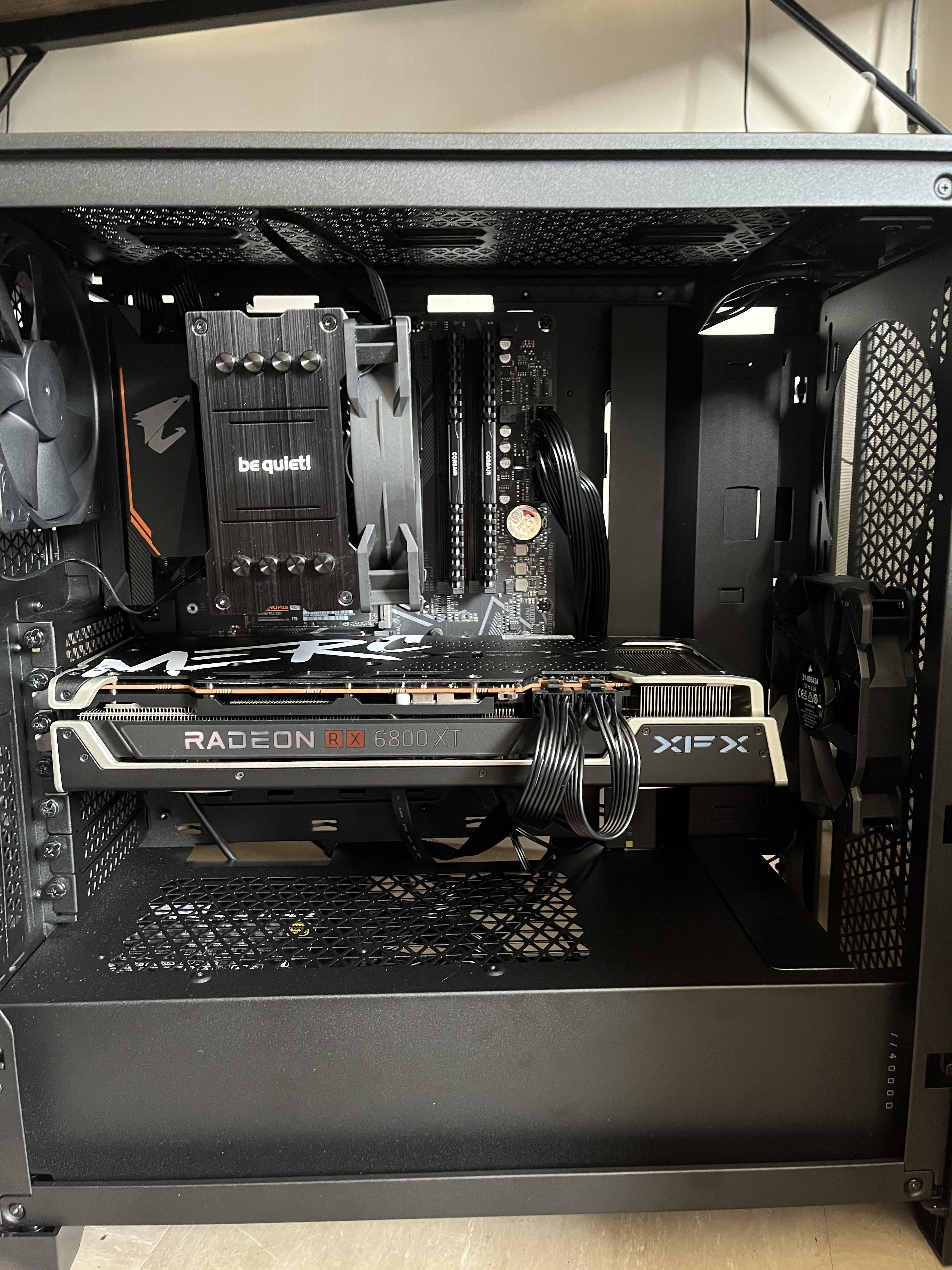
Thinking of slotting a workstation GPU into your gaming rig? While the technical possibility exists, and both gaming and workstation GPUs share underlying architectures and connectors, it’s a move you should generally avoid. Workstation GPUs are engineered for professional applications, not the high-octane demands of gaming, and this fundamental difference leads to significant drawbacks. Gaming laptops with Thunderbolt ports offer a different kind of versatility, but they are still built with gaming performance as a priority.
Unlike the gaming GPUs that gamers are more familiar with, workstation GPUs cater to a distinct market. They diverge in terms of performance, optimization, power efficiency, and pricing when placed side-by-side with gaming GPUs. Let’s delve into why integrating a workstation GPU into your gaming PC is ill-advised across multiple fronts.
Workstation GPU vs. Gaming GPU: Understanding the Core Differences
Fundamentally, a workstation GPU is designed to accelerate professional workloads. This includes tasks like 3D rendering, CAD (Computer-Aided Design), scientific engineering simulations, and AI research. The primary focus for these cards is stability, accuracy, and efficiency. Professionals in business environments prioritize having the best tool for their specific job, which often means features such as increased VRAM, ECC (Error-Correcting Code) memory, compact form factors for specific chassis, rack-mount support, and virtualization capabilities are paramount.
In contrast, gaming GPUs are built to deliver maximum performance in video games and other graphically intensive applications. Their priority lies in raw performance and gaming-specific features, often at the expense of the pinpoint accuracy and unwavering stability that professional cards offer. Gamers are primarily concerned with maximizing their frame rates and visual fidelity within an affordable budget.
Both Nvidia and AMD offer dedicated workstation GPUs, such as the Nvidia RTX A6000 and the Radeon Pro W7900. Intel has also entered this space with its Arc Pro GPUs, like the Arc Pro A60, following its re-entry into the discrete desktop GPU market.
Using a Workstation GPU for Gaming: The Downsides
So, if it’s technically feasible to install a workstation GPU in your gaming PC, should you? What prevents you from using an Nvidia Quadro RTX 6000, for instance, to run a demanding title like Alan Wake 2 instead of an RTX 4090? Several significant downsides emerge:
Poor Gaming Performance
One of the most immediate drawbacks is that using a workstation GPU for gaming can result in lower FPS (frames per second) compared to a capable gaming GPU. This performance deficit arises because workstation GPUs are optimized for professional applications, not gaming. Whether it’s through driver optimizations, BIOS settings, or specialized features like ECC memory (which can be slower than its non-ECC counterpart), the outcome is consistently poorer performance in gaming scenarios.
Lack of Essential Gaming Features
Beyond diminished raw performance, you’ll also miss out on crucial gaming-related features. These include technologies like AI upscaling (DLSS, FSR), frame generation, robust GPU overclocking capabilities, and advanced cooling solutions designed for sustained gaming loads. This absence further contributes to a loss in overall performance when compared to a gaming GPU specifically engineered for demanding titles. Exploring options like gaming PC for iRacing highlights how specialized hardware impacts performance in specific genres.
Significant Cost Inefficiency
Workstation GPUs typically command a price tag several orders of magnitude higher than their gaming counterparts. For example, while the high-end gaming GPU, the RTX 4090, might retail around $1,599, professional cards like the RTX 6000 (Ada) or the RTX A6000 can cost upwards of $6,800 and $4,650, respectively. Investing such a substantial amount into a workstation GPU solely for gaming is often nonsensical, especially when it delivers inferior gaming performance. For those contemplating significant memory upgrades, understanding 64 GB RAM for gaming is crucial for optimizing overall system performance.
Can You Use a Gaming GPU in a Workstation?
The Tables Have Turned
Now, let’s consider the reverse scenario: using a gaming GPU for workstation tasks. Running creative applications such as Adobe Premiere Pro, Blender, and Cinema 4D is certainly achievable on a powerful gaming graphics card, often with impressive results. In fact, this is a common practice for many users. The substantial 24GB VRAM of the RTX 4090, combined with its raw processing power, makes it particularly well-suited for these applications.
However, using a gaming GPU in a workstation environment isn’t without its own set of potential downsides. For highly specialized workloads, such as those encountered in CAD, a gaming GPU may not deliver the same level of performance as a dedicated workstation GPU, largely due to the specific driver optimizations and underlying architectural differences present in professional cards. Furthermore, if your work environment involves managing multiple virtual machines, a workstation GPU might become a necessity rather than a choice.
XDA Report: Subscribe and Never Miss What Matters
Stay ahead in the world of Windows, software, PC components, and more with XDA. By subscribing, you agree to receive newsletter and marketing emails, and accept Valnet’s Terms of Use and Privacy Policy. You can unsubscribe anytime.
Moreover, operating a gaming GPU continuously within a workstation setup could potentially lead to sustained higher temperatures, which might, over time, contribute to hardware wear and damage.
Workstation GPUs Remain Relevant for Professionals
With Nvidia increasingly becoming the dominant supplier of GPUs for enterprises engaged in the rapidly expanding AI sector, its H100 systems are under the spotlight more than ever. AMD’s Instinct MI300X accelerators offer a compelling alternative to Nvidia’s offerings. Both these systems incorporate multiple workstation GPUs, which may not resemble the “prosumer” cards you are familiar with, but they achieve similar results on a significantly larger scale.