

Excel YEARFRAC calculates the fraction of a year between two dates as a decimal value. Its syntax is YEARFRAC(start_date, end_date, [basis]), and the optional basis argument controls the day-count convention used, including US 30/360, Actual/Actual, Actual/360, Actual/365, and European 30/360.
If you’ve typed a YEARFRAC formula and gotten a number that doesn’t match what you expected — or a negative value that makes no sense — the problem usually isn’t the formula itself. It’s the basis argument, or the order of your two dates. This guide walks through what YEARFRAC actually returns, how to pick the right basis for age, interest, or tenure calculations, and how to diagnose the result when it looks wrong.
YEARFRAC calculates the fraction of a year that falls between two dates, expressed as a decimal <cite index="27-1">based on the number of whole days between the start date and the end date</cite>. The syntax is YEARFRAC(start_date, end_date, [basis]), where start_date and end_date are required and basis is an optional argument that changes how those days are counted <cite index="39-1,39-2">— start_date and end_date are required, and basis is optional</cite>. Change the basis and the same two dates can produce five different results, which is the detail most references skip past.
What the YEARFRAC Function Calculates in Excel
YEARFRAC doesn’t return a count of days or a whole number of years. It returns a decimal, so a full calendar year comes back as something close to 1, and eighteen months comes back as something close to 1.5 <cite index="32-1,32-2,32-3">YEARFRAC returns a decimal number representing years between two dates, using the syntax =YEARFRAC(start_date, end_date, [basis]), so that =YEARFRAC("1-Jan-2019","1-Jan-2020") returns 1 and =YEARFRAC("1-Jan-2019","1-Jul-2020") returns 1.5</cite>.
That decimal output is what makes the function useful for three fairly different jobs: calculating someone’s age as of today, working out what fraction of a bond’s coupon period has accrued, and figuring out how much of the current calendar year has elapsed. All three are really the same underlying calculation — a span of time expressed as a share of a year — just applied to different date pairs. Where they diverge is in which basis argument produces a number that matches the convention each use case expects.
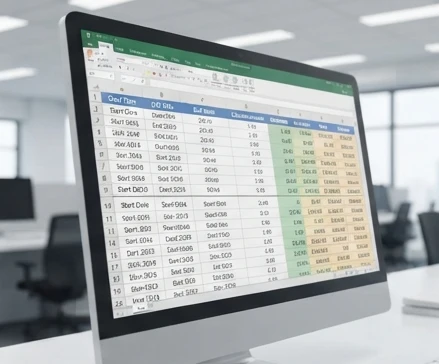
A common practitioner pattern is to reach for YEARFRAC any time a report needs an age, a duration, or a percent-complete figure without wanting the reader to do date subtraction by hand. That’s a reasonable default, but it only works if the basis matches the calculation’s purpose — which is the part the next two sections cover.
YEARFRAC Syntax and Argument Breakdown
The full syntax is YEARFRAC(start_date, end_date, [basis]) <cite index="27-2">where start_date and end_date mark the two dates being measured</cite>. Both date arguments need to be values Excel recognizes as dates — either cell references formatted as dates, or a DATE() function call, or a properly quoted date string like "2024-01-15". Typing a date as unformatted text (for example, a cell that displays 15/01/2024 but is stored as text rather than a real date) is one of the most common causes of a #VALUE! error or a silently wrong result.
Under the hood, every date in Excel is stored as a serial number counting days from a fixed starting point <cite index="27-4">— Excel stores dates as sequential serial numbers, with January 1, 1900 as serial number 1 and January 1, 2018 as serial number 43101</cite>. You don’t need to work with these serial numbers directly, but understanding that dates are just numbers underneath explains why formatting matters so much: if a cell isn’t recognized as a date, YEARFRAC has no serial number to subtract, and the formula fails or misbehaves.
The basis argument is optional. Leave it out and Excel defaults to the US (NASD) 30/360 convention <cite index="39-4">— if basis is omitted, Excel uses the 30/360 convention by default</cite>. That default is a reasonable choice for US bond-style calculations, but it’s a poor default for age or tenure calculations, which is exactly the kind of mismatch that produces "technically correct, practically wrong" results.
Understanding the Basis Argument in YEARFRAC
The basis argument is the single biggest source of confusion with this function, mostly because the five options aren’t explained side by side anywhere most people look first. Below, each basis is defined, then compared directly on one identical date pair, then matched to the situations where it actually belongs.
Basis controls how days and months are counted between your two dates <cite index="27-3">— the options are 0 or omitted for US (NASD) 30/360, 1 for Actual/actual, 2 for Actual/360, 3 for Actual/365, and 4 for European 30/360</cite>. "30/360" conventions treat every month as having exactly 30 days regardless of its real length, which is standard in bond markets but wrong for calendar-accurate age or tenure math. "Actual" conventions count real calendar days, which is what you want for anything that needs to match a wall calendar.
Side-by-Side Comparison of Basis Options
YEARFRAC Basis Comparison
| Basis Value | Day Count Convention | Example Output | Use Case |
|---|---|---|---|
| 0 | US (NASD) 30/360 | YEARFRAC("2024-01-15","2024-07-15",0) = 0.5000 | Corporate bonds priced on standardized 30-day months |
| 1 | Actual/Actual | YEARFRAC("2024-01-15","2024-07-15",1) ≈ 0.4973 | Age, tenure, or duration calculations that must reflect real calendar days, including leap years |
| 2 | Actual/360 | YEARFRAC("2024-01-15","2024-07-15",2) ≈ 0.5056 | Money-market instruments and short-term interest accrual |
| 3 | Actual/365 | YEARFRAC("2024-01-15","2024-07-15",3) ≈ 0.4986 | Interest calculations assuming a fixed 365-day year |
| 4 | European 30/360 | YEARFRAC("2024-01-15","2024-07-15",4) = 0.5000 | European bond markets using fixed 30-day months |

Notice that basis 0 and basis 4 land on exactly the same number for this pair — both are 30/360 conventions, they just differ in how they handle month-end edge cases, which only shows up for dates on the 30th or 31st. The Actual-based bases (1, 2, 3) all differ slightly from each other and from the 30/360 bases, because they’re counting real days rather than assuming uniform 30-day months. That’s a small gap on a six-month span, but it compounds noticeably over multi-year date ranges or when leap years fall inside the period.
Choosing the Right Basis for Your Calculation
The basis you should use depends entirely on what the number needs to represent, not on which one "looks more accurate." A trust requirement worth stating plainly: no single basis is universally correct, and treating one as the default-for-everything is how mismatched reports happen. Use the rule that matches your calculation’s real-world convention.
Basis Selection Guide
| If… | Then… |
|---|---|
| You need actual elapsed days measured against the actual number of days in the year, including leap-year sensitivity (e.g., age or tenure calculations) | Use basis 1 (Actual/Actual). |
| Your calculation must follow standardized 30-day months as used in US corporate bond conventions | Use basis 0 (US NASD) 30/360. |
| Your calculation must follow standardized 30-day months as used in European bond markets | Use basis 4 (European 30/360). |
| You are calculating short-term interest accrual on money-market instruments that assume a 360-day year | Use basis 2 (Actual/360). |
| You need a fixed 365-day-year assumption regardless of leap years | Use basis 3 (Actual/365). |
Leap years are where basis 1 and basis 2 diverge most visibly. Because basis 1 measures against the actual days in each specific year, a span that crosses February 29 will return a fraction very slightly different from the same span in a non-leap year — usually by less than half a percentage point, but enough to matter in a model that’s being reconciled to the day.
Step-by-Step Examples of YEARFRAC in Action
The three examples below cover the situations most readers land on this page for: turning a birthdate into an age, measuring how much of the current year has passed, and estimating accrued bond interest.
To calculate age from a birthdate, combine YEARFRAC with TODAY() so the result updates automatically:
=YEARFRAC(B2, TODAY(), 1)
Here B2 holds the birthdate, TODAY() supplies the current date, and basis 1 (Actual/Actual) is the right choice because age needs to track real calendar days, not standardized 30-day months. If someone was born on 1990-03-22 and today is 2026-08-09, this formula returns roughly 36.4 — a decimal age, not a whole number, which is exactly why the conversion in the next subsection matters.
To find the percentage of the current year completed, anchor the start date to January 1 of the current year and the end date to today:
=YEARFRAC(DATE(YEAR(TODAY()),1,1), TODAY(), 1)
With basis 1, this returns a decimal like 0.60, which you can format as a percentage to show "60% of the year elapsed." Using basis 0 here instead would introduce a small, unnecessary distortion from the 30-day-month assumption, since there’s no financial-instrument reason to use it for a plain calendar-progress figure.
For bond interest accrual, the basis has to match the instrument’s stated day-count convention, which is usually disclosed in the bond’s prospectus or term sheet — you can’t guess it from the dates alone. A formula like =YEARFRAC(settlement_date, next_coupon_date, 0) estimates the fraction of a coupon period that has accrued under a 30/360 convention; swap in basis 2 or 3 if the instrument specifies Actual/360 or Actual/365 instead.

Converting YEARFRAC Decimal to Years and Months
A decimal like 5.5 is precise for calculation but not something most reports want to show. To split it into a completed-years-and-months figure:
Completed years = INT(YEARFRAC result)
Remaining months = (YEARFRAC result − INT(YEARFRAC result)) × 12
YEARFRAC result— the decimal value YEARFRAC returns, representing a fraction of a year between two dates.INT(YEARFRAC result)— the integer portion, representing completed whole years.Remaining months— the decimal remainder multiplied by 12, giving an estimated number of months.
If YEARFRAC returns 5.5, INT(5.5) gives 5 completed years, and (5.5 − 5) × 12 gives 6, so the reported figure is 5 years and 6 months (practitioner estimate — approximation based on average month length, not an exact calendar count).
That "estimate" label matters. Because YEARFRAC’s decimal is based on a basis-dependent year length rather than actual calendar months, the months figure it produces will occasionally be off by a day or two compared to counting on a calendar by hand — usually within one day, but worth flagging in any report where exact month counts are contractually significant.
Before reporting a converted figure, run through this checklist:
- Confirm whether the report requires a decimal year value or a completed-year count before choosing a display format.
- Do not treat the decimal remainder from a YEARFRAC result as an exact calendar month count without adjustment.
- Round or truncate the years portion explicitly using
INT()rather than relying on default cell formatting. - Cross-check month estimates derived from YEARFRAC against
DATEDIF‘s"ym"unit when exact completed months are required for reporting.
Practical Applications in Financial Modeling
In financial models, YEARFRAC most often shows up in interest-rate schedules, valuation discount-period calculations, and covenant-tracking sheets that need a "time elapsed as a fraction of a year" input. The day-count convention isn’t a stylistic choice in these contexts — it’s usually specified in the loan agreement, bond indenture, or valuation standard the model is built around, and using the wrong one changes the output even if every date in the sheet is correct.
A frequent pitfall is applying one basis consistently across an entire model without checking whether every instrument in it actually uses that convention. A model blending a US corporate bond (basis 0) with a European bond (basis 4) and a money-market instrument (basis 2) needs three different basis arguments in three different formulas, not one basis applied everywhere for consistency’s sake.
Troubleshooting YEARFRAC: Negative Values and Unexpected Results
Most YEARFRAC problems fall into one of three buckets: the dates are in the wrong order, one of the "dates" isn’t actually a date, or the basis doesn’t match what the reader expected the number to mean. The subsections below give a concrete check for each.
Common Causes of Incorrect YEARFRAC Outputs
A negative result almost always means start_date is chronologically later than end_date. YEARFRAC doesn’t automatically reorder its arguments, so if the cell you’re treating as the start date actually holds the later date, the subtraction runs backward and the sign flips.
Date formatting errors are the second most common cause. If a date was pasted in from another system as text — often a giveaway is left-alignment in the cell instead of the default right-alignment for numbers and dates — YEARFRAC may return #VALUE! or silently calculate against a serial number Excel guessed incorrectly. Reformat the cell with DATE() or Excel’s date-value conversion before feeding it into the formula.
Basis mismatches don’t throw an error at all, which is what makes them harder to catch. A formula that runs fine but returns 0.4986 when a report expected 0.5000 is very likely using basis 3 (Actual/365) where the reader assumed basis 0 or 4 (30/360). The fix isn’t a formula correction — it’s confirming which convention the downstream report actually requires.
Leap years compound basis-related discrepancies specifically for basis 1 and basis 2, since both reference actual day counts that shift depending on whether February has 28 or 29 days in the span being measured. A multi-year YEARFRAC calculation spanning two leap years will differ slightly from the same span shifted by a year or two, purely because of that day-count difference — this is expected behavior, not a bug.
Step-by-Step Diagnosis for Unexpected Results
When a YEARFRAC formula returns a negative decimal instead of the positive duration you expected, work through this sequence:
- Check the order of the arguments: confirm which cell reference is used as
start_dateand which asend_date. - If the value in the
start_dateargument is chronologically later than the value inend_date, swap the two cell references. - Recalculate the formula with
start_dateandend_datereversed. - Confirm the output now returns a positive decimal matching the expected duration.
Reversing the start_date and end_date arguments produces the corresponding positive value when both date inputs are valid, which confirms the negative result was caused by argument order rather than a calculation error. If reversing the arguments does not produce a positive value, the issue isn’t argument order — check instead that both cells actually contain valid date serial numbers rather than text strings that merely look like dates.
For basis-related discrepancies rather than sign errors, a safer way to check is to calculate the same date pair across all five basis values side by side, the way the comparison table earlier in this article does, and see which one matches the number your report or counterparty is expecting. If none of the five match, the discrepancy usually isn’t in your formula — it’s in the source data, most often a date that’s off by a day due to a timezone conversion or an import error.
YEARFRAC vs. Alternative Excel Date Functions
YEARFRAC and DATEDIF solve related but distinct problems, and mixing them up is a common source of "why doesn’t this number match" confusion.
Function Comparison
| Function | Return Type | Best For | Limitation |
|---|---|---|---|
| YEARFRAC | Decimal fraction of a year | Percent-of-year-complete and interest accrual calculations | Does not directly report completed years or months without additional formulas |
| DATEDIF | Integer count of years, months, or days | Reporting completed whole years, months, or days between two dates | Does not account for day-count conventions used in financial instruments |
| YEARFRAC + INT/MOD combination | Combined decimal and integer breakdown | Converting a YEARFRAC output into an approximate years-and-months display | Introduces rounding assumptions not present in native DATEDIF output |
The practical decision rule: if the report needs a whole-number completed-years or completed-months figure with no financial day-count convention attached, DATEDIF with the "y" or "ym" unit argument is usually simpler and more exact. If the report needs a decimal fraction that’s sensitive to a specific day-count basis — bond accrual, percent-of-year figures, or anything tied to a financial instrument’s stated convention — YEARFRAC is the right tool, and DATEDIF has no basis argument to replicate that behavior.
Replicating YEARFRAC Logic in Python
Excel doesn’t ship a Python equivalent to YEARFRAC by name, but its basis conventions can be reproduced with the standard datetime module and, for more elaborate day-count logic, pandas. A basic Actual/Actual approximation looks like this:
from datetime import date

def yearfrac_actual(start: date, end: date) -> float:
    days = (end - start).days
    return days / 365.25
This mirrors basis 1 loosely but not exactly — Excel’s Actual/Actual implementation applies a more precise leap-year-aware day count than a flat 365.25 divisor, so the two will diverge slightly on spans that cross a leap year in an uneven way. For 30/360 conventions (basis 0 and 4), the day-count logic is more involved because it standardizes each month to 30 days with specific month-end adjustment rules, and no single Python one-liner reproduces it exactly; libraries built for fixed-income analytics, such as QuantLib, implement these conventions more faithfully than a hand-rolled function.
The key thing to flag for anyone porting a model out of Excel: don’t assume a Python date-difference calculation will match YEARFRAC’s output unless you’ve explicitly matched the basis convention on both sides. A model that reconciles cleanly in Excel can drift by a fraction of a percent once the same date logic is reimplemented in Python without replicating the exact basis rule — and that drift is exactly the kind of thing that’s hard to spot until a downstream number stops matching.

If you’re building or auditing a date-driven model today, run the basis comparison table above against your own start and end dates before trusting a single YEARFRAC formula in a financial calculation — it takes one extra column and immediately shows whether your chosen basis is actually the one your convention requires.
FAQ
What is the default basis value in YEARFRAC if omitted?
If the basis argument is omitted, YEARFRAC uses basis 0 by default. This applies the US (NASD) 30/360 convention, which treats months as having 30 days. It is commonly used for bond-style calculations but may not be the best choice for age or calendar-based duration calculations.
Can YEARFRAC handle dates before 1900?
YEARFRAC relies on Excel’s date serial number system, where dates are stored as sequential numbers from a fixed starting point. Dates before Excel’s supported date range may not work as expected because they cannot be represented normally by Excel’s date system.
How do you format dates for YEARFRAC to avoid errors?
Use dates that Excel recognizes as real date values, such as formatted date cells, DATE() function results, or valid quoted date strings. Dates stored as text instead of actual date serial numbers can cause #VALUE! errors or incorrect calculations.
Is YEARFRAC affected by Excel’s date system (1900 vs. 1904)?
YEARFRAC uses Excel’s underlying date values, so the date system affects how dates are stored internally. The calculation depends on valid Excel dates rather than the displayed format, and changing date systems can affect serial number interpretation.
Can YEARFRAC be used for calculating tenure in months?
YEARFRAC can help estimate tenure by returning a decimal number of years between two dates. The decimal can be converted into approximate months, but it is not an exact calendar month count because results depend on the selected basis convention.
What is the difference between basis 0 and basis 4 in YEARFRAC?
Both basis 0 and basis 4 use 30/360 conventions, so they often return the same result. The difference appears in how they handle certain month-end situations, especially dates involving the 30th or 31st day of a month.