
AutoCAD and other CAD software users often rely on pre-made blocks to streamline their design workflows. Whether you’re working on architectural, mechanical, or engineering projects, having access to a diverse library of CAD blocks can save you time and effort. After evaluating over 50 sources, we’ve curated a list of 18 free CAD block websites and sources that offer high-quality, reliable, and versatile blocks for your projects.
Local CAD Block Libraries in AutoCAD
Design Center
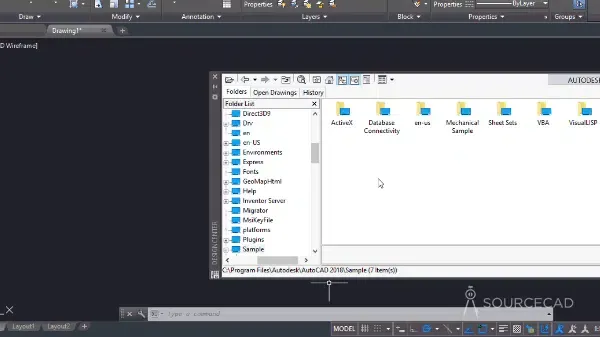
AutoCAD’s Design Center is a built-in library that allows you to access and insert blocks directly into your drawings. To open it, use the shortcut CTRL + 2 or type the ADC command. The interface resembles a palette, where you can navigate through folders like “en-us” and “DesignCenter” to find blocks categorized by drawing type, such as “kitchens.dwg” for kitchen-related blocks or “House Designer.dwg” for household elements.
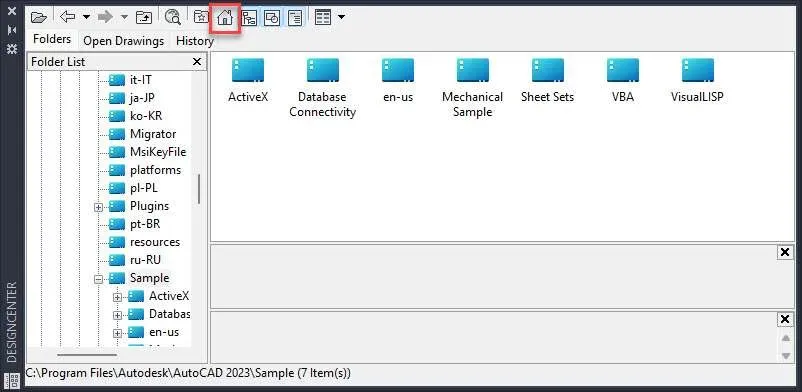
Once you locate the desired drawing, double-click the “Blocks” folder under the object type. You can then drag and drop the blocks into your drawing. This method is ideal for quickly inserting standardized elements without leaving AutoCAD.
Tool Palettes
Another native AutoCAD feature, the Tool Palettes library, provides a collection of blocks, including Dynamic Blocks with customizable properties. Access it using CTRL + 3 or the TP command. Like the Design Center, you can drag and drop blocks directly into your drawing.
This library is particularly useful for users who need reusable, parameter-driven blocks for repetitive tasks.
Online CAD Block Libraries
BIMobject
BIMobject is a comprehensive library of manufacturer-verified CAD blocks for architectural, mechanical, and BIM projects. The blocks are available in multiple formats and are designed to match real-world product specifications. While a free account is required, you can sign up using your Gmail or Autodesk credentials.

You can filter blocks by file format or project categories, such as landscaping, plumbing, or lighting, making it easier to find the exact components you need.
McMaster-Carr
For mechanical drawing blocks, McMaster-Carr is an excellent choice. This platform offers professionally crafted blocks in various sizes and formats, including STEP, IGES, 2D, and 3D. No registration is required, and the blocks are ready for immediate use in your projects.
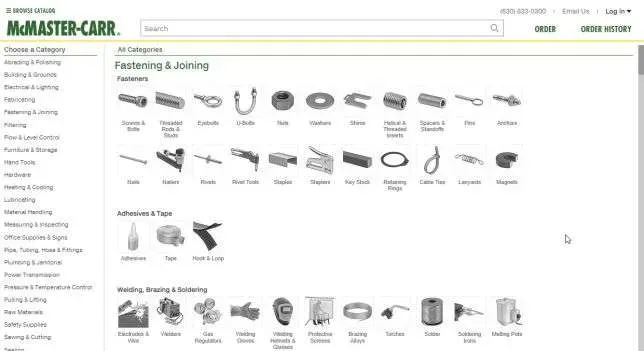 McMaster-Carr's mechanical CAD blocks in multiple formats
Traceparts
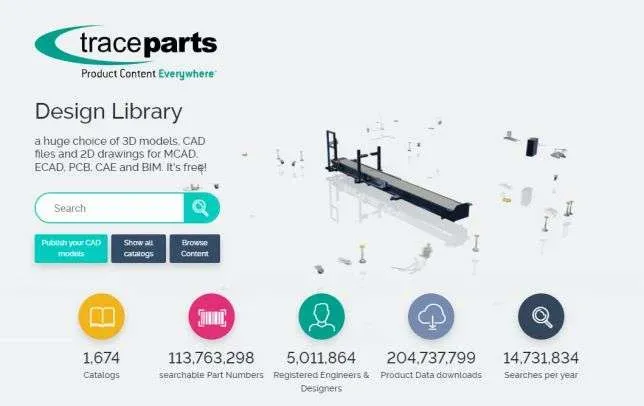
Traceparts specializes in 2D and 3D CAD blocks for mechanical, electrical, and BIM projects. The library includes thousands of parts from leading manufacturers, all available for free download. It’s an ideal resource for engineers and designers who need precise, industry-standard components.
CAD-blocks
CAD-blocks offers a clean and straightforward library of nearly 5,000 free CAD blocks, primarily focused on architectural, landscaping, and civil engineering projects. No signup is required, making it a hassle-free option for quick downloads.
DWG Free
DWG Free provides thousands of 2D and 3D AutoCAD blocks in DWG format. The platform is simple to navigate, and you can download blocks without creating an account. It’s a great resource for users who need a wide variety of blocks for different project types.
First in Architecture
First in Architecture is a professionally curated library of architectural CAD blocks. The blocks are available in both metric and imperial units, ensuring compatibility with global design standards. While the library is smaller, it focuses on commonly used blocks, making it a reliable choice for architects.
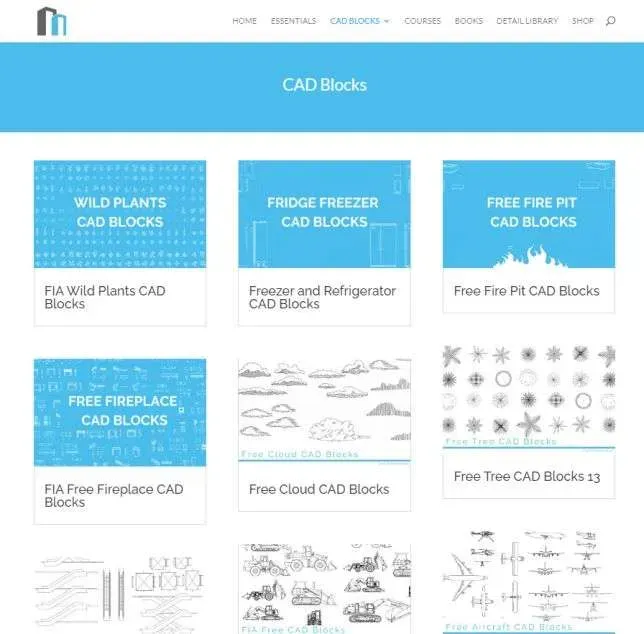 First in Architecture's CAD block library with metric and imperial options
CAD-blocks UK
CAD-blocks UK features a well-categorized library of blocks, including unique options for steelwork projects. The website has a clean interface, and no registration is required to download blocks.
Draftsperson
Draftsperson offers a small but useful collection of 2D AutoCAD blocks. The site is easy to navigate, and you can download blocks without signing up. It’s a good option for users who need quick access to essential blocks.
CADdetails
CADdetails provides 2D and 3D CAD blocks directly from manufacturers. This ensures accuracy in product dimensions and specifications. While a free account is required, the library is completely free to use and ideal for professionals who need reliable, manufacturer-approved blocks.
3D Content Central
3D Content Central, created by Dassault Systèmes (the developers of SolidWorks and CATIA), is an open library for mechanical engineering projects. Users can share and download blocks, though the reliability of specifications may vary since the content is user-contributed.
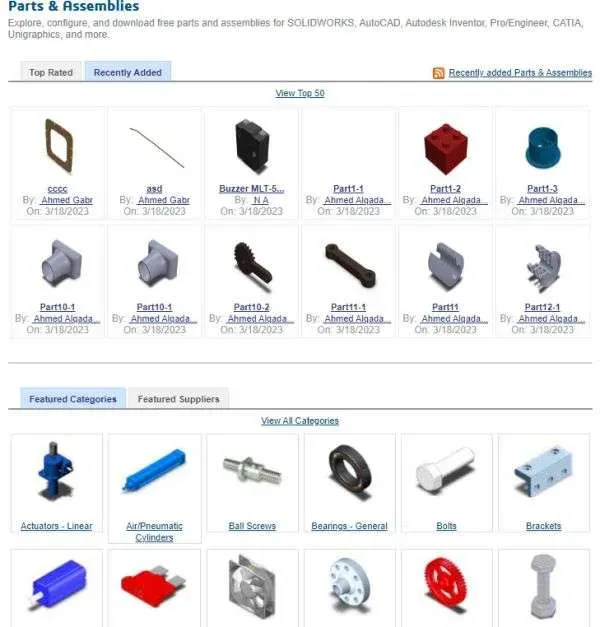
GrabCAD
GrabCAD is a collaborative platform for 3D CAD models, offering millions of free designs for mechanical, architectural, and electrical projects. The library includes detailed parts, assemblies, and drawings. However, since anyone can contribute, it’s important to verify the quality and specifications before use. Additionally, some files may require permission for commercial use.
Free CAD
Free CAD provides an exclusive collection of 2D and 3D AutoCAD blocks with no signup required. In addition to blocks, you can download custom AutoCAD hatch patterns, adding versatility to your design toolkit.
ACAD Block
ACAD Block specializes in architectural AutoCAD blocks and symbols. The platform offers a great collection of 2D blocks, with a small selection of 3D blocks as well. No registration is needed, making it accessible for all users.
Bibliocad
Bibliocad is a freemium platform where users contribute blocks in exchange for premium access. While the library is extensive, the quality of blocks may vary, and you may need to adjust scales or specifications before use.
DWG AutoCAD
DWG AutoCAD offers a curated collection of AutoCAD blocks, including 2D drawings, floor plans, and hatch patterns. The website is available in Spanish but can be translated to English via your browser. No signup is required, and the blocks are administered by the site, ensuring a level of quality control.
Bonus: Reuse Your Existing Blocks
If you’ve used blocks in previous projects, you can reuse them in your current work. Simply open the old project, copy the block using CTRL + C, and paste it into your new drawing with CTRL + V. Alternatively, use AutoCAD’s Blocks Palette to import blocks from any drawing in your project.
Summary
This list of 18 free CAD block websites and sources provides a diverse range of options for architects, engineers, and designers. Whether you need architectural, mechanical, or electrical blocks, these platforms offer high-quality, reliable resources to enhance your workflow.
Where do you source your CAD blocks? Share your favorite platforms in the comments below!