
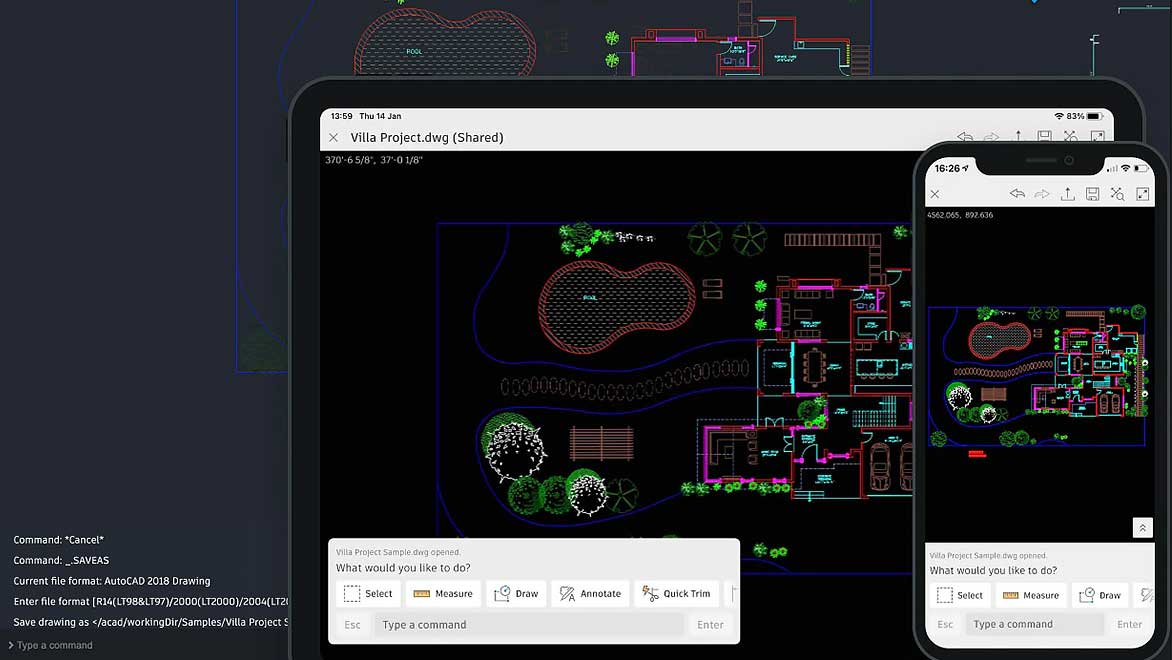
The transition from powerful desktop software to mobile applications often presents a unique set of challenges, and the AutoCAD mobile app appears to be no exception. Many experienced AutoCAD users find the mobile interface to be overly simplistic and a departure from the familiar, efficient environment of the desktop version. This has led to significant frustration, particularly regarding the perceived lack of essential functionalities that are critical for professional workflows.
One of the primary pain points highlighted by users is the absence of direct command-line input for dimensions and other operations. While the mobile app offers a point-and-click approach, this method is considered a considerable time sink for professionals accustomed to typing commands from memory. The efficiency gained from utilizing standard keyboard shortcuts on the desktop is lost, making the mobile experience feel slow and cumbersome for anything beyond basic sketching.
Furthermore, users have reported issues with the integration of subscription features and peripheral devices. Despite subscribing, functionalities such as the use of an Apple Pencil for freehand drawing or editing dimensions are reportedly not working as expected or are missing entirely in the paid version. This lack of support and the absence of clear guidance or responsive customer service exacerbate the user’s dissatisfaction. The overall sentiment is that the mobile app feels like a generic drawing tool rather than a true extension of the robust AutoCAD ecosystem.
The performance of the app also comes under scrutiny, with users noting that even simple tasks like drawing a floor plan are significantly slower compared to the desktop version. For professionals for whom time is a critical factor and profitability is directly linked to efficiency, this lag is unacceptable. The perception is that the app development team may not fully grasp that AutoCAD is a professional tool for earning a livelihood, not merely a hobbyist application.
In response to user feedback, the developers have acknowledged the need for improvements, particularly concerning Apple Pencil support. They are reportedly working on enabling users to select a tool before commencing drawing with the Apple Pencil and are actively seeking input on desired functionalities. The developers emphasize that the app is still under development and encourage users to share their thoughts to help shape its future.
While the intention to bring AutoCAD’s power to mobile devices is commendable, the current iteration falls short of meeting the expectations of experienced users who rely on speed, precision, and a familiar command structure. The path forward requires a more seamless integration with the desktop experience and the implementation of core functionalities that define AutoCAD’s professional utility. For those seeking a professional design tool on the go, carefully considering the current limitations against the demands of your workflow is essential. Autodesk offers various subscription plans, and it’s crucial to ensure the mobile app complements, rather than hinders, your productivity.
References:
- User feedback on AutoCAD mobile app.
- Autodesk AutoCAD 1 Year Subscription Reviews
- Logos en AutoCAD