
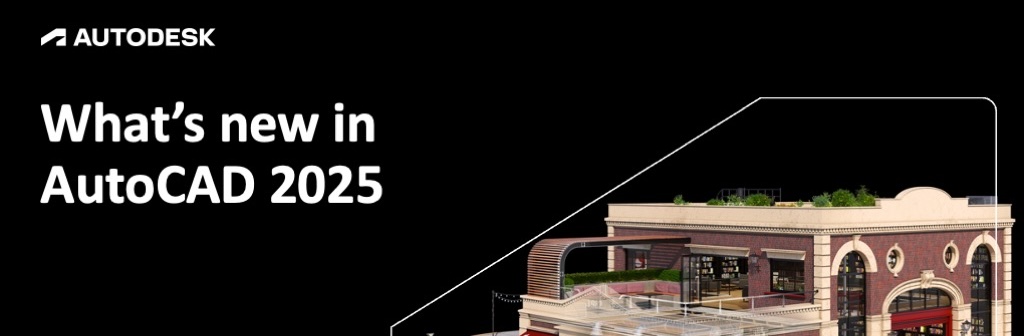
The release of AutoCAD 2025 marks a significant milestone in the evolution of Computer-Aided Design (CAD) software. As projects grow in complexity and collaboration becomes increasingly global, professionals require tools that are not only powerful but also smarter and faster. This latest iteration from Autodesk focuses heavily on integrating Artificial Intelligence (AI), enhancing cloud-based collaboration, and drastically improving core performance to streamline the architectural and engineering workflow. Whether you are a seasoned veteran or a newcomer to the platform, understanding these enhancements is key to maintaining a competitive edge in the industry.
Enhanced Performance and AI-Driven Assistance
One of the most immediate improvements users will notice in AutoCAD 2025 is the “File Open Performance.” On average, 2D files now open twice as fast compared to AutoCAD 2024. This reduction in loading time is a crucial productivity boost for professionals handling massive, data-heavy project files.
To assist with the learning curve of these new tools, the Autodesk Assistant provides real-time support. Directly within the interface, you can access solutions related to specific features or design challenges without having to leave your workspace. Complementing this is My Insights, a personalized engine that provides valuable tips and suggests new features based on your usage patterns, helping you work more efficiently over time.
Intelligent Automation with Smart Blocks and Markup
Automation is at the heart of AutoCAD 2025. The Smart Blocks feature has been significantly expanded, allowing the software to automatically place and replace blocks based on previous patterns. It can even search for and convert existing objects into suggested blocks, saving hours of manual drafting.
For the review process, Markup Import and Markup Assist leverage machine learning to incorporate feedback. You can import handwritten or digital comments from PDFs or printed sheets, and AutoCAD will automatically incorporate those changes into your drawings. Additionally, the Count command automates the enumeration of blocks or geometry, reducing human error in quantity takeoffs.
Advanced Collaboration and Activity Tracking
In an era of remote work, the Activity Insights feature is indispensable. It provides a detailed event log for shared DWG files, including property changes, version history, and file comparison tools. This feature now merges the previous “Drawing History” functionality, offering a unified view of how a design has evolved.
Collaboration is further simplified through:
- Share: Send controlled copies of your drawings to teammates with specific permissions.
- Push to Autodesk Docs: Directly publish your CAD sheets as PDFs to the Autodesk cloud environment.
- Trace: Safely review and add feedback to a DWG file without altering the original geometry.
- Xref Compare: Compare two versions of an external reference (Xref) and implement changes without switching windows.
Specialized Tools and Refined Commands
AutoCAD 2025 continues to refine the classic tools that designers rely on daily. The Quick Measure tool allows you to see areas and perimeters simply by hovering your mouse, while the Trim and Extend commands have been enhanced with a “Quick mode” that automatically selects all potential boundaries.
For those working with reality capture, the ability to Attach/extract point cloud data from 3D laser scanners remains a powerhouse feature. Furthermore, the PDF Import tool is more robust than ever, accurately bringing in SHX font files, fills, and raster images as editable AutoCAD geometry.
Accessibility: Any Time, Anywhere
The modern designer is no longer tethered to a single workstation. AutoCAD 2025 ensures a seamless experience across desktop, web, and mobile platforms. With APIs for AutoCAD on the web, users can now automate processes using AutoLISP even in a browser. The “Save to Web and Mobile” functionality ensures that your xrefs and drawing files are always synchronized, while High-resolution monitor support ensures that your designs remain crisp on 4K and 5K displays.
Conclusion
AutoCAD 2025 is more than just an incremental update; it is a specialized toolkit designed for the high-speed demands of today’s tech-driven design landscape. By leveraging AI for block management and markup assistance, while doubling down on cloud collaboration and raw performance, Autodesk has delivered a version that significantly reduces “busy work.” For firms looking to optimize their ROI and designers aiming for peak precision, upgrading to AutoCAD 2025 is a strategic move that pays dividends in both speed and accuracy.
References
- Autodesk Official Documentation: AutoCAD 2025 New Features Overview.
- Autodesk Knowledge Network: System requirements and API documentation for AutoLISP.
- Industry Technical Reviews: Performance benchmarks for CAD software (2024-2025).