
Microsoft Word has remained the world’s leading word processing application for over four decades — and in 2026, it is more capable than ever. Whether you are a student drafting your first research paper, a professional preparing corporate reports, or a freelancer building a client base, understanding the full range of uses of Microsoft Word can dramatically improve your productivity and career prospects. With over 188,913 verified companies worldwide relying on it daily and a global market share of approximately 30.8%, Word is not just software — it is a foundational professional skill.
This guide covers the ten most practical and powerful ways to use Microsoft Word in everyday life, education, business, and beyond.
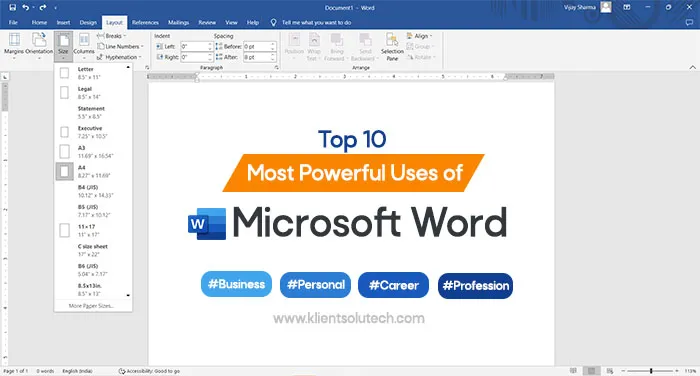
What Is Microsoft Word Used For?
Before diving into specific applications, it helps to understand the scope of what Word offers. Originally launched as a simple word processor, Microsoft Word has evolved into an intelligent document platform integrated with AI tools like Microsoft Copilot. Users can now draft, summarize, reformat, translate, transcribe, and automate complex documentation workflows — all within a single application.
North America accounts for around 35% of global Word usage, followed by Europe at 28% and Asia-Pacific at 25%. The manufacturing sector shows the highest adoption rate among tracked industries, but Word’s reach extends far beyond any single field.
10 Key Uses of Microsoft Word
1. Business and Workplace Documentation
One of the most common and critical uses of Microsoft Word is professional documentation in business environments. Word makes it straightforward to create contracts, HR letters, compliance documents, proposals, invoices, and internal reports with consistent formatting and branding.
Small businesses frequently use customized templates to generate invoices and quotations, while larger organizations leverage Mail Merge to send personalized communications to thousands of clients simultaneously. Research indicates that using standardized templates combined with AI drafting tools can boost document productivity by 20 to 35%. Word reduces dependency on external design software, ensures brand consistency, and makes even complex multi-department documentation manageable.
2. Educational Uses for Teachers and Students
Microsoft Word is one of the most valuable tools available in academic settings. Teachers can build engaging lesson notes by combining text, images, shapes, and WordArt. AI-assisted rewriting and summarization tools help quickly refine explanations or generate classroom examples, while automatic Table of Contents generation keeps longer materials well-organized.
Students benefit just as much. Word supports assignment writing, research papers, and thesis preparation with features like spell check, grammar suggestions, and the Read Aloud function. Real-time cloud collaboration through Microsoft 365 allows classmates to work on the same document simultaneously. Tools like Comments, Track Changes, and Version History make peer review and instructor feedback straightforward. With AI drafting support, students can generate outlines or rephrase complex ideas — making Word not just a writing tool, but a genuine learning companion.
3. Everyday Home Use
Word is equally useful outside professional and academic environments. At home, you can draft formal complaint letters, design event invitations, organize personal notes, and maintain family records using built-in templates. It works well for creating shopping lists, writing resumes, or keeping a personal journal.
With Microsoft 365’s cloud storage, documents stay synced across devices, so every household member can access and update files from any device, at any time.
4. Career Development and Job Applications
For job seekers, Microsoft Word is both an essential tool and a marketable skill. Most Applicant Tracking Systems (ATS) are specifically optimized to read Word documents, and recruiters consistently prefer clean, professional formatting over elaborate designs. Word’s built-in resume templates ensure your application is both readable and ATS-compatible.
Proficiency in Word — from basic formatting to advanced business features — is recognized as a high-value competency across industries. Listing this expertise on your resume can meaningfully improve your employability, particularly in administrative, communications, and office management roles.
5. Long-Form Reports and Structured Documentation
When working on lengthy reports or technical documentation, Word’s advanced organizational tools become indispensable. Headers, footers, cross-references, citation management, and automated indexing allow you to handle 30 to 40-page documents without losing control of structure or formatting.
Corporate teams rely on standardized Word templates to maintain branding consistency and reduce formatting errors across departments. When Word’s automation features are applied correctly, even the most complex documentation becomes manageable and efficient.
6. Writing Books, Articles, and Newsletters
Word has served as the primary writing tool for authors, journalists, and content creators since its earliest versions. Writing a book in Word is more accessible than many realize: you can set up a cover page, insert headers and footers, adjust images, align text, highlight key sections, and organize chapters using built-in styles.
When your manuscript is complete, you can save it directly as a PDF or e-book with just a few clicks — select Save As from the File menu, switch the format from .docx to .pdf, and Word produces a polished, distribution-ready version. Always keep an original .docx copy for future edits. This makes Word a practical end-to-end tool for anyone pursuing self-publishing or content creation.
7. Editing, Transcribing, and Converting PDF Documents
One of the less commonly known but highly practical uses of Microsoft Word is working with PDF files. Word allows you to open and edit PDFs directly, eliminating the need for dedicated PDF software in most everyday situations.
AI-powered transcription capabilities let you convert audio from lectures or video recordings into neatly formatted text. Word also supports translation between multiple languages — a useful feature for international professionals and multilingual teams. For data entry operators, administrative assistants, and typists, Word’s formatting tools ensure documents remain professional and consistent throughout.
8. Freelancing and Business Income
Strong Microsoft Word skills can be converted into real income opportunities. Freelancing platforms regularly list demand for services such as resume writing, thesis formatting, document editing, and custom template creation — all tasks that require advanced Word proficiency.
If you prefer in-person work, setting up a small documentation center — printing student projects, worksheets, or business materials using Word as the primary tool — is a viable local business model. Many small businesses also depend on Word for invoices, quotations, and client proposals. By combining formatting expertise with automation features like Mail Merge, you can deliver professional results efficiently, making Word a practical foundation for both online freelancing and local service businesses.
9. Team Collaboration Across Locations
With Microsoft 365, Word functions as a full-featured collaboration platform. Files saved to OneDrive can be accessed and edited by multiple team members simultaneously, regardless of location. Real-time co-authoring, inline comments, tracked changes, and version history give teams complete visibility and control over shared documents.
In 2026, AI advancements have taken collaboration further. Copilot Agent Mode supports multi-step research and documentation tasks, Work IQ provides contextual memory across sessions, and Sora 2 integration enables text-to-video generation for presentation-ready outputs. Microsoft also expanded Copilot Chat access inside Word, giving more users intelligent assistance without requiring a full Copilot license. These innovations position Word as more than a writing tool — it is an intelligent collaboration environment.
10. Teaching and Content Creation
Once you have developed strong Word skills, sharing that knowledge becomes a viable path to both impact and income. You can teach family members how to format documents, align images, or build professional resumes. For a wider audience, recording tutorials on topics like template design or document automation and uploading them to YouTube is a realistic content strategy.
Many professionals have turned their Word expertise into online courses, downloadable guides, and video lesson series — generating income while helping others build practical skills. Microsoft Word also remains one of the most widely taught applications in computer literacy programs worldwide, making instructors with real-world experience consistently in demand.
Why Microsoft Word Skills Still Matter in 2026
Having worked with Microsoft Word for over a decade across teaching, writing, and technical support roles, the consistent observation is that its relevance has grown rather than diminished. Far from being replaced by newer tools, Word has adapted — AI integration through Microsoft Copilot has made structured documentation skills more valuable, not less.
Whether you are a student, office professional, freelancer, or entrepreneur, mastering Word beyond basic typing unlocks genuine opportunities for productivity, collaboration, and income. In today’s professional environment, Word proficiency is not optional — it is a foundational skill for success in virtually any field.
Frequently Asked Questions
What are the most common uses of Microsoft Word?
The most common uses include creating business documents, writing reports and academic papers, designing resumes, editing PDFs, collaborating on team projects, and producing newsletters or books.
Can Microsoft Word be used on mobile devices?
Yes. Word is available as a mobile app for both Android and iOS, supporting basic word processing, viewing, and editing on the go.
How does Word help with PDF files?
Word allows you to open and edit PDFs directly within the application, and you can save any document as a polished PDF using the Save As function — no additional software required.
Can I integrate Excel data into a Word document?
Yes. You can link or embed Excel spreadsheets and charts directly into Word documents. Linked objects update automatically when the source Excel file is modified, which is especially useful for recurring business reports.
What AI features does Microsoft Word include in 2026?
In 2026, Word includes Microsoft Copilot for drafting and summarizing, Copilot Agent Mode for multi-step task automation, Work IQ for session memory, and Sora 2 integration for text-to-video generation.
Conclusion
The uses of Microsoft Word extend far beyond simple typing. From professional business documentation and academic writing to freelancing, collaboration, and content creation, Word remains an indispensable tool across every stage of personal and professional life. Its continued evolution — particularly through AI integration — ensures that the skills you build today will remain relevant and in demand well into the future.
If you are looking to strengthen your foundation, exploring basic computer courses or dedicated Word practice exercises is a practical starting point. The more deeply you understand Word’s full capability, the more confidently and effectively you can apply it — whether at school, at work, or in building something of your own.