
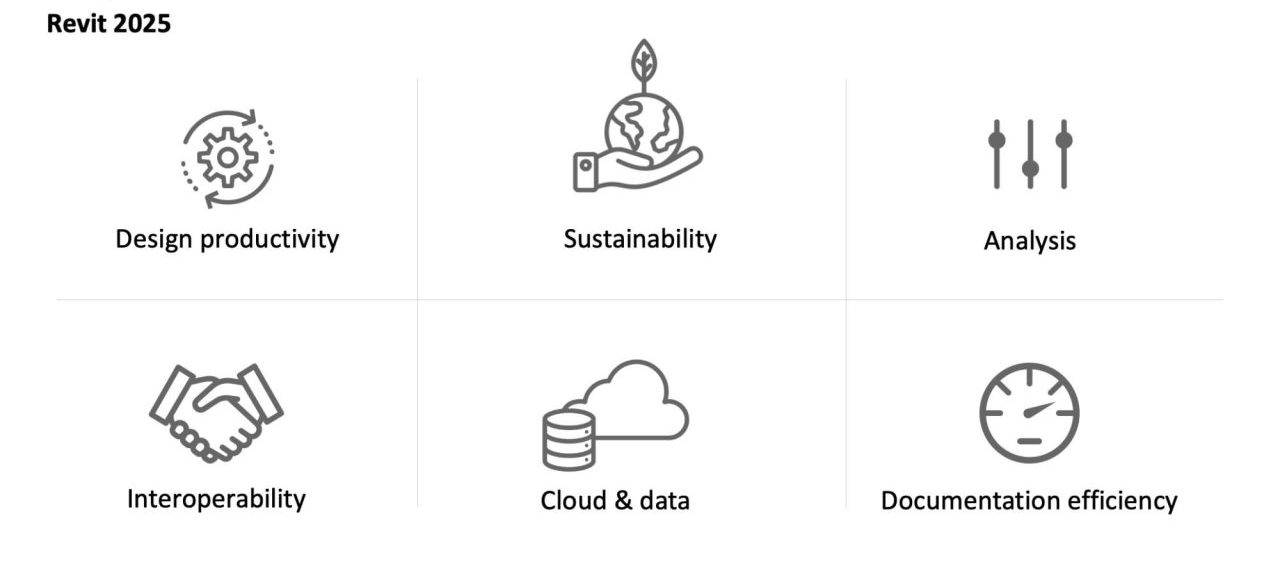
Revit 2025 introduces a suite of powerful new features and improvements designed to streamline workflows and enhance the capabilities of Architecture, Engineering, and Construction (AEC) professionals. This update focuses on refining existing tools and introducing innovative solutions, particularly in areas like family creation, toposolid manipulation, annotation management, and project organization. By addressing long-standing limitations and providing more intuitive functionalities, Revit 2025 aims to boost efficiency and accuracy across the design and construction lifecycle.
1. Enhanced Array Functionality in Family Editor
A significant advancement in Revit 2025 addresses a long-standing frustration for family creators: the inability to handle arrays of zero or one element without breaking. Previously, in Revit 2024 and earlier, creating such arrays necessitated cumbersome workarounds involving complex formulas. This limitation often led to broken families or required extra steps during the family creation process.
Revit 2025 resolves this issue by allowing the direct creation of arrays with zero or one element. While the family editor will display a gray line preview of the first and second elements for arrays of zero or one, these elements will remain invisible once the family is loaded into a project. This newfound flexibility simplifies the creation of adaptable and robust families, especially those designed to be visible or invisible based on project conditions. It is important to note that this improvement is currently exclusive to the family editor and does not apply when creating arrays directly within a project environment.
2. Streamlined Toposolid Editing and Management
The enhancements to Toposolid in Revit 2025 offer substantial improvements for site modeling and earthwork calculations. These updates aim to simplify complex tasks that previously required more manual effort and less accurate data.
2.1 Excavate Toposolid
In previous versions, modifying a toposolid to represent excavations, such as those for building foundations or basements, involved the laborious process of cutting the toposolid with voids. This method often resulted in inaccurate excavation data. Revit 2025 introduces a dedicated Excavate tool, allowing users to directly cut toposolids using elements like floors, building pads, roofs, and even other toposolids. This means that instead of modeling a void, users can simply select the floor of a basement slab and use the Excavate tool to achieve the same result, significantly speeding up the process and improving data accuracy. A single toposolid can be excavated by multiple elements, and the excavation volume for each cutting element is now accessible as a parameter, enabling detailed scheduling and reporting. The ability to “unexcavate” also provides flexibility for design changes.
2.2 Effortless Snapping in Toposolid Editing
Placing points within a toposolid has been made more intuitive with the introduction of the Snap XYZ option in Revit 2025. While the name might suggest snapping to all three axes, this new feature specifically enhances snapping to the Z-axis, complementing the default XY snapping. This allows users to accurately align points with the height of other elements, such as floors, or to set precise offsets from existing geometry, like placing points a specific distance below a wall’s top. Additionally, the Snap to Editor Points and Lines option, previously enabled by default, offers greater control over snapping to the ridges and points of the toposolid being edited, without affecting snapping to other project elements.
2.3 Improved Toposurface Conversion
When migrating older projects containing toposurfaces into Revit 2024, building pads were often ignored during the conversion to toposolids. Revit 2025 rectifies this by ensuring that building pads are now correctly included when converting a toposurface to a toposolid. This simplifies the upgrade process for older models, preserving essential site features. A key requirement for this new feature to function is the continued presence of the original toposurface within the model.
2.4 Placing Families on Cut Toposolids
Previously, placing face-based families onto a cut toposolid resulted in unpredictable placement, as the software did not accurately recognize the modified faces. Revit 2025 enhances this by enabling face-based families to properly recognize the cut faces of toposolids. This means users can now confidently place elements like trees or site furniture into precise locations on uneven or excavated terrain, improving the accuracy of site model representation.
2.5 Enhanced Shaft Opening for Toposolids
In earlier versions, shaft openings interacting with toposolids would cut the entire toposolid, regardless of the shaft’s depth. Revit 2025 corrects this behavior, allowing shaft openings to cut toposolids only to the depth of the shaft itself. This provides more accurate modeling for vertical penetrations through site elements.
2.6 Toposolid Smooth Shading
A purely visual enhancement, the Toposolid Smooth Shading option in Revit 2025 provides a more natural and less angular appearance for toposolids in 3D views. Activated via the Massing & Site tab, this feature smooths the visual representation without altering the underlying geometry. It’s important to note that this effect is not visible in Hidden Line view styles and removes surface patterns from materials.
2.7 Creating Toposolids from Faces
For users who frequently engage with massing elements, Revit 2025 introduces the ability to create a Toposolid directly from the face of a massing element. Accessible from the Massing & Site tab, this tool generates a toposolid complete with contour lines, offering a quick way to integrate site elements with conceptual massing.
3. Quick Alignment for Annotation Elements
Revit 2025 introduces a much-needed quality-of-life improvement for annotating drawings: the ability to quickly align annotation elements. Previously, aligning text, tags, and keynotes required manual adjustments or the use of third-party plugins.
The updated contextual tab for selected annotation elements now provides direct alignment options. Users can easily align multiple annotation elements to the left, center, or right. Furthermore, a new evenly space feature allows for the distribution of selected annotations with consistent spacing between them. This significantly speeds up the process of creating clean and organized documentation. However, these new alignment tools are limited to annotation elements and do not apply to 3D model elements like walls or lines, for which third-party solutions may still be necessary.
4. Introduction of Sheet Collections
A notable organizational enhancement in Revit 2025 is the introduction of Sheet Collections. Previously, Revit prevented sheets from sharing the same number, often necessitating the use of custom parameters for organization.
Sheet Collections allow users to group sheets into distinct categories, providing a more intuitive way to manage project documentation. The key advantage of this feature is that it permits sheets with identical numbers to exist across different collections. This is particularly useful for managing multiple design submissions within a single project, or when different teams require their own sets of plans with unique annotations. The Sheet Collection parameter can be incorporated into schedules, enabling powerful filtering and grouping capabilities for sheet lists.
5. Dynamo Enhancements
Dynamo, Revit’s visual programming tool, receives several updates in version 3.03, which are integrated into Revit 2025 for Revit-specific nodes. These enhancements focus on improving user experience and expanding functionality.
5.1 Improved Search Functionality
The search for nodes within Dynamo has been significantly refined. The new version includes “typo tolerance,” meaning that minor spelling errors in search queries will still yield relevant results, making it easier and faster to find the desired nodes.
5.2 Easier Package Tracking
Custom package nodes are now more easily identifiable. When zoomed out, these nodes are displayed in purple, and hovering over them reveals the name of the custom package they belong to, simplifying the management of custom node libraries.
5.3 Dockable Python Script Editing
For users creating custom Python script nodes, the editing experience has been improved. Scripts can now be edited in a dedicated, dockable window, offering a more organized and efficient workflow.
5.4 New Link Nodes for Revit
Working with linked Revit models in Dynamo has been historically challenging. Revit 2025 introduces new nodes specifically designed to interact with linked models, allowing users to select elements within these linked environments more effectively.
5.5 New Toposolid Nodes
A set of new nodes has been introduced to facilitate interaction with toposolids within Dynamo, expanding the possibilities for automating site-related modeling tasks.
6. Multiple Loop Mullion Profiles
Revit 2025 enhances the capabilities for creating complex mullion profiles. Previously, mullion profiles were restricted to a single loop, limiting their design potential. The new version allows profiles to contain multiple loops, enabling the creation of mullions with internal thickness or other complex configurations that were previously impossible. While multiple loops can exist within a profile, they must share the same material.
7. Activate End Wrap
This feature, while not detailed in the provided source, likely refers to an enhancement in how end wraps are handled for certain elements, potentially related to MEP or structural components, further streamlining detailing and modeling workflows.
These updates in Revit 2025 collectively represent a significant step forward in the software’s capabilities, offering tools that address user feedback and aim to make the design and documentation process more efficient, accurate, and enjoyable for AEC professionals.