
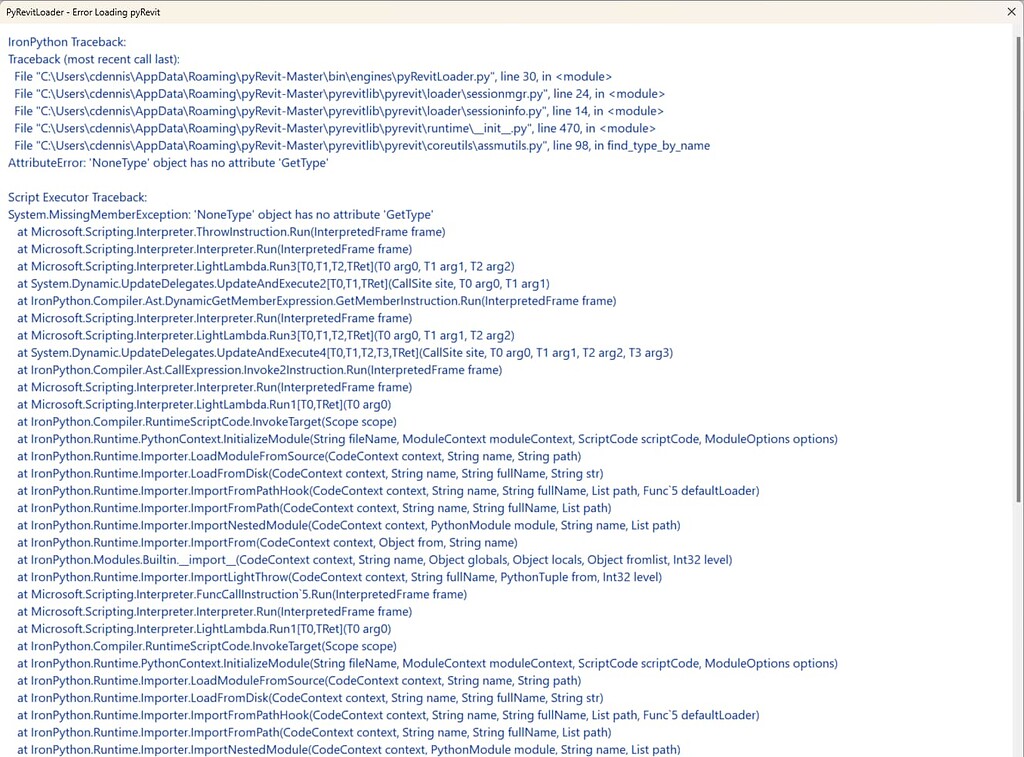
This article addresses a critical issue encountered by users of pyRevit: the inability to execute Python nodes within Dynamo when the CPython engine is selected. This problem, which affects multiple computers within an office environment, specifically prevents the execution of simple scripts like OUT=IN and triggers concerning error messages related to protected memory access. The issue is circumvented when switching to the IronPython 2 engine, indicating a potential conflict or incompatibility with CPython when pyRevit is installed.
Understanding the “Attempt to Read or Write Protected Memory” Error
The “attempt to read or write protected memory” error is a critical system-level error that typically occurs when a program attempts to access memory that it has not been allocated or is not permitted to access. In the context of Dynamo and pyRevit, this suggests a deep-seated conflict between how pyRevit interacts with Dynamo’s CPython interpreter and the underlying system’s memory management. This error can manifest in several ways, as seen in the provided error messages: an immediate popup upon calling a Python node, and a secondary error if the user attempts to modify the engine settings.
This issue has been noted in previous discussions, such as the Errors in Dynamo Python Script. issue on GitHub, which, unfortunately, was closed without a definitive solution. The core of the problem appears to be specific to the CPython engine, as Dynamo functions correctly with IronPython 2 when pyRevit is installed.
Hardware and Software Environment
The reported errors consistently appear across multiple workstations within an office setting. The affected environment includes:
- Operating System: Windows 11
- pyRevit Version: The latest version of pyRevit is being used.
- Revit Versions: The issue has been observed across various Revit versions, including 2024 (24.2), 2023 (23.1.3), and 2021.
- Dynamo Engine: The problem is strictly linked to the CPython engine. IronPython 2 operates without issue.
- Installed pyRevit Extensions:
- DDeT | Type: Unknown
- pyOMA | Type: Unknown
- pyRevitCore | Type: UIExtension
- pyRevitTools | Type: UIExtension
The detailed environment information, including registered clones and installed Revit products, can be found in the original issue report.
Potential Causes and Troubleshooting Steps
Given that the issue is specific to the CPython engine and pyRevit installation, several potential causes can be investigated:
- Python Environment Conflicts: pyRevit relies on specific Python installations and configurations. An incompatibility between pyRevit’s bundled Python environment and the system’s CPython interpreter could lead to memory access violations.
- Dynamo Integration Issues: The way pyRevit integrates with Dynamo’s execution engine might be problematic. When pyRevit is installed, it might interfere with Dynamo’s ability to properly manage the CPython interpreter’s memory.
- Antivirus Interference: While the user confirmed they do not have SentinelOne installed, other antivirus or security software could potentially be flagging pyRevit’s operations as suspicious, leading to memory access restrictions. It’s worth ensuring that pyRevit executables and associated Python processes are whitelisted in any active security software.
- Corrupted Installation: A corrupted pyRevit or Dynamo installation could also lead to such errors. Reinstalling both pyRevit and ensuring Dynamo’s components are intact might resolve the issue. Following the installation troubleshooting guide is a crucial first step.
- System-Level Issues: Though less likely if the issue is isolated to machines with pyRevit installed, underlying operating system issues or corrupted system files could contribute to protected memory errors.
Workarounds and Solutions
As a temporary workaround, users experiencing this issue can switch Dynamo’s engine to IronPython 2. However, this is not an ideal long-term solution as CPython offers more modern features and compatibility.
Further investigation into the pyRevit and Dynamo GitHub repositories for similar reported issues and potential fixes is recommended. Examining the pyRevit.core and pyRevit.tools extensions for any specific configurations that might impact Python execution could also yield results. For users seeking to deepen their understanding of Dynamo’s Python scripting capabilities, exploring resources like revit help 2025 might offer valuable context on different Python engines and their usage within the Revit ecosystem.
The community is encouraged to contribute any findings or potential solutions to the relevant GitHub issues to help resolve this critical bug for all pyRevit users.