
An attendance tracker app is a powerful tool for employers looking to streamline team management. These applications simplify the process of documenting employee work hours, effectively eliminating tedious paperwork and ultimately boosting team productivity. An efficient employee attendance tracker empowers users by offering a clear overview of work patterns and ensuring accurate record-keeping.
Clockify stands out as a robust, free time tracking and attendance application designed for advanced work time record-keeping. This guide will walk you through the simple steps to meticulously document your team’s activity using Clockify, ensuring a hassle-free experience.
Getting Started with Clockify for Attendance Tracking
To begin documenting your team’s attendance in Clockify, the initial step is to create an account. This process is straightforward and opens the door to a range of features. You can sign up for free here to get started.
Once your account is set up, the next crucial step is to invite your team members. Clockify allows you to form teams effortlessly by sending email invitations to individuals you wish to include in your workspace. Within the platform, you can assign specific roles and responsibilities to team members. A significant advantage of Clockify is its capacity to invite an unlimited number of people without any cost.
Tracking Employee Attendance with Clockify
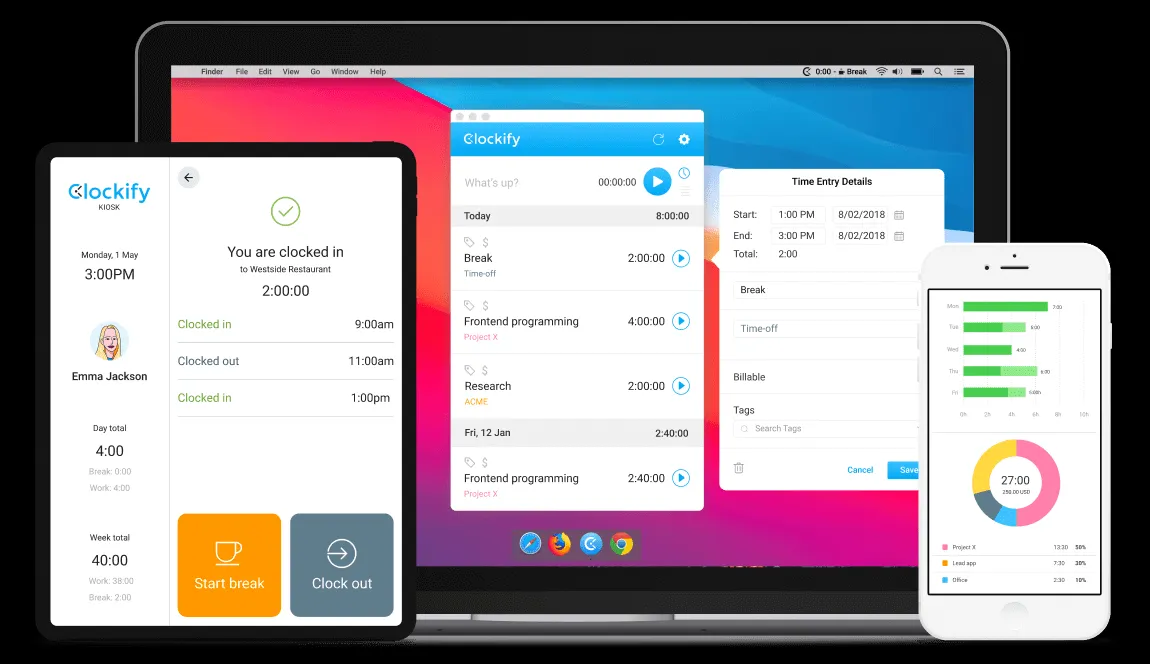
With your team assembled, employees can begin tracking their attendance seamlessly. They can initiate a timer through the web, desktop, or mobile applications. Alternatively, for a centralized approach, you can set up a kiosk on a shared device, enabling everyone to easily punch in and out.
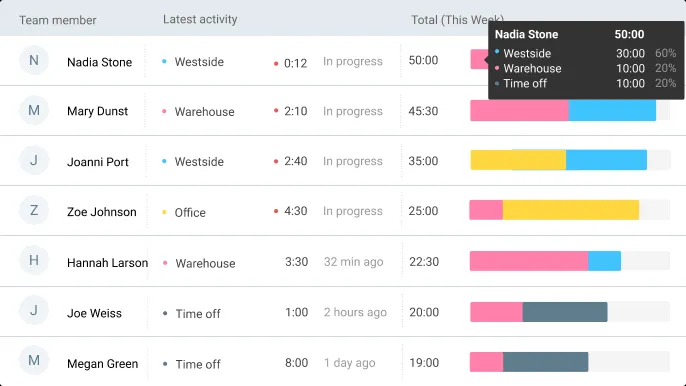
The Team Dashboard provides a real-time overview of your team’s activity. You can quickly see who is currently working on what by observing their running timers, when their last activity was recorded, and a visual representation of their workweek.
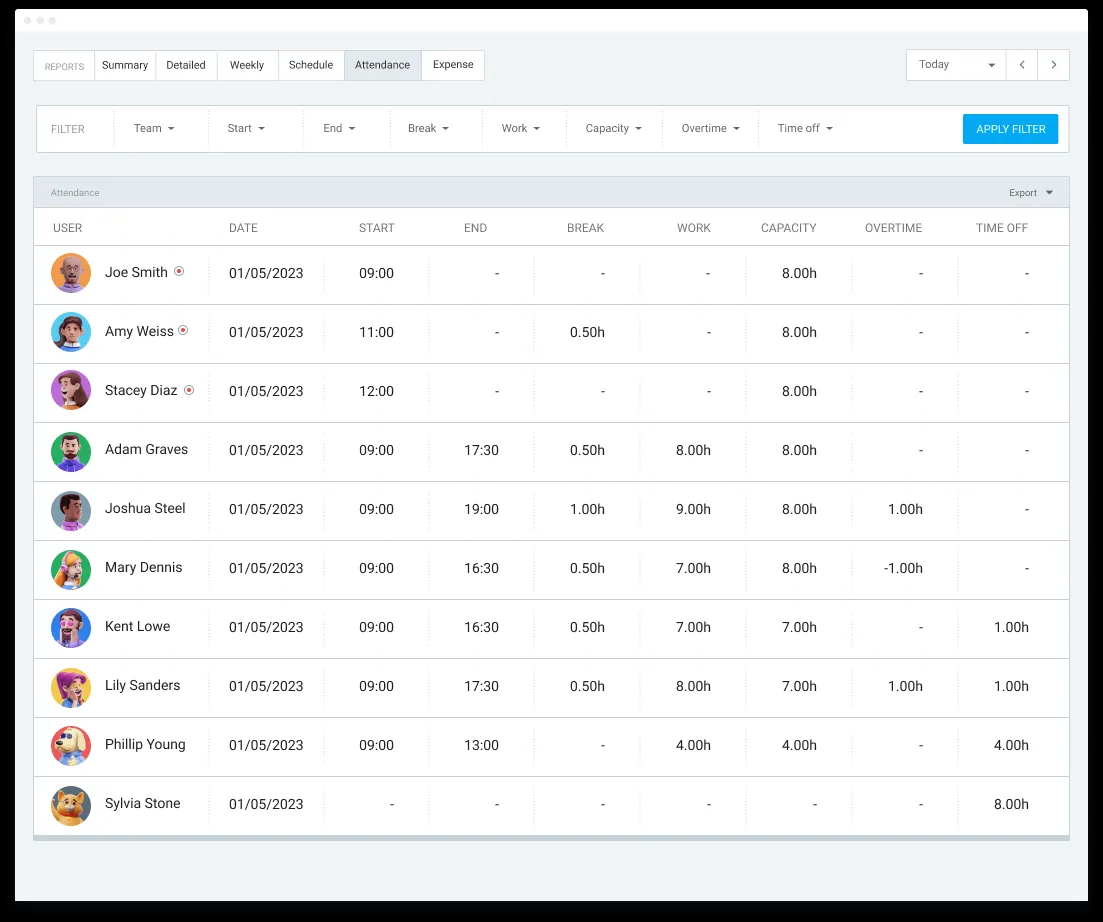
To delve deeper into your team’s logged time, the attendance report offers comprehensive details, including start times, end times, breaks, and overtime.
Clockify’s employee attendance tracker allows for detailed breakdowns of time tracking data tailored to your specific requirements. You can filter any data you wish to display and subsequently export these reports in various formats, including PDF, Excel, and CSV. Downloadable PDF samples are available for Summary, Detailed, and Weekly reports.
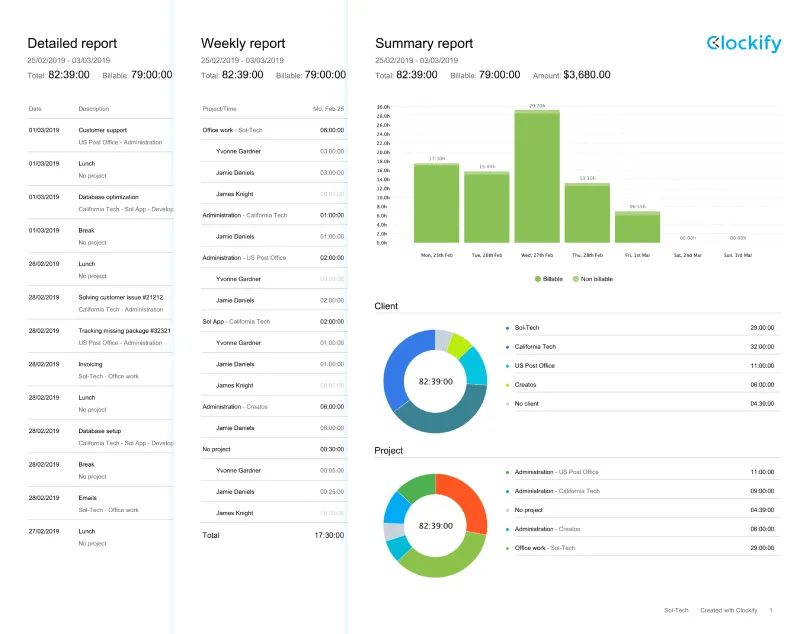 PDF time exports
Beyond Employee Time: Additional Uses for Clockify
Clockify’s versatility extends beyond basic employee attendance tracking. It can be effectively utilized in various other contexts:
Student Attendance
Enhance student productivity by employing Clockify to track, record, and report on attendance. This provides valuable insights into student absences, project engagement, and the total time dedicated to classes, contributing to a more structured learning environment.
Event Attendance
Leverage Clockify to monitor presence at different events. This capability aids in understanding your target audience more effectively, creating a reliable event budget, and facilitating the awarding of professional or educational credits.
Non-Profit Organizations
Clockify serves as an efficient application for non-profit organizations to track the time and attendance of their hourly workers. This not only saves valuable time but also promotes transparency in internal communications within the organization. Explore the Free time tracker for non-profits.
Church Attendance
Clockify also extends its utility to tracking attendance for church groups. By documenting who attends and how frequently, you gain a clearer understanding of your church’s resources, supplies, capacity, and overall mission. This detailed attendance record allows for an individual assessment of each member’s involvement and contribution. Learn How to track and check attendance.
Clockify is recognized for its user-friendliness and effectiveness, boasting an Average 4.8/5 rating on Capterra based on over 9,000 reviews.