
If you’ve been exploring different Medium platform writing options, you’ve probably noticed it stands apart from blogging tools like Pixnet, Vocus, or Substack. Rather than favoring short, viral posts, Medium was built around long-form, expert-driven content — and that difference shapes everything from its design to its monetization model. This guide walks through what Medium is, how its content formats and features work, how to publish and optimize an article, how writers actually earn money on the platform, and how to move content in or out of Medium. Whether your goal is building an audience, earning through the Partner Program, or simply finding a home for in-depth writing, this walkthrough covers the essentials.
What Is Medium?
Medium launched in August 2012, founded by Christopher Isaac “Biz” Stone and Twitter co-founder Evan Williams. Williams started Medium because he felt Twitter — the platform he’d already built — was overflowing with shallow, disposable information rather than substantive ideas. Medium was his answer: a space that encouraged writers to publish long, carefully considered pieces, which over time attracted academics, researchers, and industry experts as regular contributors.
That difference is easy to see in practice. Searching the same name on Twitter typically surfaces short reactive commentary, while the same search on Medium turns up analytical essays and researched opinion pieces. Twitter behaves like an information feed; Medium behaves more like an open-access journal. For many readers, Medium has become a primary source for deep-dive knowledge — sometimes even ahead of a general Google search.
Medium Content Types
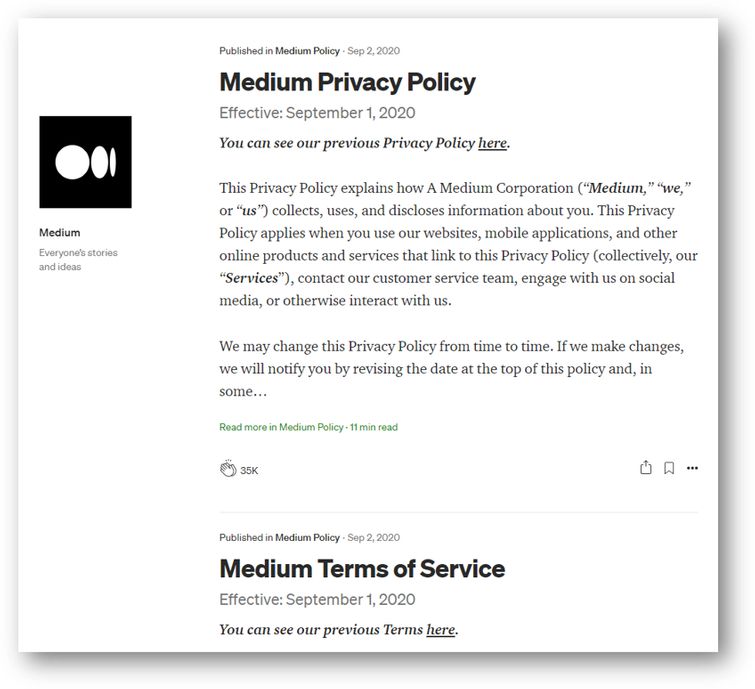
Blogs (Stories)
“Blogs,” officially called Stories, are Medium’s most basic content type. They appear on a writer’s profile in a scrolling feed, similar to a social media timeline, and readers scroll down to browse older posts.
Publications
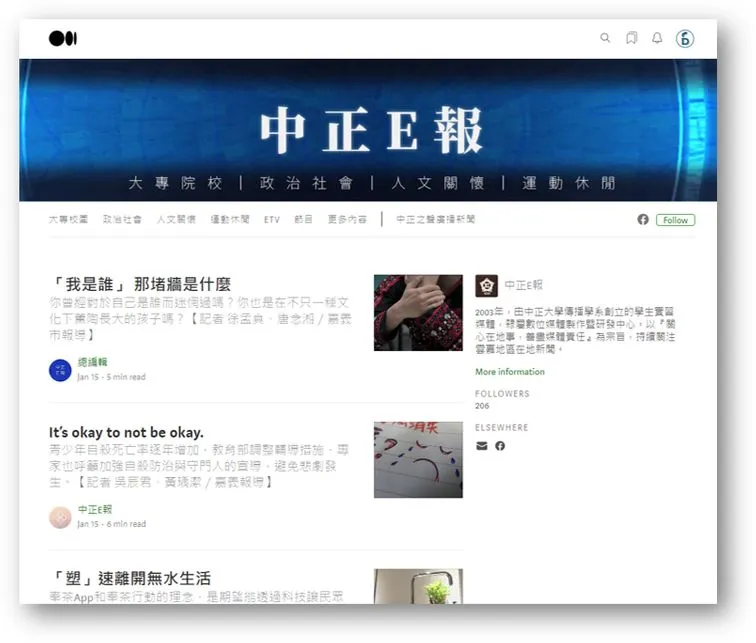
Publications function more like a curated journal than an individual blog. Multiple contributors — assigned as either Editors or Writers — can publish under one shared identity, which is why many companies and organizations use Publications for official content. Unlike the standard scrolling layout, Publications allow custom design elements: categories, navigation menus, and featured or trending article sections, giving readers a more organized browsing experience.
Newsletters
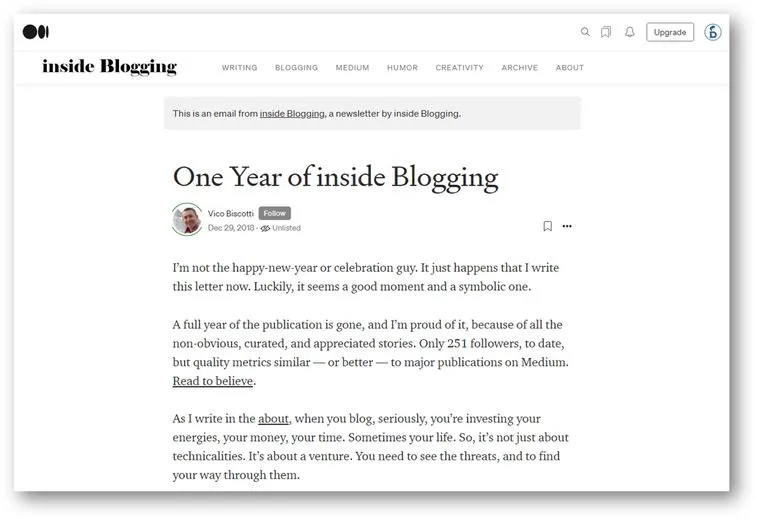
Newsletters let Publication editors email subscribers directly and track engagement data from the backend. Subscriber lists can also be exported for use elsewhere. In essence, this feature merges the “blog plus email list” strategy that many independent bloggers already use, folding both tools into a single platform.
Series (Discontinued)
Series, introduced in 2017 as Medium’s answer to Snapchat-style content, allowed writers to bundle several posts into an ebook-like format that stayed visible (unlike Stories, it didn’t disappear after 24 hours). Medium officially discontinued the feature in October 2020, though previously published Series content remains accessible.
Key Medium Features
Followers let readers subscribe to specific writers and get notified whenever new content is published — functioning much like Instagram’s follow system.
Claps, Highlights, and Responses form Medium’s core interaction system. Claps act as a form of appreciation (and used to influence earnings), Highlights let readers mark passages they find valuable, and Responses function as public replies or linked commentary. All three trigger notifications to the original author.
 Medium interaction icons for clapping, highlighting, and responding to articles
Reading List automatically compiles articles you’ve saved, bookmarked, highlighted, or recently read, making it easy to return to content later.
Emails extend beyond Newsletters — even standalone bloggers can embed third-party email opt-in forms (such as Kit) directly into their stories to build a subscriber list outside Medium’s native tools.
How to Write and Publish on Medium
Getting started on Medium is straightforward, thanks to a clean, WYSIWYG editor with autosave and a large built-in stock photo library.
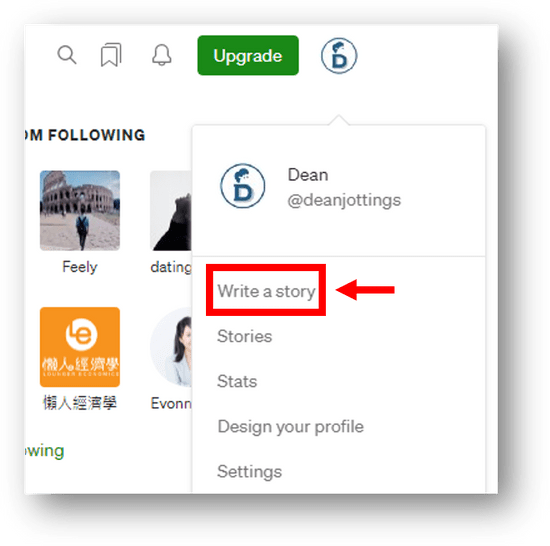
Step 1 — Open the editor. After creating an account, click your profile icon in the top right and select “Write a story.”
Step 2 — Draft your content. Add a title and subtitle at the top, then write the body below. Clicking the “+” icon at the start of any line reveals options to insert images, search Medium’s stock photo library, embed a video by pasting a URL, add social media embeds, or insert a divider between sections. Highlighting text opens a separate formatting toolbar for bold, italics, links, and headings.
Step 3 — Adjust advanced settings before publishing. Clicking the three-dot menu next to the green “Publish” button reveals several options: adding the story to a Publication, sharing a private draft link for review, sharing directly to Twitter, setting the story as members-only, choosing a featured image, customizing the display title and subtitle, adding up to five tags, reviewing revision history, and accessing further SEO-related settings.
Step 4 — Publish. Once everything looks right, click the green Publish button to make the story live.
How Writers Make Money on Medium
Medium supports two core monetization systems: Membership and the Partner Program.
Medium Membership lets writers place select stories behind a metered paywall, viewable only by paying members (or by readers who receive a Friend Link). Membership costs $5 per month or $50 per year, payable by credit card or PayPal, and can even be gifted to another person.
Membership fees fund the Partner Program, which is how writers actually earn income. To join, both your content and follower count need to meet Medium’s eligibility criteria, and the account must be approved. Earnings were originally based on Clap counts, but Medium moved to a reading-time-based model after discovering the Clap system was prone to manipulation. Under this model, if a paying member spends 10% of their monthly Medium reading time on your story, you receive roughly 10% of that reader’s membership fee for the month. Only members’ reading counts toward earnings — though Medium does credit writers if a reader joins Membership within 30 days of reading their story. This system applies to both standalone Stories and Publication content.
How to Increase Traffic to Your Medium Articles
According to SimilarWeb data, Medium receives an average of roughly 230 million monthly visits over recent months.
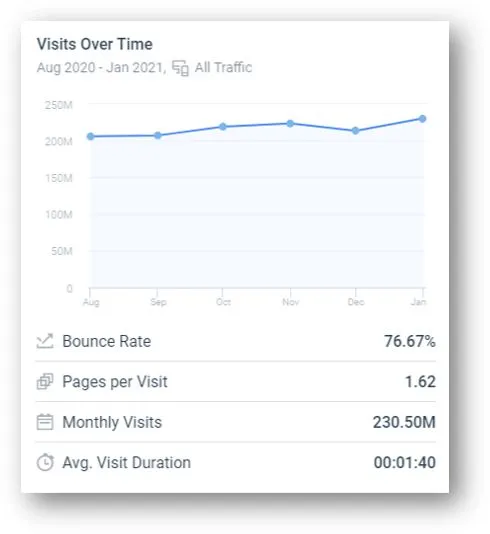 Medium's average monthly traffic volume shown in analytics data
Traffic largely comes from three sources: organic search, direct visits, and social media referrals. Here’s how to tap into each.
On-Page SEO for Medium
Because Medium’s source code isn’t open for customization, writers can only influence on-page SEO factors — but these still matter significantly.
Titles and subtitles. Work your core keyword naturally into the title without forcing awkward phrasing, and use it to clearly signal what the article covers. Subtitles (H2 headings) should follow a logical hierarchy and incorporate related keywords where relevant.

Meta title and meta description. These display in search engine results and can differ from your visible headline. A meta title should stay short enough to display fully in search results and include your main keyword once, without repetition. A meta description of roughly 60–100 characters should summarize the article naturally while weaving in your keyword and related terms to encourage clicks.
URLs. Set a custom URL rather than letting Medium auto-generate one from your title, since default URLs tend to be long and unwieldy. A concise, keyword-relevant URL is easier for both search engines and readers to interpret. Medium also supports Canonical Links, which tell search engines which version of duplicated content is the “original” — useful if you’ve published the same article elsewhere first.
Image alt text. Every image should include descriptive alt text (e.g., “a yellow Persian cat” rather than just “cat”), which helps search engines understand image content and can occasionally drive image-search traffic. Keywords can be included naturally but shouldn’t be forced.
Internal and external links. A well-linked article references credible external sources and connects to related content you’ve written — but link relevance matters more than link volume, particularly under Google’s link-quality algorithms.
Making the Most of Medium’s Built-In Audience
Beyond SEO, several habits help writers get discovered organically within the platform itself.
Focus on a single niche. Writers who consistently cover one subject area tend to build more authority than those who jump between topics — especially on a platform filled with subject-matter experts.
Use tags strategically. Each story allows up to five tags, which help readers discover your content when browsing or searching by topic.
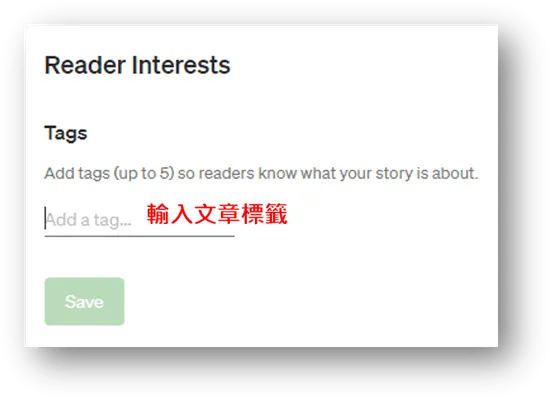 Adding topic tags to a Medium article before publishing
Include a clear call to action. Encouraging readers to follow your account (rather than asking for claps, which violates platform guidelines) helps ensure they’re notified about future stories.
Add your own related reading. Medium automatically suggests “Related reads” at the bottom of each story, but these usually point to other writers’ work. Manually linking to your own related articles within the body or at the end keeps readers engaged with more of your content.
Engage with other writers. Clapping, highlighting, and responding to other authors’ work often prompts reciprocal attention, especially from writers in the same niche.
Social Media Referral Traffic
A meaningful share of Medium’s traffic comes through social sharing. Many established Medium writers are already recognized figures in their field, so their existing social following naturally drives visits when they share new stories on platforms like Facebook or LinkedIn.
Medium: Pros and Cons
Advantages include a built-in audience that reduces the need for external promotion; consistently high-quality, well-researched content; a genuinely ad-free reading experience; an intuitive WYSIWYG editor with autosave; strong reader interaction through claps and responses; the flexible Publications format for organizations; custom domain support for Membership subscribers; and a dedicated mobile app with push notifications for followed writers.
Drawbacks include limited ownership control since content lives entirely on Medium’s servers; a smaller non-English readership, though this is gradually growing; no support for analytics tools like Google Analytics or Search Console; nofollow links that limit SEO value passed to external sites; a closed platform structure that can’t be customized like open-source tools; and no one-click migration path if you decide to leave.
Syncing Content to and from Medium
If you already publish elsewhere and want to bring that content to Medium, the platform’s import tool lets you paste a URL and automatically sync the article (one page at a time, not an entire site). Imported stories aren’t published immediately, so you can still edit them, and Medium automatically applies a Canonical tag pointing back to the original URL to avoid duplicate-content issues.
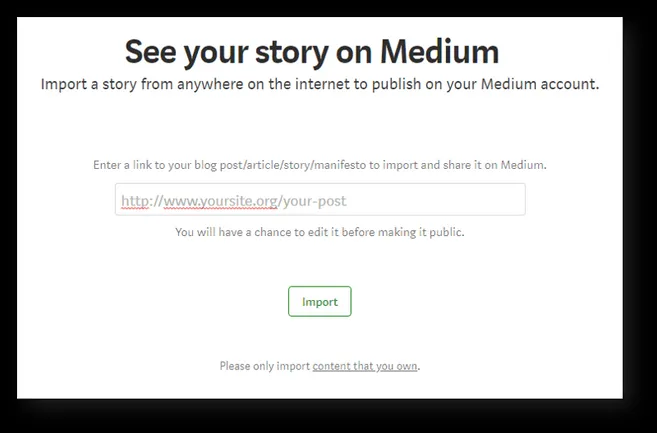 Importing an external article into Medium using its automatic sync tool
Moving in the opposite direction — from Medium to a self-hosted WordPress site — takes a few more steps, often because writers want more SEO control than Medium allows. The general path is: export your content from Medium, import it into WordPress.com, export it again from WordPress.com, then import that file into your self-hosted WordPress.org site.
Start by visiting Medium’s export page and clicking Export; Medium will email you a ZIP file.
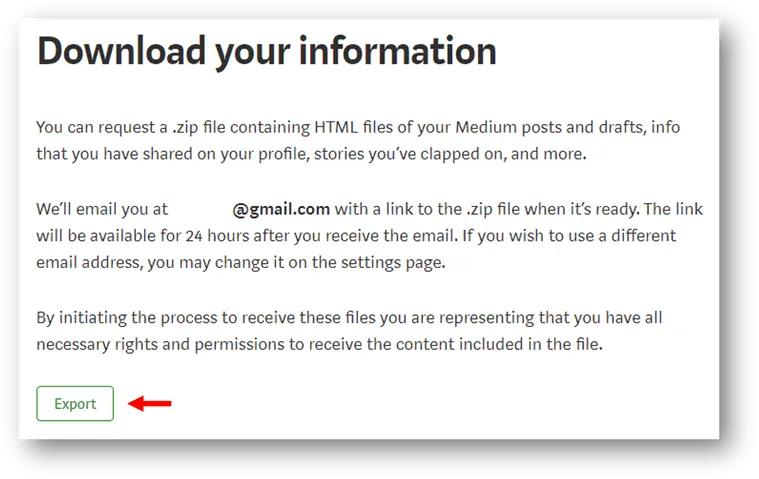 Exporting Medium content as a downloadable ZIP archive
Since that ZIP file can’t be uploaded directly to a self-hosted WordPress.org site, import it into WordPress.com first (via Settings → Import), then export it again from WordPress.com’s Settings → Export page. Finally, log into your WordPress.org dashboard, go to Tools → Import, install the WordPress importer, and upload the file from the previous step.
Final Thoughts
Medium occupies a distinct niche among writing platforms: it rewards depth over speed, expertise over virality, and sustained topic focus over scattered posting. For professionals with subject-matter expertise, it offers a built-in audience of engaged, curious readers who are actively seeking substantive content. For organizations, Publications provide a structured way to share ideas and reach new audiences without needing to build a following from scratch.
If you’re weighing whether to invest time in Medium, the platform rewards writers who commit to a consistent niche, optimize their titles, tags, and URLs thoughtfully, and actively engage with the broader writer community rather than publishing in isolation. Between its built-in traffic, ad-free reading experience, and structured monetization through the Partner Program, Medium remains one of the more compelling homes for long-form, expertise-driven writing — even with the trade-offs of limited customization and reduced ownership control.