
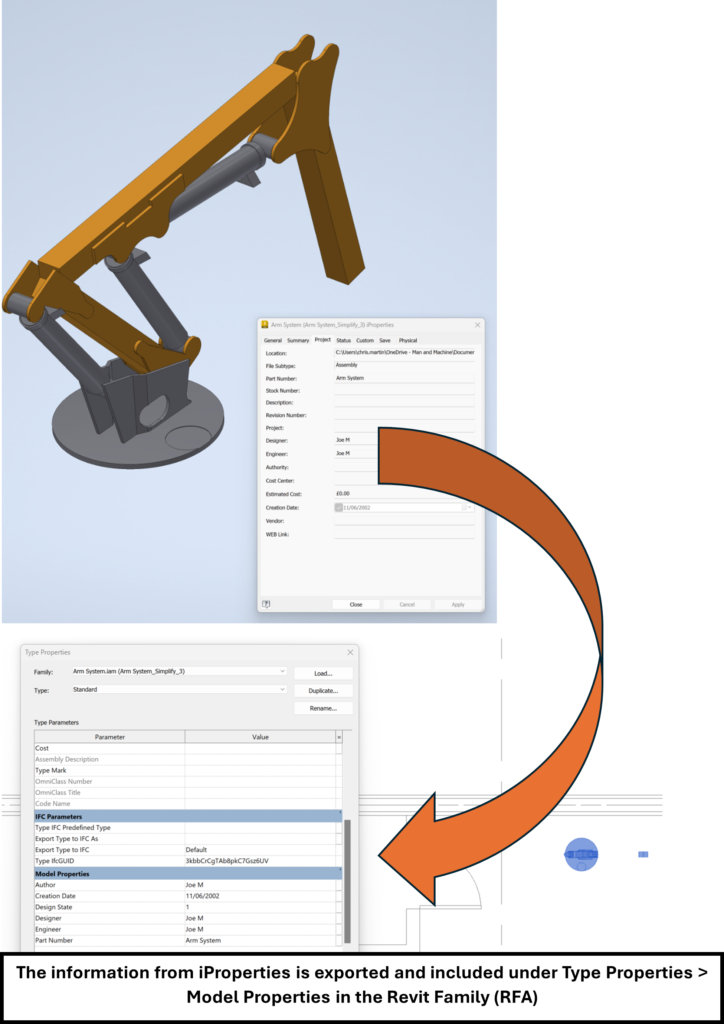
The Autodesk Interoperability Tools are essential add-ons for Revit users, facilitating smoother data exchange and workflow management. If you’re looking to integrate these tools or finding that the Interoperability Tools tab is missing from your Revit ribbon, this guide will walk you through the process of downloading and installing them.
Downloading the Interoperability Tools
There are two primary methods to access and download the Autodesk Interoperability Tools for Revit through your Autodesk Account:
1. Via “Product Updates”
- Navigate to the “Product Updates” section within your Autodesk Account.
- Set the release date filter to “All” to ensure you see all available updates.
- Perform a search for “Interoperability.”
- Locate and download the specific version of the Interoperability Tools that matches your installed Revit version.
- Important Note: If the add-on isn’t visible in your account, you may need to contact your contract manager, primary admin, or secondary admin to request access.
2. Via “All Products and Services”
- Go to the “Products and Services” section in your Autodesk Account.
- Find your installed Revit version.
- Click on “View details.”
- Select the desired Revit version.
- Navigate to the “Extension” tab.
- Search for and download the Interoperability Tools specifically for that version.
Installing the Interoperability Tools
Once you have downloaded the appropriate installer, follow these steps to install the tools:
- Run the downloaded installer.
- Follow the on-screen prompts to complete the installation process.
Verifying the Installation and Troubleshooting
After installation, you can verify if the tools are correctly installed and accessible within Revit:
- Check the Revit Ribbon: Open Revit and look for the “Interoperability Tools” tab on the ribbon.
- Windows Programs and Features: If the tab is missing, you can confirm the installation by opening “Programs and Features” in Windows. Search for “Interoperability Tools” to ensure the add-on is listed as installed for your specific Revit version.
If the Interoperability Tools for your desired Revit version are not found or installed, refer back to the downloading steps in this article to obtain the correct version.
Should you encounter issues with the add-on not appearing in the Revit ribbon despite a successful installation, please refer to the specific troubleshooting article: “Add on not showing in the Ribbon Tab in Revit.”
Additional Resources
For previous versions of Revit or further assistance, you can refer to these related resources:
- Autodesk Interoperability Tools
- How to find and download Autodesk Interoperability tools for previous versions of Revit
- Available Revit Updates & Add-ons
- Missing products or updates or add-ins in Autodesk Account
- How to get support for Autodesk BIM Interoperability tools
- Where to download the installer for Model Checker for Revit?
By following these steps, you can ensure you have the necessary Autodesk Interoperability Tools installed for an optimized Revit workflow.