
Choosing the right storage for your gaming PC affects load times, multitasking, and how many titles you can keep installed. With modern AAA games routinely topping 100GB and frequent updates, storage is no longer an afterthought—it’s a core component of your gaming experience. This guide explains practical capacity recommendations, SSD types, and upgrade strategies to help you pick the best configuration for your playstyle. The keyword for this article is “how much storage does your gaming PC actually need”.
Quick summary and recommendations
- 500GB — Bare minimum. Suitable only for players who stick to indie or older titles, or who stream most AAA games. Expect frequent uninstalling.
- 1TB — Good starting point for casual gamers. Fits the OS, apps, and a handful of large games.
- 2TB — The sweet spot for most players. Balances cost and convenience, allowing multiple AAA installs plus extras like mods and media.
- 4TB+ — For collectors, creators, or those who keep large libraries always installed.
For most users, 2TB of NVMe storage (PCIe Gen 4) is the ideal balance of space, speed, and price.
Why storage capacity matters
Storage differs from RAM: it holds your OS, games, and files permanently. As games grow larger and add frequent patches, a small drive fills quickly. Low free space also makes maintenance harder (e.g., more frequent file shuffling) and can degrade performance in some workloads. Choosing enough capacity up front reduces interruptions and lets you focus on gaming.
SSD types and performance tiers
Understanding drive types helps match speed and budget with needs.
- NVMe M.2 SSDs — The modern standard for gaming. Plugs directly into the motherboard and delivers fast read/write speeds that reduce load times and asset streaming stutters.
- SATA SSDs — Faster than HDDs and useful as secondary storage or for budget builds. Slower than NVMe but still a major improvement over mechanical drives.
- HDDs — Cheap per terabyte, good for backups and media, but not ideal for installing modern games due to long load times.
PCIe generation matters:
- Gen 3 — Older but adequate for many games; cost-effective.
- Gen 4 — The sweet spot for current gaming PCs; about twice the bandwidth of Gen 3 and widely supported.
- Gen 5 — Cutting edge with higher theoretical speeds, but limited real-world gaming gains and greater cost/thermal trade-offs.
For most gamers, a PCIe Gen 4 NVMe drive gives the best combination of performance and value.
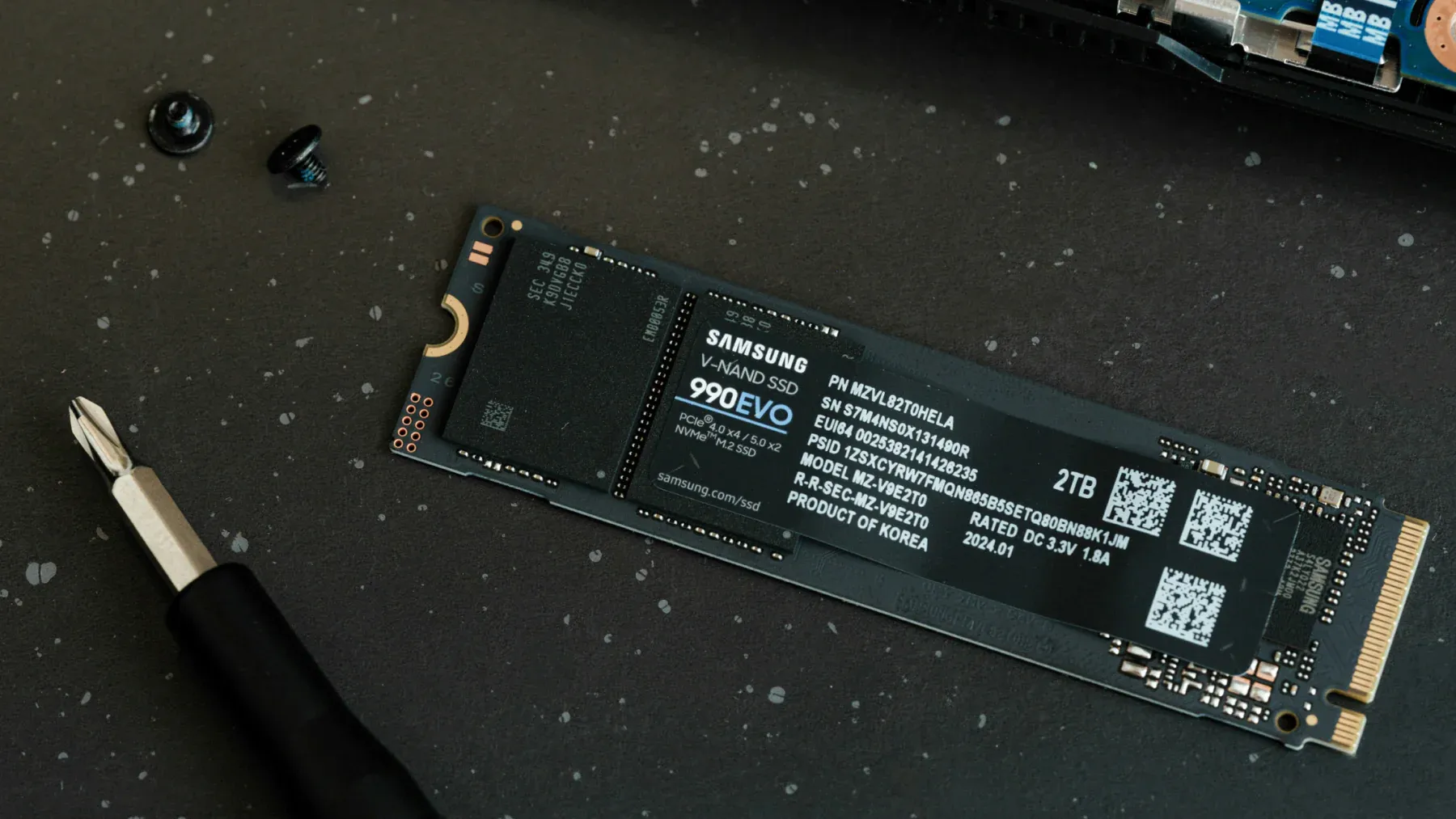
Alt text: Slim NVMe M.2 SSD module showing gold contacts and NAND chips, suitable for high-speed gaming storage.
How much space do systems and games use?
- Windows 10/11 + essential apps usually occupy 80–100GB after updates and drivers.
- Modern AAA titles often range from 50GB to 150+GB each; expansions and texture packs add more.
- Mods, captured video, and creative projects can consume hundreds of gigabytes quickly.
Estimate total needs by listing the games you play regularly and their sizes, adding room for OS, apps, and 20–30% headroom to avoid constant management.
One large SSD vs two smaller SSDs
Both setups work—choose based on workflow:
- One large SSD — Simpler management and often better cost per TB.
- Two SSDs — Useful to separate OS and games (easier upgrades and cloning), or to mix a high-speed boot drive with a larger capacity secondary drive.
If you prefer easy upgrades or want to swap a game drive quickly, use two drives; otherwise, a single large NVMe is straightforward.
Practical build scenarios
- Budget/Entry gamer: 1TB SATA or NVMe Gen 3. Keeps costs down but requires occasional cleaning.
- Mainstream gamer: 2TB NVMe Gen 4. Comfortable space for several AAA titles and extras.
- Streamer/Creator/Collector: 4TB+ NVMe (or NVMe + HDD for bulk media). Plenty of headroom for captures and libraries.
Remember: storage is one of the easiest upgrades—start with what fits your budget and add more later.
Performance tips and maintenance
- Keep at least 10–20% free space on SSDs to maintain performance.
- Use a fast NVMe for your OS and most-played games; store less-used titles on a secondary drive.
- Regularly uninstall games you aren’t playing and archive captures to external or cloud storage.
- Check motherboard compatibility for PCIe generation and available M.2 slots before buying.
Buying checklist
- Capacity target: 1TB, 2TB, or 4TB+ based on needs.
- Form factor: M.2 NVMe for primary drive; 2.5″ SATA or external for backups.
- PCIe generation compatibility: Match drive Gen with motherboard/CPU to avoid bottlenecks.
- Sustained performance and thermal behavior: Look for drives with good sustained write performance and heatsinks if your motherboard lacks M.2 cooling.
- Warranty and endurance ratings (TBW) for long-term reliability.
Conclusion and call to action
How much storage does your gaming PC actually need? For most gamers, 2TB of PCIe Gen 4 NVMe storage offers the best balance of space, speed, and future-proofing. If you’re just starting, 1TB will work but expect to manage installs often; 4TB+ suits collectors and creators. Storage upgrades are affordable and simple, so choose what fits your current needs and expand later as your library grows.
If you want tailored advice, list your typical game titles, how many you like to keep installed, and your budget—I’ll recommend a specific drive or configuration.
References
- NZXT blog — “How much storage does your gaming PC actually need?” (Aug 24, 2025)
- Hardware review sites and SSD manufacturer specifications for PCIe Gen 3/4/5 comparisons
- Community reports on game sizes and patch frequencies (developer patch notes and Steam/console store pages)