
Choosing the right computer for graphic design can transform your creative workflow. Whether you’re editing photos, designing illustrations, or rendering 3D models, the best machines deliver speed, reliability, and seamless performance for applications like Photoshop, Illustrator, InDesign, and Blender. After rigorous testing, we’ve curated a list of the top computers for graphic design, catering to every budget and need—from compact mini PCs to high-end workstations.
Best Computer for Graphic Design Overall
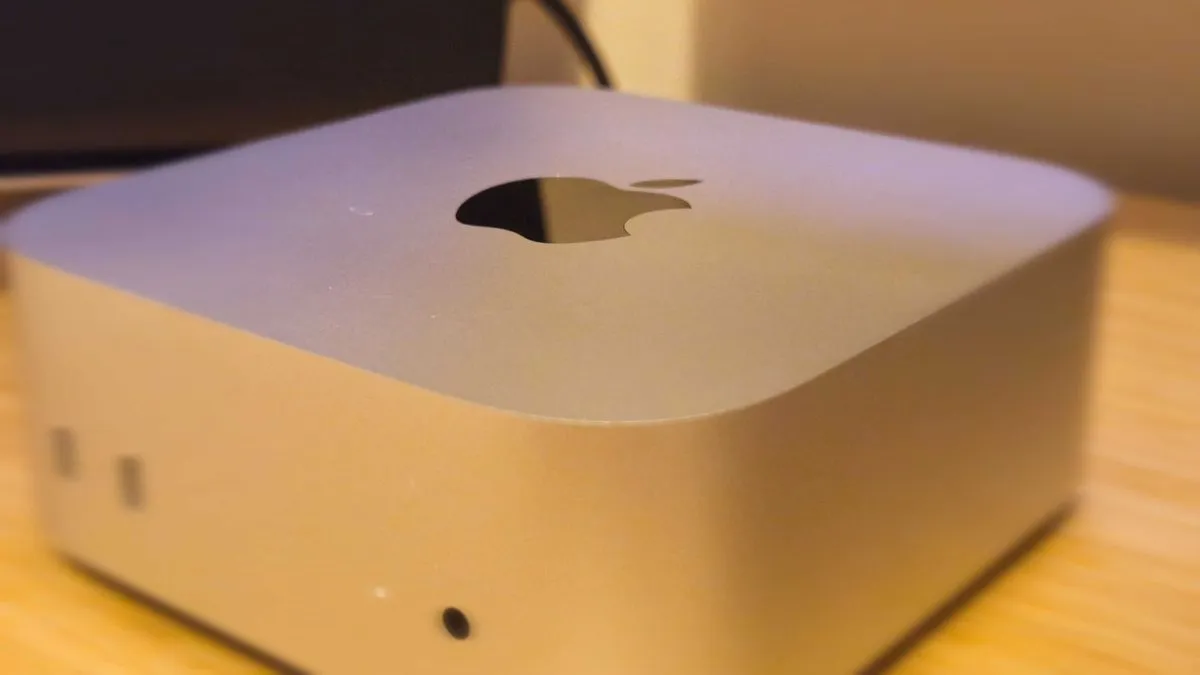
Apple Mac mini (M4, 2024)
The Mac mini (M4, 2024) stands out as the best overall computer for graphic design, combining exceptional performance, a compact design, and outstanding value. Powered by Apple’s M4 or M4 Pro chip, it handles every major design application with ease—from Photoshop to DaVinci Resolve—while maintaining near-silent operation. The base model starts at $599 / £599, featuring 16GB of unified memory and 256GB storage, making it an affordable yet powerful option for most creative workflows.
Key Features:
- CPU: M4 or M4 Pro
- GPU: 10-core (M4) or 16-core (M4 Pro)
- RAM: 16GB–32GB
- Storage: 256GB–2TB
- Ports: Front USB-C, Thunderbolt 4, HDMI 2.1, Gigabit Ethernet
Why It’s the Best:
- Compact and silent, ideal for small workspaces.
- Seamless integration with macOS and creative software.
- Front-facing USB-C ports for easy access to peripherals.
- M4 Pro variant offers 12-core CPU and 20-core GPU for demanding tasks like 3D rendering and multi-cam RAW video editing.
Considerations:
- Requires separate purchases for a monitor, keyboard, and mouse.
- Limited upgradeability compared to Windows desktops.
Best Windows Computer for Graphic Design
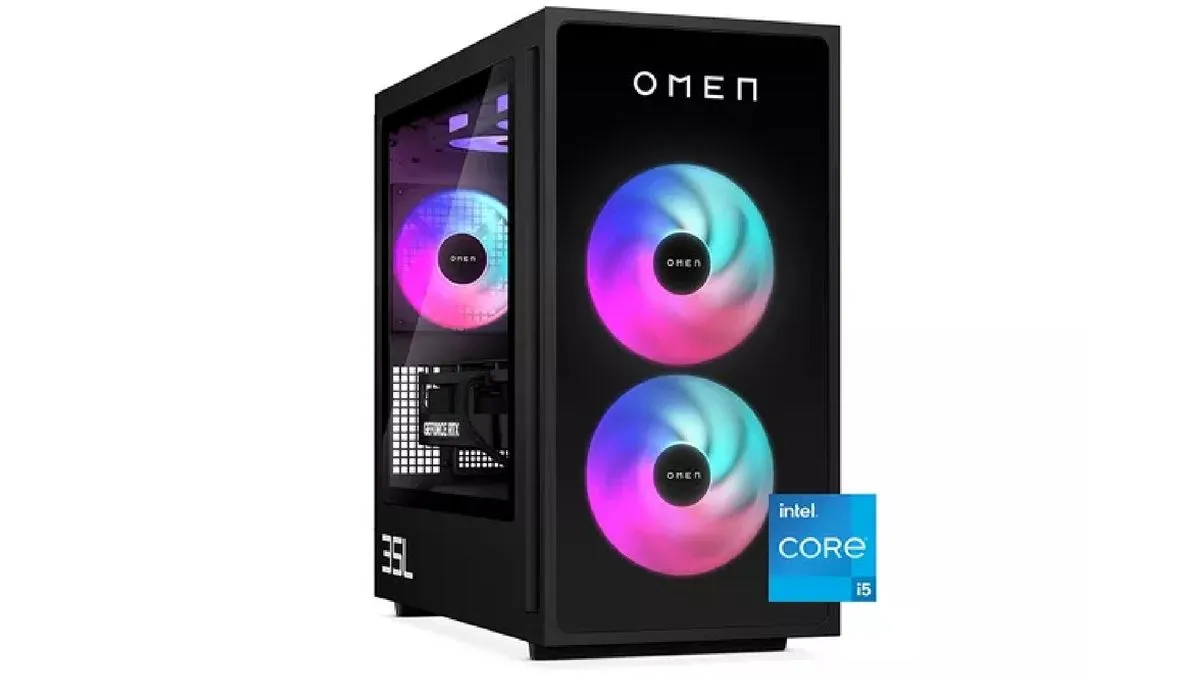
HP Omen 35L (2026)
For Windows users, the HP Omen 35L (2026) is the best choice, thanks to its NVIDIA GeForce RTX 5060 Ti GPU (16GB VRAM) and Intel Core Ultra 7 265F CPU. This gaming-turned-creative workstation excels in GPU-accelerated tasks, such as AI filters in Photoshop, GPU rendering in Blender, and video editing in Premiere Pro. Starting at $1,399 / £1,399, it offers upgradable components and a spacious microATX tower for future expansions.
Key Features:
- CPU: Intel Core Ultra 5 225F to Core Ultra 7 265F (up to 5.3 GHz)
- GPU: NVIDIA GeForce RTX 5060 Ti (8GB or 16GB GDDR7)
- RAM: 16GB–64GB DDR5-6000
- Storage: 512GB–2TB PCIe Gen4 SSD
- Ports: 3x DisplayPort, 1x HDMI, USB-C 10Gbps, USB-A 5Gbps
Why It’s the Best:
- Blackwell GPU architecture delivers AI-processing improvements for creative tools.
- Expandable design allows for RAM, storage, and GPU upgrades.
- Strong multi-core performance for multitasking across heavy applications.
Considerations:
- Gamer aesthetics may not appeal to all users.
- No Thunderbolt 4, limiting high-bandwidth peripheral options.
Best Value Computer for Graphic Design
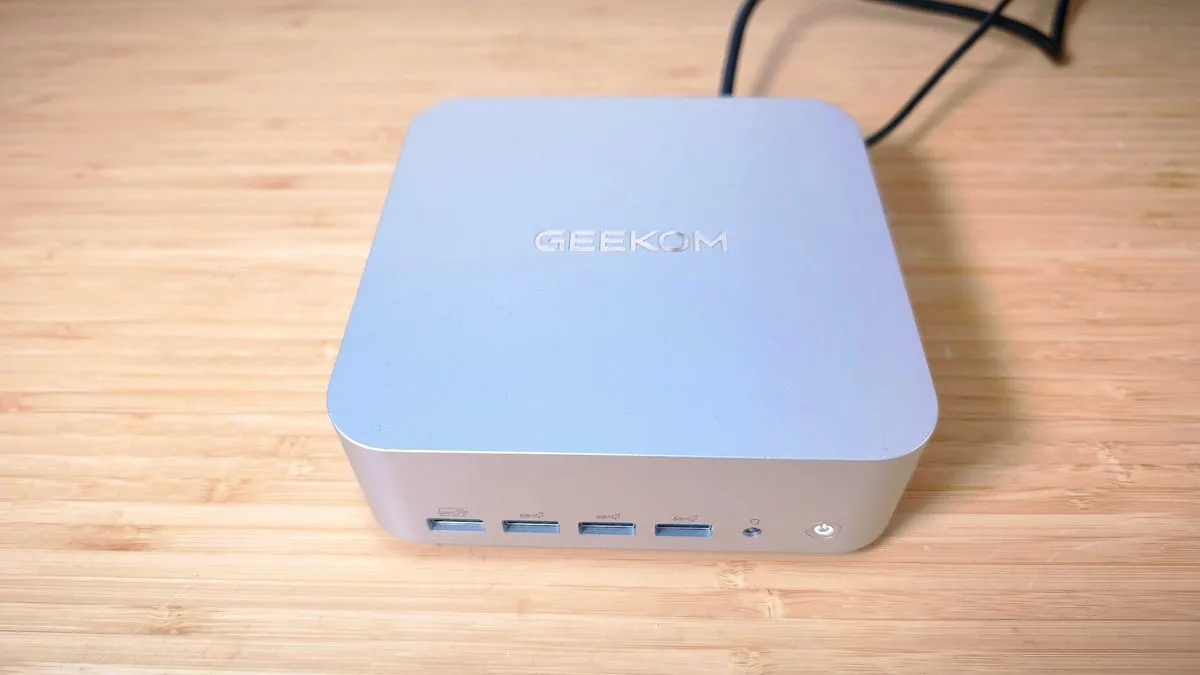
Geekom A9 Max
The Geekom A9 Max is the best value computer for graphic design, offering AMD Ryzen AI 9 HX 370 CPU, 32GB DDR5 RAM, and 2TB SSD for $1,199 / £999. This mini PC is perfect for photo editing, illustration, and UI design, thanks to its 80 TOPS of AI acceleration and Radeon 890M integrated graphics. While it lacks a discrete GPU, it delivers exceptional CPU performance and upgradeable RAM and storage.
Key Features:
- CPU: AMD Ryzen AI 9 HX 370 (10-core, up to 5.1 GHz)
- GPU: AMD Radeon 890M (16 CUs, RDNA 3.5)
- RAM: 32GB DDR5 (upgradeable to 64GB)
- Storage: 2TB PCIe 4.0 NVMe SSD
- Ports: 2x HDMI 2.1, 2x USB4, 4x USB-A 3.2 Gen 2
Why It’s the Best:
- Affordable with high-end specifications for the price.
- Compact and portable, ideal for small workspaces.
- Wi-Fi 7 and Bluetooth 5.4 for seamless wireless connectivity.
Considerations:
- No discrete GPU, limiting heavy 3D or GPU-accelerated rendering.
- Fan noise under sustained load.
Best All-in-One Computer for Graphic Design
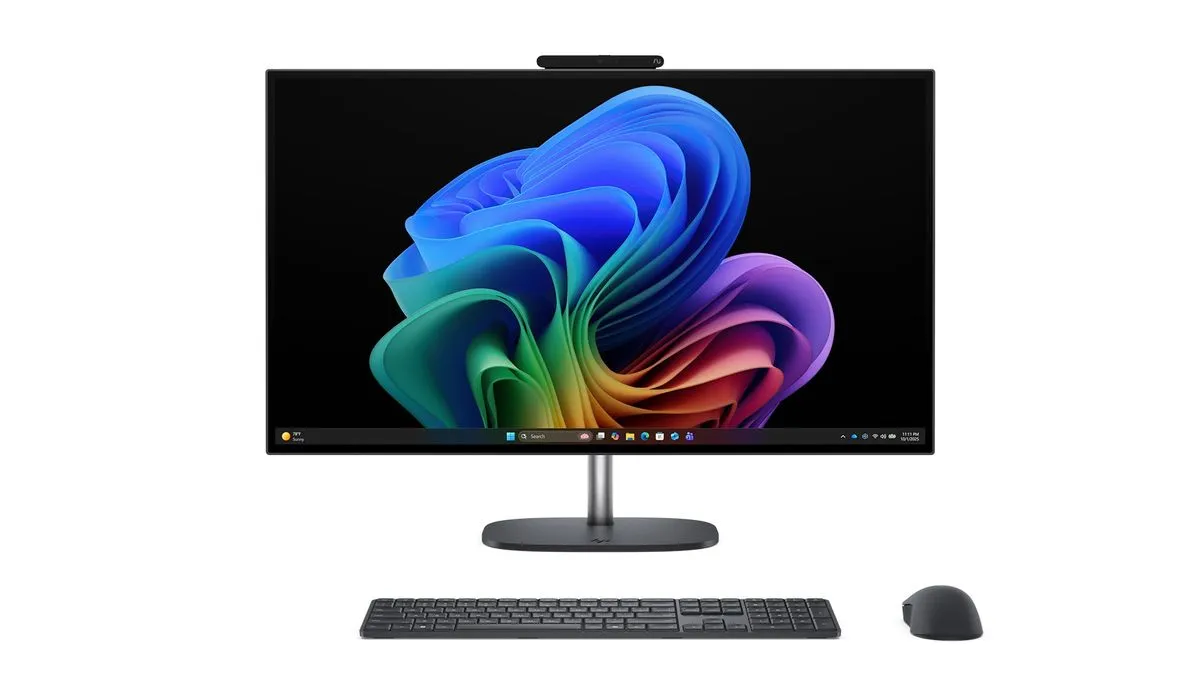 A professional HP OmniStudio X 27 all-in-one PC with a 27-inch Neo:LED display, designed for color-accurate creative work
HP OmniStudio X 27 Neo:LED
For those who prefer an all-in-one solution, the HP OmniStudio X 27 Neo:LED is the best choice. It features a 27-inch QHD Neo:LED display with 100% Adobe RGB and DCI-P3 color coverage, making it ideal for color-critical workflows. Powered by an Intel Core Ultra 7 356H CPU and NVIDIA GeForce RTX 5050 GPU, it handles 2D design, light video editing, and GPU-accelerated tasks with ease.
Key Features:
- CPU: Intel Core Ultra 7 356H (16-core, up to 4.7 GHz)
- GPU: NVIDIA GeForce RTX 5050 (8GB GDDR6)
- RAM: 32GB DDR5-5600
- Storage: 1TB PCIe Gen5 NVMe SSD
- Display: 27-inch QHD Neo:LED (2560 x 1440), 120Hz
Why It’s the Best:
- Color-accurate display for professional design work.
- All-in-one convenience with included stand, keyboard, and mouse.
- Thunderbolt 4 and USB-C ports for high-speed connectivity.
Considerations:
- Not suitable for heavy GPU workloads like 3D rendering.
- No OLED panel, though Neo:LED offers excellent color accuracy.
Most Powerful Computer for Graphic Design
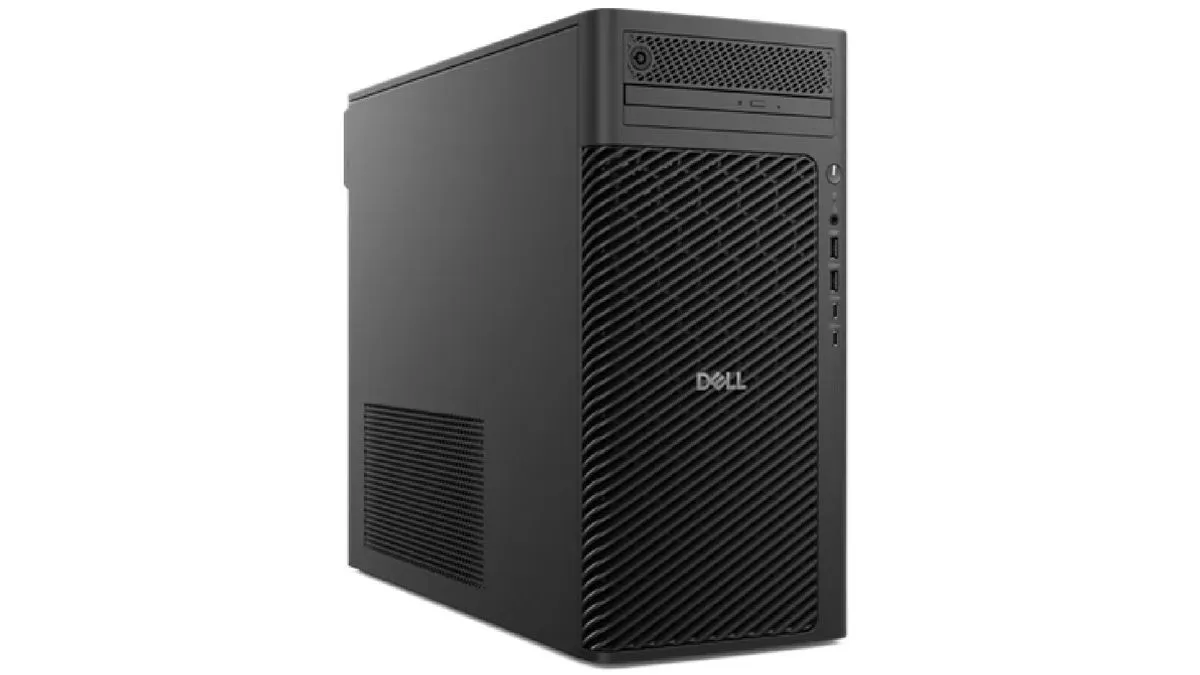
Dell Pro Max Tower T2
For professionals with demanding workflows, the Dell Pro Max Tower T2 is the most powerful computer for graphic design. This workstation-grade machine supports Intel Core Ultra 9 285K CPU (24-core), NVIDIA RTX Pro GPUs (up to 96GB VRAM), and 128GB ECC RAM, making it capable of handling the most intensive creative tasks, such as 4K video editing, 3D rendering, and AI-driven design tools.
Key Features:
- CPU: Intel Core Ultra 5 235 to Core Ultra 9 285K (up to 5.7 GHz)
- GPU: NVIDIA RTX Pro 2000 to RTX Pro 6000 (16GB–96GB)
- RAM: 8GB–128GB DDR5 ECC
- Storage: 256GB–2TB PCIe 5.0 SSD
- Ports: Up to four DisplayPort 2.1 outputs
Why It’s the Best:
- Scalable and customizable for future-proofing.
- ECC memory support for reliability in professional environments.
- Dell ProSupport for workstation-grade service.
Considerations:
- Expensive at higher configurations, with top-tier builds reaching $14,000.
- Proprietary motherboard limits third-party upgrades.
How to Choose the Best Computer for Graphic Design
When selecting a computer for graphic design, consider the following key factors:
Performance:
- CPU: Look for multi-core processors (4+ cores) to handle creative software efficiently.
- RAM: 16GB or more is ideal for smooth multitasking.
- GPU: A dedicated graphics card is essential for 3D rendering, video editing, and GPU-accelerated tasks.
Storage:
- SSD storage (PCIe Gen4 or Gen5) ensures fast file access and application loading.
- 256GB–2TB is recommended, depending on your workflow and file sizes.
Display:
- For all-in-one PCs, prioritize color accuracy (100% Adobe RGB, DCI-P3) and high resolution (QHD or 4K).
- For desktop PCs, choose a separate monitor that meets your color and resolution needs.
Connectivity:
- Thunderbolt 4, USB-C, and HDMI 2.1 ports for high-speed data transfer and multi-display setups.
- Wi-Fi 6/7 and Bluetooth 5.0+ for wireless peripherals.
Budget:
- Entry-level: $600–$1,200 (e.g., Mac mini M4, Geekom A9 Max)
- Mid-range: $1,200–$2,500 (e.g., HP Omen 35L, HP OmniStudio X 27)
- High-end: $2,500+ (e.g., Dell Pro Max Tower T2)
Upgradability:
- Windows desktops offer easier upgrades (RAM, storage, GPU).
- Macs are less upgradeable but provide seamless software integration.
Desktop vs. Laptop for Graphic Design
| Factor | Desktop PC | Laptop |
|---|---|---|
| Performance | Higher power, better cooling | Portable, but often less powerful |
| Upgradability | Easy to upgrade components | Limited upgradability |
| Price | More affordable for equivalent specs | More expensive for similar performance |
| Portability | Not portable | Highly portable |
| Display Options | Flexible (choose your monitor) | Built-in display, limited customization |
Verdict: Desktop PCs offer better performance and value for graphic design, while laptops provide portability and convenience.
Mac vs. PC for Graphic Design
| Factor | Mac | PC (Windows) |
|---|---|---|
| Software Integration | Optimized for creative apps (e.g., Adobe, Final Cut Pro) | Wider software compatibility |
| Hardware Customization | Limited upgrade options | Highly customizable (RAM, GPU, storage) |
| Price | Premium pricing | More budget-friendly options |
| Display Quality | High-quality Retina displays | Varied, depends on monitor choice |
| GPU Options | Integrated or Apple Silicon GPUs | Wide range of dedicated GPUs (NVIDIA, AMD) |
Verdict: Macs are ideal for seamless software integration and display quality, while PCs offer greater customization and affordability.
FAQs
Should I buy a desktop or laptop for graphic design?
Both can work, but desktop PCs provide better performance and value for the price. They are also easier to upgrade, which can extend their lifespan. However, if portability is a priority, a high-end laptop (e.g., MacBook Pro, Dell XPS) may be a better fit.
Is Mac or PC better for graphic design?
- Macs are highly optimized for creative software and offer excellent display quality.
- PCs are more affordable, customizable, and offer a wider range of hardware options.
Choose based on your budget, software preferences, and need for upgradability.
Do I need a dedicated GPU for graphic design?
- For 2D design (Photoshop, Illustrator): A dedicated GPU is not essential, but it can improve performance in GPU-accelerated tasks.
- For 3D rendering, video editing, or AI tools: A dedicated GPU (e.g., NVIDIA RTX, AMD Radeon) is highly recommended.
How much RAM do I need for graphic design?
- 16GB: Sufficient for basic to intermediate workflows (Photoshop, Illustrator).
- 32GB: Ideal for advanced workflows (3D rendering, video editing, large files).
- 64GB+: Recommended for professional workloads (4K video, complex 3D projects).
Final Thoughts
The best computer for graphic design depends on your budget, workflow, and preferences. For most users, the Apple Mac mini (M4, 2024) offers the best balance of performance, value, and compact design. If you need Windows compatibility and GPU power, the HP Omen 35L (2026) is an excellent choice. For budget-conscious creatives, the Geekom A9 Max delivers impressive performance at a lower cost. Meanwhile, professionals with demanding workflows should consider the Dell Pro Max Tower T2 for its scalability and raw power.
Ready to upgrade your creative setup? Choose the computer that best fits your needs and start creating without limits.