
Armoury Crate stands as the central hub for ASUS and ROG gamers seeking complete control over their entire gaming ecosystem. Whether you’re building your first gaming PC or fine-tuning a high-end setup, this comprehensive software solution streamlines device management, RGB synchronization, and system optimization into a single intuitive interface. The application transforms what could be a fragmented experience of managing multiple drivers, firmware updates, and peripheral settings into an elegant, unified experience that empowers gamers to extract maximum performance from their investment.
Getting Started with Armoury Crate Installation
Setting up Armoury Crate offers flexibility depending on your needs and internet connectivity. ASUS provides two distinct installation options to accommodate different user preferences and situations. The lightweight installation tool, weighing approximately 2 MB, represents the modern approach for most users. This version automatically detects your connected ASUS and ROG devices, then downloads and installs the necessary drivers and software directly from ASUS servers. Running version 3.2.6.1 as of November 2023, this installer ensures you always receive the latest components without manual intervention.
For users with limited internet access or those preferring offline installation, the full installation package provides complete independence from internet connectivity. At approximately 3 GB, this comprehensive bundle contains everything needed for a complete system setup. This option allows you to manually select which devices and components to install, offering granular control over your installation footprint. The latest version available remains 1.1.2.2, last updated in September 2022, making it ideal for system builders who work in environments where internet access during installation isn’t reliable.
Synchronizing RGB Lighting with Aura Sync Technology
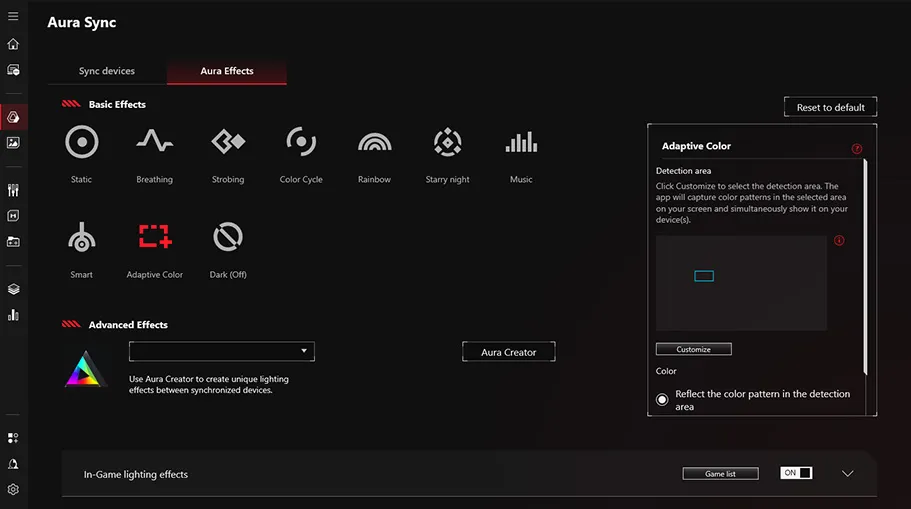
One of the most visually striking features of Armoury Crate centers on Aura Sync integration, which transforms your gaming setup into a cohesive light show. Rather than controlling RGB effects separately on each device, Aura Sync enables unified synchronization across your entire ecosystem of supported peripherals and components. Through the intuitive Armoury Crate interface, you gain access to an expansive color spectrum and dynamic lighting effects that respond to system activity and gaming scenarios.
The Aura Sync functionality within Armoury Crate allows gamers to select from pre-designed aura effects or create custom lighting sequences that sync seamlessly across compatible devices. This means your mechanical keyboard, gaming mouse, headset, motherboard RGB headers, and even graphics card lighting can all pulse, fade, and transition in perfect harmony. For those seeking deeper customization, Aura Creator elevates the experience beyond simple preset selection into advanced territory.
Advanced Customization with Aura Creator
Aura Creator represents a significant leap forward for users who view RGB customization as an art form. This advanced software interface adopts a video-editing-style approach to LED effect creation, enabling richly-detailed, multi-layered lighting sequences that rival professional light shows. Rather than selecting from predetermined animations, Aura Creator empowers you to build effects from the ground up, frame by frame, controlling timing, color transitions, and intensity with surgical precision.
The software currently supports an expanding roster of ASUS and ROG devices and PC components. Whether you’re working with the latest gaming laptops, premium mechanical keyboards, specialized mousepads, or high-end motherboards with addressable RGB headers, Aura Creator brings your creative vision to life. The ASUS support ecosystem provides comprehensive documentation outlining currently supported products, along with detailed FAQs addressing technical implementation questions. For users contemplating whether Aura Creator aligns with their specific hardware configuration, these resources offer invaluable guidance before investing time in complex lighting designs.
Intelligent Scenario Profiles for Optimized Performance
Beyond aesthetics, Armoury Crate delivers tangible performance benefits through Scenario Profiles, an intelligent feature that automatically adjusts your system settings based on the application you’re running. Rather than manually tweaking fan speeds, power limits, and performance parameters each time you switch between gaming, productivity work, and casual browsing, Scenario Profiles handles this automatically.
You define your preferred operating mode and system settings for individual applications and games, essentially creating custom configurations tailored to each program’s unique demands. When you launch a resource-intensive competitive shooter, your profile automatically engages aggressive cooling, maximizes CPU/GPU performance, and disables background processes that might introduce input lag. Switch to document editing, and the profile seamlessly transitions to power-saving configurations that reduce noise and electricity consumption. This intelligent switching means your PC always operates at its optimal sweet spot for your current task, enhancing both performance and user experience without requiring manual intervention.
Building Your Games Collection with Strategic Deals
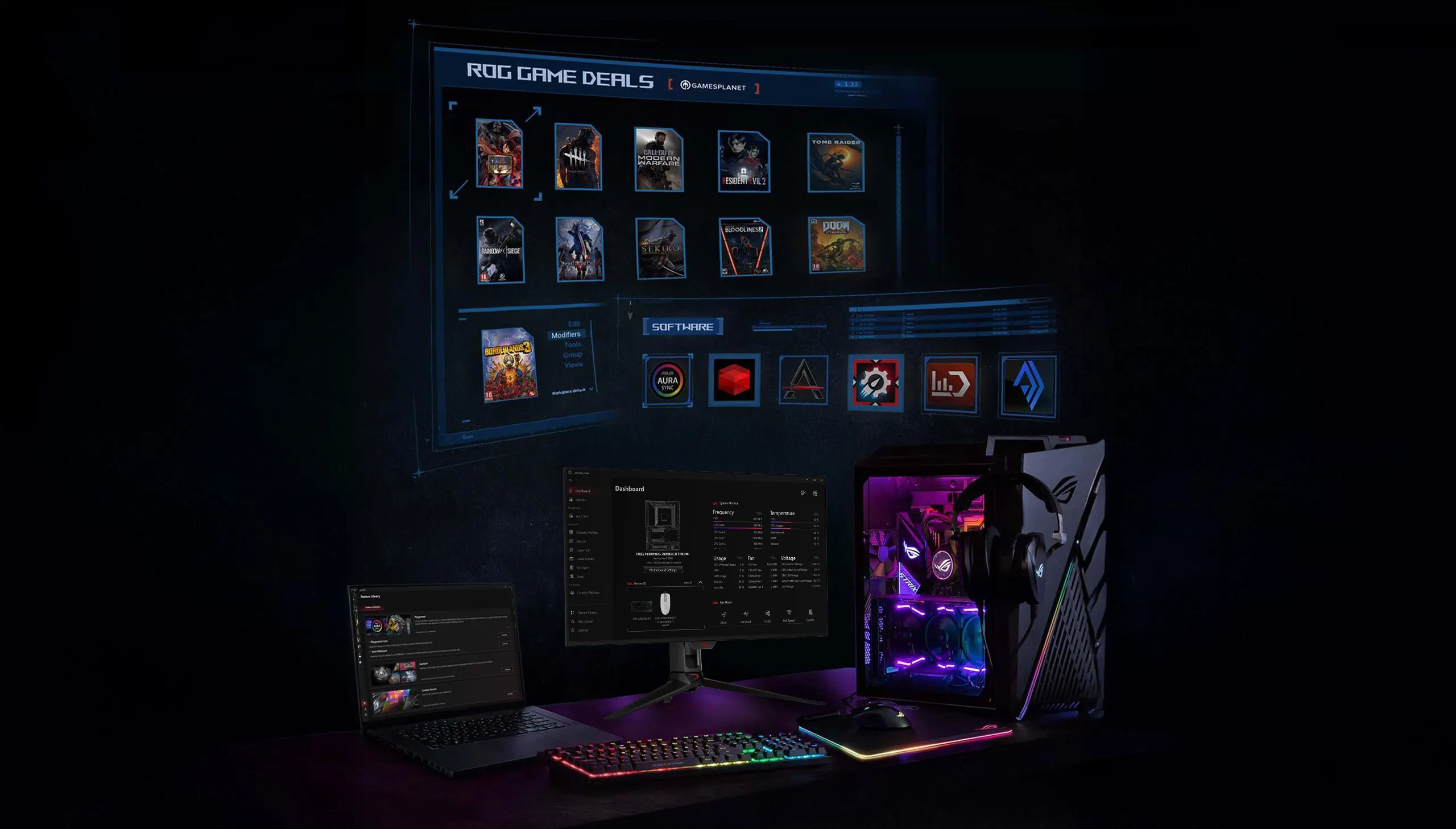
Armoury Crate extends beyond system management into lifestyle features that enhance the gaming experience. The Games Collection feature, operated through partnership with GamesPlanet, provides gamers with an integrated marketplace for discovering and purchasing quality titles at competitive prices. The platform’s Game Deals calendar rotates discounts throughout the week, with ROG VIP members receiving exclusive early access to major sales that can yield substantial savings on anticipated releases.
The Game Library component of this feature creates a centralized repository for all games you’ve downloaded to your PC. Rather than scattering game folders across multiple drives or struggling to remember which titles you’ve installed, Game Library provides unified organization and easy access. This proves especially valuable for gamers maintaining extensive collections spanning multiple genres, platforms, and release years. By consolidating your gaming portfolio in one convenient location, you spend less time managing folders and more time actually playing.
Comprehensive Device Support Across Your Entire Ecosystem
The true power of Armoury Crate emerges when considering the breadth of supported devices and components. ASUS has engineered this software to provide specialized control for virtually every element of a gaming setup, with feature availability tailored to each device category’s unique capabilities.
Headsets and Audio Equipment benefit from comprehensive audio management alongside RGB lighting control and wireless power settings. The software enables firmware updates and Aura Sync integration, while premium gaming headsets gain access to specialized features like AniMe Matrix customization. Button remapping and performance tuning ensure your audio device responds exactly as you prefer for both gaming and communication scenarios.
Graphic Cards maintain efficient operation through Armoury Crate’s monitoring and thermal management features, while RGB lighting control and Aura Sync synchronization ensure visual consistency with your entire setup. The software extends to dedicated control over memory frequencies and performance settings on select models.
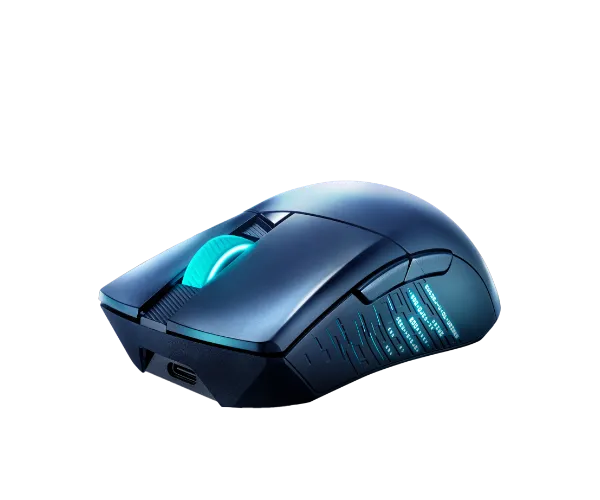
Mice and Mousepads represent critical tools for competitive gaming, and Armoury Crate provides extensive customization options including macro programming, button remapping, and performance adjustments like polling rate and acceleration settings. Surface calibration ensures optimal tracking on your specific mousepad, while firmware updates deliver enhanced sensor performance and new features from ASUS.
Motherboards unlock the deepest integration with Armoury Crate, providing dashboard displays, fan control through FanXpert, and management of premium features like AniMe Matrix displays on compatible models. The software facilitates BIOS updates, driver installation, and access to comprehensive manuals, transforming your motherboard into the true nerve center of your gaming PC.
Keyboards benefit from the same comprehensive macro and key assignment features as mice, alongside RGB customization, wireless management, and Aura Sync integration. Gaming keyboards with specialized layouts receive full support for touch panel controls and context-aware profile switching through Scenario Profiles.
CPU Coolers with integrated displays and RGB lighting achieve synchronized operation through Armoury Crate, with dedicated fan control software and firmware update support ensuring optimal thermal performance throughout your gaming sessions.
Laptops and Desktops represent the complete gaming platform, with Armoury Crate providing dashboard displays, system optimization tools, and integration of every supported device and feature for a truly unified ecosystem.
Monitors complete the experience with OLED panel setting controls on premium displays and Aura Sync integration that extends ambient lighting effects across your entire workspace.
Centralized Driver Management and Product Registration
Beyond the glamorous RGB customization and performance tuning, Armoury Crate provides essential infrastructure for maintaining a healthy, updated gaming system. The One-Stop Registration and Updates feature consolidates driver management, firmware updates, and application installation into a single location, eliminating the tedious process of hunting across multiple manufacturer websites.
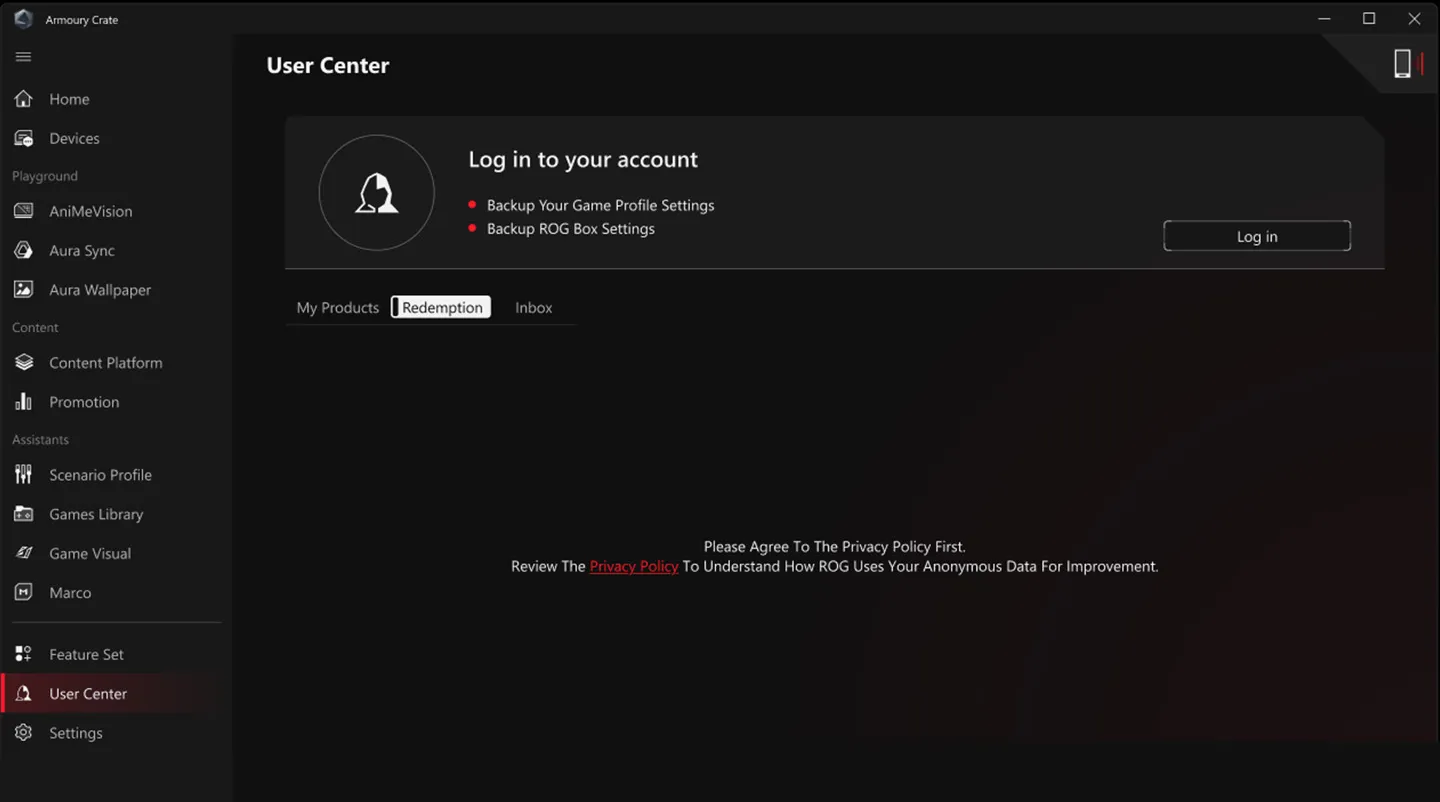
Upon creating your Armoury Crate profile and registering your ASUS products, the software automatically tracks which components you own and maintains a curated list of relevant updates. Rather than manually checking each device’s support page, Armoury Crate notifies you when new drivers, firmware patches, or utility software becomes available. This proactive approach ensures you never miss critical security patches or performance-enhancing updates that could improve your system’s stability and capabilities.
The registration system also unlocks access to product support resources, comprehensive documentation, and personalized warranty information. For users building complex systems with multiple ASUS components, this centralization transforms driver management from a frustrating chore into a streamlined process that runs largely on autopilot.
 Update Center interface for driver and firmware management
Visual Customization with Themed Interfaces
Armoury Crate recognizes that gaming aesthetics extend beyond hardware into software interfaces. The application offers multiple theme options that create visual consistency between your software environment and physical gaming setup. The ROG theme channels the premium, aggressive aesthetic of ASUS’s flagship gaming brand with dark backgrounds and striking accent colors that appeal to hardcore enthusiasts. The TUF Gaming theme projects a more tactical, utilitarian aesthetic suitable for competitive gamers who prioritize performance over flashiness. The standard ASUS theme provides a professional interface balanced for users who value clean design and accessibility.
These theme options extend beyond cosmetic preference into practical usability. Gamers who spend extended hours managing their systems appreciate visual consistency with their physical setup, creating a cohesive brand experience that reinforces their gaming identity. The ability to switch themes as your preferences or setup evolve ensures Armoury Crate remains visually aligned with your current configuration.
Joining the ROG Elite Rewards Program
Armoury Crate integrates ASUS’s loyalty program directly into the application interface, enabling seamless participation in ROG Elite Rewards. This global program designed specifically for gamers allows you to accumulate ROG Elite Points through purchases, community participation, and regular engagement with the ASUS ecosystem. Points translate into tangible rewards ranging from exclusive merchandise to game credits and hardware discounts.
Rather than managing loyalty programs through separate websites or email communications, Armoury Crate consolidates rewards redemption into your existing software environment. The integration means you can check your point balance, browse available rewards, and make redemptions without leaving the application. This seamless experience encourages deeper engagement with the ASUS ecosystem while providing genuine value that extends beyond the software experience itself.
Connecting with the Gaming Community
ASUS recognizes that modern gaming thrives on community engagement and peer support. The ROG Forum, accessible directly through Armoury Crate, provides a dedicated space where gamers share configurations, troubleshoot technical issues, and discuss the latest hardware releases. Rather than requiring users to hunt across the internet for ASUS-specific support, the integrated forum access creates a self-contained community hub where you can connect with thousands of fellow ASUS and ROG users.
The forum hosts both official ASUS representatives and experienced community members who contribute valuable insights about optimizing your setup, resolving compatibility issues, and discovering creative uses for your hardware. For troubleshooting specific Armoury Crate features or seeking advice about which components work best together, the forum provides real-world perspectives from users with hands-on experience.
Conclusion: Unifying Your Gaming Ecosystem
Armoury Crate transforms the fragmented experience of managing multiple ASUS and ROG devices into a unified, streamlined ecosystem that responds to your gaming needs. Whether you’re focused on extracting maximum performance through Scenario Profiles, creating mesmerizing light shows with Aura Sync, or simply maintaining drivers and firmware through centralized updates, this software delivers practical value alongside impressive features. The combination of comprehensive device support, intuitive interface design, and integrations with gaming communities and rewards programs positions Armoury Crate as an essential tool for anyone serious about their ASUS gaming setup.
Download the version appropriate to your situation—the lightweight installer for connected systems with reliable internet, or the full offline package for maximum independence—and begin the journey toward complete gaming setup mastery. Your perfectly synchronized, automatically optimized, and beautifully themed gaming PC awaits.