
The Excellent Crates Plugin is a powerful and highly customizable solution for Minecraft server owners who want to enhance gameplay with exciting crate and reward systems. Designed for Spigot servers, this plugin allows administrators to create dynamic crates, manage keys, configure rewards, and control player progression through an intuitive in-game GUI editor. The keyword Excellent Crates Plugin represents one of the most advanced tools for building engaging reward mechanics in modern Minecraft servers.
Introduction to Excellent Crates Plugin
The Excellent Crates Plugin is built for server administrators who want to create a more interactive and rewarding player experience. Instead of static loot systems, this plugin introduces fully customizable crates that can contain multiple rewards, commands, animations, and restrictions.
Players can interact with crates placed in the world, open virtual crate menus, or use special items as keys. This flexibility makes it suitable for survival servers, RPG servers, and minigame networks.
Key Features of Excellent Crates Plugin
The plugin offers a wide range of advanced features designed to give server owners full control over their reward systems.
Reward System Customization
One of the strongest aspects of the plugin is its flexible reward system:
- Unlimited rewards per crate
- Support for custom items (name, lore, enchantments, model data, etc.)
- Decimal drop chances for precise balancing
- Up to 27 items granted per reward
- Separate preview items for clear reward descriptions
- Broadcast system for announcing rare wins
- Command execution on reward triggers (console or player)
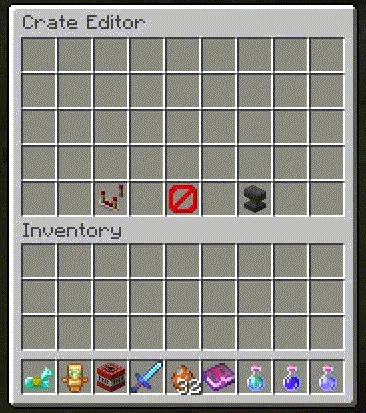
These features allow server owners to design unique loot experiences that keep players engaged for longer periods.
Reward Limits and Progression Control
The plugin also introduces advanced control over how rewards are distributed:
- Limit how many times a player can win specific rewards
- Set cooldowns between repeated wins
- Configure single-use or restricted rewards
This system helps balance gameplay and prevents reward abuse, especially in competitive or economy-based servers.
Crate Configuration Features
The Excellent Crates Plugin is not just about rewards—it also provides deep crate configuration tools:
- Custom preview and animation settings per crate
- Permission-based access control
- Multiple key types per crate or no keys required
- Money or XP level requirements
- Adjustable cooldown timers (seconds to months)
- World-based crate placement or interaction blocks
- Virtual crate menus for GUI-based access

These features ensure that server administrators can fully integrate crates into their game worlds in both visual and functional ways.
Advanced Gameplay Integration
Excellent Crates Plugin supports deep integration into gameplay systems, making it suitable for both small and large servers.
Interactive Crate Placement
Crates can be:
- Placed as physical blocks in the world
- Assigned to special items in player inventories
- Accessed via custom GUI menus
This allows flexible gameplay design depending on server style.
Visual and Particle Effects
To enhance immersion, the plugin supports:
- Custom holograms for crate labels
- Particle effects such as vortex, helix, beacon, and tornado
- Animation-based crate opening sequences
These visual enhancements make crate openings more exciting and rewarding for players.
Why Choose Excellent Crates Plugin?
Server owners choose this plugin because it combines usability with powerful customization. It is suitable for:
- Survival servers with economy systems
- RPG servers with loot progression
- Minigame networks with reward drops
- Community servers with daily rewards
Its GUI-based editor also reduces setup complexity, allowing even beginners to create advanced crate systems without coding.
Installation Guide
Installing the plugin is simple:
- Download the correct version for your Minecraft server (Spigot 1.8–1.21+ supported)
- Place the plugin file into the
pluginsfolder - Restart your server
- Configure crates using the in-game GUI editor
The plugin is designed for easy setup while still offering professional-level customization options.
Download Options
The Excellent Crates Plugin is available for multiple Minecraft versions, including:
- Spigot 1.8 to 1.19
- Spigot 1.19.4 to 1.20.1
- Spigot 1.21.x series
Make sure to download the version that matches your server to ensure full compatibility and stability.
Internal Resources
[internal_links]Conclusion
The Excellent Crates Plugin is an essential tool for Minecraft server owners who want to create engaging, reward-driven gameplay systems. With its advanced crate configuration, flexible reward mechanics, and immersive visual effects, it stands out as one of the most complete crate plugins available for Spigot servers.
If you want to boost player engagement and introduce exciting reward mechanics to your server, installing the Excellent Crates Plugin is a strong step toward a more dynamic Minecraft experience.