
Converting a raster image into an editable CAD file is a common requirement for engineers, designers, and AutoCAD users who need to reuse drawings, floor plans, or sketches in a digital workflow. The concept of image to CAD conversion ([keyword]) focuses on transforming pixel-based formats such as JPG or PNG into vector-based CAD formats like DXF or DWG. This process eliminates the need for time-consuming manual tracing and helps streamline design workflows.
However, not all conversion methods deliver the same level of accuracy or usability. Depending on the tool you choose, the output can range from clean, editable vector entities to messy line fragments that require extensive cleanup in CAD software.
Understanding Raster to CAD Conversion
Before diving into tools and methods, it’s important to understand the difference between raster and vector data. Raster images are composed of pixels, while CAD formats like DWG and DXF rely on mathematical vector data.
This means a successful image to CAD conversion must interpret shapes, text, and geometry from pixels into structured vector entities such as lines, arcs, circles, and text objects.
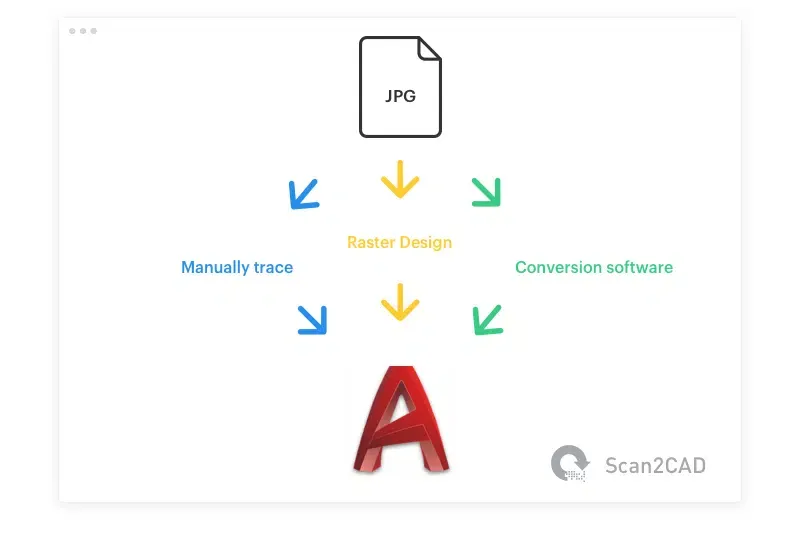
There are generally three approaches used in the industry:
- Manual tracing
- Basic vectorization tools (e.g., built-in CAD utilities)
- Dedicated conversion software with OCR and object recognition
Manual Tracing: Accurate but Time-Consuming
One traditional method is manually tracing the image inside a CAD environment. This involves importing the raster image into software like AutoCAD and redrawing every element using lines, arcs, and text tools.
While this method can produce precise results, it is extremely time-consuming, especially for complex drawings such as architectural plans or mechanical schematics.

In professional workflows, manual tracing is often used only for final refinements rather than full reconstruction of the image. Many users prefer automation tools to handle the initial conversion stage and then manually adjust small details afterward.
Raster Design Tools and Their Limitations
Some CAD ecosystems, such as Autodesk, offer built-in tools like Raster Design to assist with image conversion. These tools provide basic vectorization features that can convert raster images into CAD geometry.
However, their approach is often simplistic. Instead of recognizing meaningful objects, they typically break everything into lines or polylines.
This limitation leads to several issues:
- Circles may become fragmented into multiple line segments
- Text is often not recognized as editable characters
- Complex shapes lose structural integrity
- Significant manual cleanup is required afterward
As a result, while raster tools are convenient, they are not always efficient for professional-grade CAD workflows.
Advanced Image to CAD Conversion with OCR and AI
Modern conversion tools go beyond simple vectorization. Advanced software such as Scan2CAD introduces object recognition and OCR (Optical Character Recognition) to interpret image content more intelligently.
Instead of blindly converting pixels into lines, these systems identify:
- Text → editable CAD text strings
- Circles → true CAD circle entities
- Arcs → proper arc geometry
- Dashed lines → structured line types
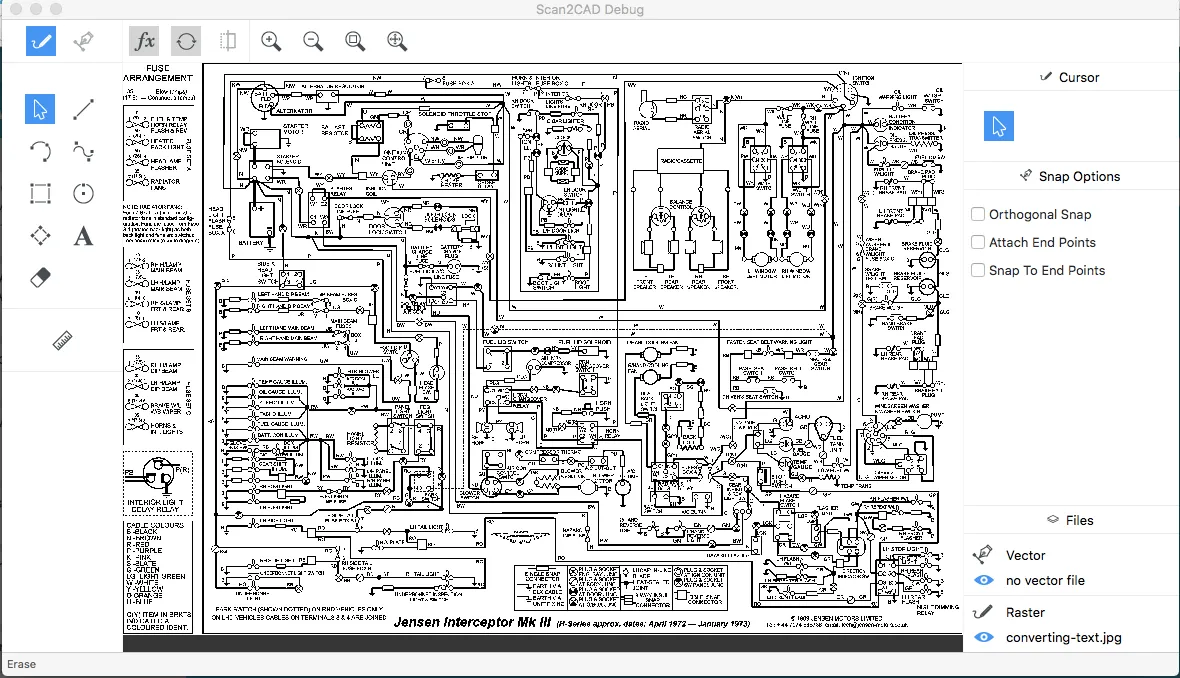
This approach significantly reduces post-processing time and improves the usability of the final CAD file.
Why Basic Vectorization Often Fails
A major issue with low-quality converters is that they treat every shape equally, without understanding what the object actually represents.
For example, a circle in a raster image might be converted into hundreds of tiny line segments instead of a single clean CAD circle entity.
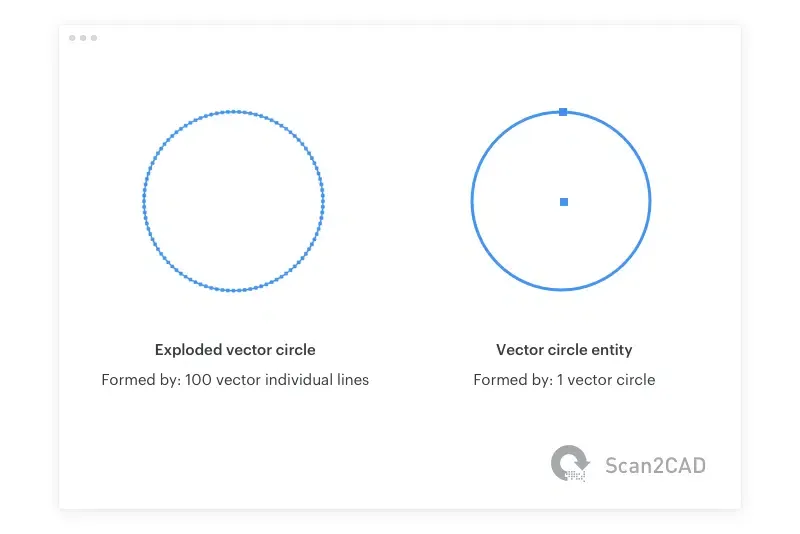 Comparison between exploded vector circle and proper CAD circle entity
This leads to several downstream problems:
- Files become heavier and harder to process
- Editing becomes inefficient in AutoCAD
- Geometry accuracy is reduced
- Cleanup requires additional engineering effort
Object recognition technology solves this by classifying shapes before conversion, ensuring each element becomes the correct CAD entity.
Object Recognition in Modern CAD Conversion Tools
Object recognition is the key differentiator between basic and professional-grade conversion systems. Instead of treating an image as a collection of pixels, the software analyzes patterns to identify meaningful structures.
This is especially useful for:
- Architectural floor plans
- Mechanical drawings
- Electrical schematics
- Scanned technical documents
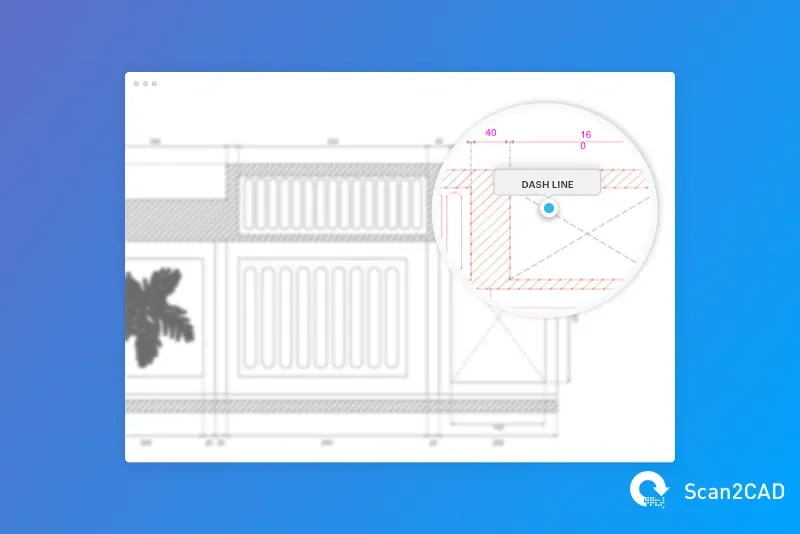
By correctly interpreting geometry, object recognition reduces manual correction work and preserves design intent during conversion.
OCR: Converting Text Inside Images
Text is one of the most problematic elements in raster-to-CAD workflows. Without OCR, text becomes a series of disconnected shapes that cannot be edited or searched.
OCR solves this by converting raster text into real CAD text entities.
Benefits include:
- Editable labels and annotations
- Searchable CAD documents
- Proper font reconstruction
- Reduced need for manual retyping
This is especially important in technical drawings where annotations carry critical design information.
Choosing the Right Conversion Approach
When evaluating image to CAD conversion ([keyword]) workflows, the choice of tool determines the quality of the output. In most professional environments, dedicated conversion software offers the best balance of speed and accuracy.
Key factors to consider include:
- Support for DXF and DWG output
- Object recognition capabilities
- OCR accuracy
- Ability to preserve geometry integrity
- Post-processing requirements
Tools like Scan2CAD are designed specifically for CAD and CAM environments, making them more reliable than generic vectorization utilities.
Conclusion
Image to CAD conversion ([keyword]) is an essential process for turning static raster images into editable engineering data. While manual tracing provides precision, it is inefficient for large or complex projects. Basic vectorization tools offer convenience but often lack accuracy and structure.
Modern solutions that integrate OCR and object recognition provide the most efficient workflow, converting images into clean, structured CAD entities that can be directly edited in software like AutoCAD.
For professionals working with technical drawings, investing in a dedicated conversion tool can significantly reduce design time and improve overall productivity.
References
- Scan2CAD Official Documentation: https://www.scan2cad.com/
- Autodesk Raster Design Overview: https://www.autodesk.com/products/autocad/included-toolsets/autocad-raster-design
- CAD Conversion Concepts: https://www.scan2cad.com/tips/convert-raster-to-vector-an-introduction/
- AutoCAD Resources: https://www.scan2cad.com/cad/autocad-basics-in-one-hour/