
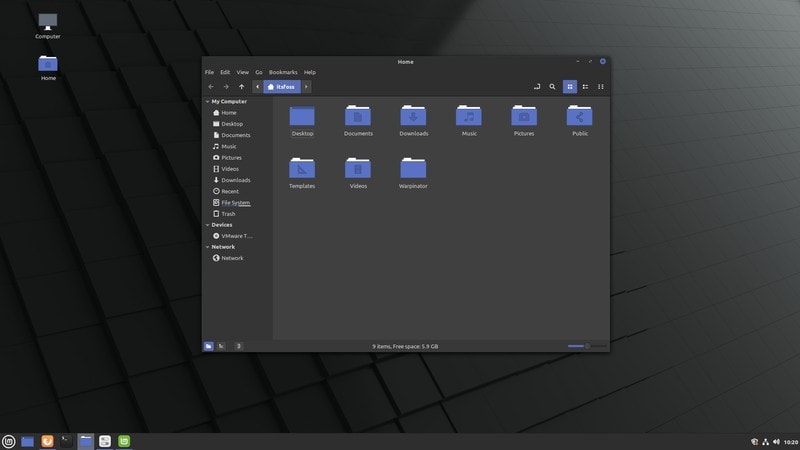
Linux gaming has experienced a renaissance, with compatibility layers like Proton, robust driver support, and distro-level optimizations making open-source systems a formidable platform for gamers. As 2026 unfolds, several Linux distributions stand out, offering a superior gaming experience with built-in tools and seamless performance. This guide explores the best Linux gaming distros for the year, highlighting their unique strengths and ideal user profiles for both seasoned Linux users and newcomers.
1. SteamOS (SteamOS 5 / “Holo”)
Developed by Valve, SteamOS is the quintessential choice for gamers whose primary focus is playing games. Its design is deeply integrated with gaming hardware and essential software:
- Seamless Steam and Proton Integration: Ensures compatibility with a vast library of Windows games.
- Controller-Centric Design: Ideal for a couch co-op or living room gaming setup.
- Out-of-the-Box Performance: Optimized for immediate gaming without extensive tweaking.
- Streamlined Updates: Features fast boot times and automatic updates for a hassle-free experience.
SteamOS continues to be refined, with enhanced support for handheld PCs and devices akin to the Steam Deck, solidifying its position for dedicated gaming.
Best For:
- Dedicated gaming PCs.
- Steam Deck and similar handheld gaming devices.
- Users seeking a console-like gaming experience on their PC.
2. Pop!_OS (Gaming Edition)
System76’s Pop!_OS is renowned for its performance-driven desktop environment and exceptional driver management. The Gaming Edition (or its gaming-optimized installation profile) comes equipped with:
- Automatic Driver Installation: Detects and installs necessary NVIDIA and AMD drivers with ease.
- Integrated Gaming Packages: Includes Steam and Proton for immediate access to Windows titles.
- Hybrid Graphics Support: Built-in features for managing hybrid graphics setups and auto-tiling enhance workflow.
- Comprehensive Input Support: Excellent compatibility with both keyboard/mouse and gamepads.
Pop!_OS particularly shines on laptops with hybrid GPUs, thanks to its intelligent power profiles and GPU switching capabilities.
Best For:
- Desktop gamers desiring a blend of traditional desktop functionality and gaming.
- Users with NVIDIA graphics cards.
- Laptops featuring hybrid GPU configurations.
3. Bazzite (Fedora-based Gaming Distro)
Bazzite has rapidly gained traction as a gaming-focused distribution built upon Fedora’s stable foundation. Its key differentiators include:
- Image-Based Updates: Promotes system stability by preventing breakages during updates.
- Pre-installed Gaming Tools: Comes with ProtonGE, MangoHUD, vkBasalt, and DXVK ready to go.
- Handheld Compatibility: Offers good support for Steam Deck and other handheld PCs.
- Default Performance Tweaks: Gaming-oriented optimizations are enabled from the start.
Bazzite prioritizes gaming workflows, distinguishing itself from general-purpose distributions through its curated package selection and performance tuning.
Best For:
- Users who prefer a Fedora-based system optimized for gaming.
- Enthusiasts who appreciate the latest advancements in gaming stack technology.
- Gamers using handheld PCs.
4. Ubuntu GamePack
Ubuntu GamePack is a specialized Ubuntu derivative explicitly designed for gaming. It consolidates essential gaming software:
- Multiple Game Launchers: Includes Steam, Lutris, and other popular game clients.
- GPU Driver Support: Offers drivers for both NVIDIA and AMD graphics cards.
- Broad Compatibility: Out-of-the-box support for Wine, Proton, and workarounds for anti-cheat systems.
- Software Availability: Easy access to a vast array of applications via Flatpak and Snap.
Leveraging Ubuntu’s robust ecosystem, Ubuntu GamePack benefits from long-term support, extensive software repositories, and a large, active community.
Best For:
- Gamers seeking a straightforward experience with access to a vast software catalog.
- Users who favor the Ubuntu operating system’s environment.
5. Garuda Linux (Dragonized Gaming Edition)
Garuda Linux has emerged as a high-performance Arch-based distribution, featuring custom tuning aimed at maximizing frame rates and system responsiveness. The Dragonized Gaming Edition comes pre-loaded with:
- Gaming Software Suite: Includes Steam, Lutris, and various emulators.
- Zen Kernel: Optimized for superior responsiveness during gameplay.
- Performance Profiles: Pre-configured settings to enhance gaming performance.
- System Snapshots: Btrfs snapshots with automatic rollback provide a safety net against update issues.
Garuda’s rolling-release model ensures users have immediate access to the latest gaming technologies as soon as they become available.
Best For:
- Gamers who want the absolute latest software and hardware support.
- Advanced users who value deep customization options.
- Individuals who appreciate the Arch Linux philosophy with an automated setup.
6. Fedora Games Spin
The Fedora Games Spin is an official Fedora variant focused on providing a robust, open-source gaming experience. It is pre-bundled with a diverse selection of games, including many retro and open-source titles. This spin is an excellent starting point for users interested in exploring gaming beyond mainstream releases, encompassing emulated classics and community-developed games.
Best For:
- Fans of retro gaming.
- Users who desire a curated library of open-source games.
7. Manjaro Gaming Edition
Manjaro offers the power of Arch Linux with a significantly more user-friendly approach. The Gaming Edition streamlines the setup process by including:
- Curated Gaming Stack: Essential gaming applications and tools are pre-installed.
- Up-to-Date Drivers: Features the latest Mesa, Vulkan, and graphics driver updates.
- User-Friendly Tools: Leverages Manjaro’s intuitive installer and system management utilities.
- Pre-configured Compatibility: Comes with Steam and Proton support already set up.
For those who want the benefits of Arch Linux’s bleeding-edge software combined with an easier setup and maintenance routine, Manjaro is an ideal choice.
Best For:
- Users who want quick access to the latest software.
- Gamers who prefer the Arch ecosystem but desire less hands-on maintenance.
Key Features to Consider in 2026 Gaming Distros
When selecting a Linux distribution for gaming in 2026, pay attention to these critical features:
- Driver Support: Robust and automatically configured NVIDIA, AMD, and Intel GPU drivers are essential.
- Proton & Compatibility Layers: Built-in Proton/ProtonGE and easy access to launchers like Lutris simplify game execution.
- Performance Enhancements: Look for gaming-optimized kernels (like Zen), auto-tiling, input optimizations, and graphics stack tuning.
- Controller & Peripheral Setup: Integrated support for gamepads, joysticks, and steering wheels, along with straightforward configuration, enhances the gaming experience.
- Installation and Updates: A simple installer with gaming-specific profiles and safe update mechanisms (e.g., image-based updates or rollback snapshots) contribute to a smoother user journey.
Choosing the Best Fit for Your Gaming Style
To help you decide, consider this guide:
| Gamer Type | Recommended Distros |
|---|---|
| Living-room console feel | SteamOS |
| Traditional desktop + gaming | Pop!_OS, Ubuntu GamePack |
| Cutting edge and tunable | Garuda Linux, Manjaro Gaming Edition |
| Fedora-based modern stack | Bazzite |
| Open-source/retro library focus | Fedora Games Spin |
Conclusion
The landscape of Linux gaming has evolved dramatically, and in 2026, there’s a tailored distribution for virtually every gamer. These leading gaming distributions offer:
- Exceptional driver and hardware support.
- Integrated game compatibility solutions.
- Optimized performance and user-friendly maintenance tools.
- An unprecedented ease of setup.
Whether you’re diving into an epic RPG, competing in a fast-paced FPS, or discovering unique indie titles, these distributions will undoubtedly elevate your Linux gaming adventures.
George Whittaker is the editor of Linux Journal and a frequent contributor. With two decades of experience in technology writing and over 15 years as a Linux user, George enjoys programming, reading, and gaming in his leisure time.