
Ten years ago, the idea of using a laptop as your primary music-making device might have been met with skepticism. However, advancements in CPU power and chipset efficiency have transformed modern laptops into formidable music production machines. Today, choosing the right laptop for music production doesn’t mean compromising on performance. Many artists, including myself, rely on laptops both in home studios and professional settings, appreciating the ability to carry preferred plugins and instruments anywhere.
When selecting a laptop for music production, the CPU and RAM are paramount for ensuring smooth performance. For Windows users, a minimum of an i5 or Ryzen 5 processor is recommended, with an i7 or Ryzen 7 being preferable. A minimum of 16GB of RAM is advised, though more is always better. Mac users will find that Apple’s Silicon chips are more than capable, with 8GB of unified memory being sufficient for most tasks.
For those seeking the absolute best, the Apple MacBook Pro M4 stands out as a top-tier option. If budget is a concern, the Apple MacBook Air M2 remains an excellent choice, offering strong performance at a lower price point. Windows users looking for power should consider the Asus ProArt P16, which demonstrated impressive performance, a stunning display, and versatility for creative tasks. For a more budget-friendly Windows alternative, the Acer Swift X14 is a solid contender.
My Top Picks
- 1. Apple MacBook Pro M4: The best overall laptop for music production, offering unparalleled power and efficiency.
- 2. Apple MacBook Air M2: An excellent budget-friendly option that still delivers strong performance for music creation.
- 3. Asus ProArt P16: A powerhouse for Windows users, combining high performance with a brilliant display, suitable for both music and video editing.
- 4. Apple MacBook Air M4: Ideal for portability, this lightweight yet powerful laptop is perfect for on-the-go production.
- 5. Microsoft Surface Pro 9: A versatile 2-in-1 device that offers impressive performance for production tasks and doubles as a tablet.
- 6. Razer Blade 15 Studio Edition: A high-performance option that excels in both music production and gaming.
Best Overall: Apple MacBook Pro M4 16″
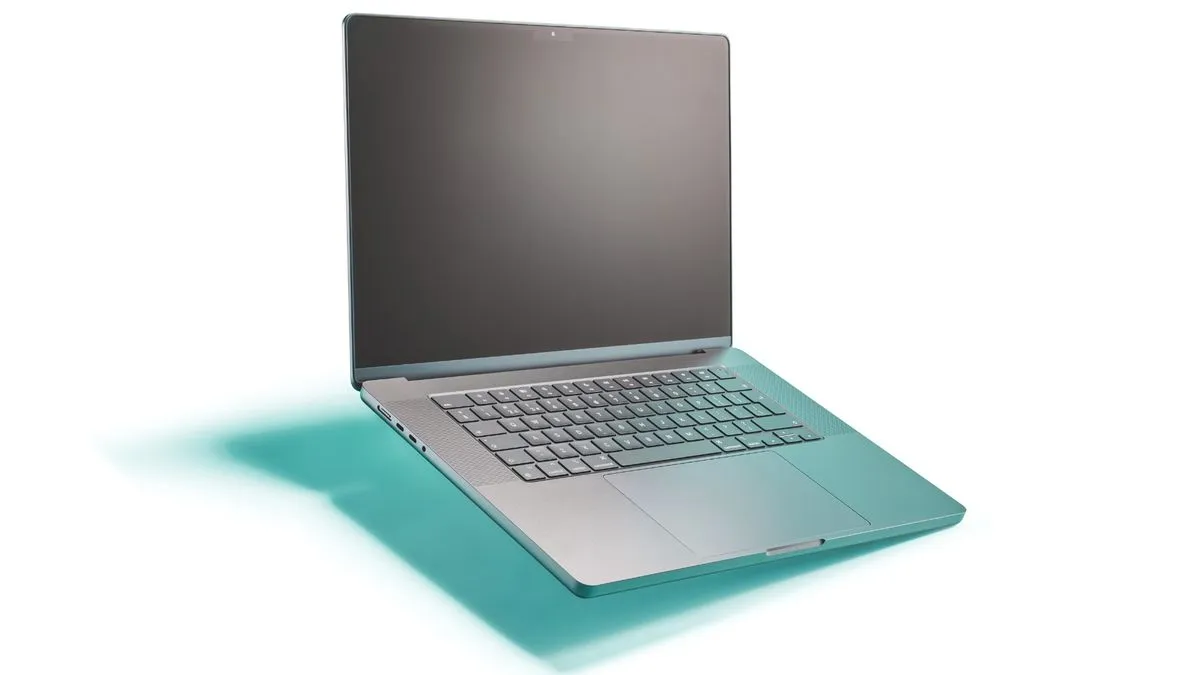
The ultimate laptop for music production also comes with an ultimate price tag. The Apple MacBook Pro M4 16-inch sets the standard for mobile music creation, boasting exceptional power and efficiency.
Specifications:
- CPU: Apple M4 Pro or Max
- Graphics: Apple M4 Pro or Max
- RAM: 24GB – 128GB
- Screen: 16.2″ Liquid Retina XDR (3456×2234)
- Storage: 512GB – 8TB
- Ports: 3x Thunderbolt 4/USB-C, 1x HDMI, 1x SDXC card slot, 1x headphones
- Battery: Up to 24 hours
Reasons to Buy:
- The most powerful Mac laptop currently available.
- Large, immersive screen ideal for complex projects.
- A long-term investment built to last.
Reasons to Avoid:
- Potentially overkill for many home users.
- Extremely expensive, especially with upgrades.
This machine is designed for those who demand the best and have the budget to match. With its staggering power, you can effortlessly run a vast number of plugins. The 16-inch display is a joy to work on, and the connectivity options are plentiful for all your peripherals. While the top-tier M4 Max configuration is likely more power than most require, even the M4 Pro model delivers exceptional performance. The battery life is also outstanding, potentially lasting up to 24 hours for media playback and a substantial 15-17 hours for intensive music production tasks. This laptop is a future-proof investment that will serve you well for years to come.
Best Budget: Apple MacBook Air M2
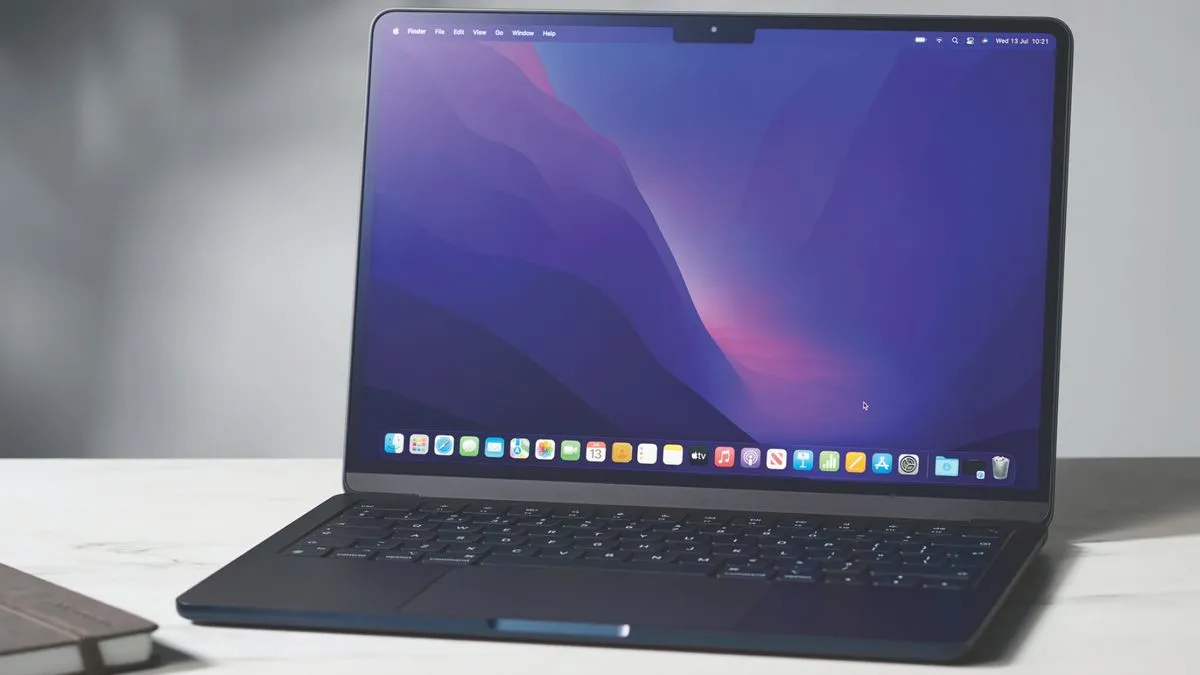
If you’re looking for a powerful music-making machine without breaking the bank, the Apple MacBook Air M2 is an excellent choice. While newer M3 models are available, the M2 still offers superb value and performance for the majority of music production tasks.
Specifications:
- CPU: Apple M2
- Graphics: Apple M2
- RAM: 8GB – 24GB
- Screen: 13.6” Liquid Retina (2560 x1664)
- Storage: 256GB – 2TB SSD
- Ports: 2x Thunderbolt 4/USB-C, 1x headphone
- Battery life: Up to 18 hours
Reasons to Buy:
- Exceptional value for money, often found under $1,000.
- Ultra-lightweight and thin for maximum portability.
- Fanless design ensures silent operation.
- Impressive screen and surprisingly good built-in speakers.
Reasons to Avoid:
- The newer M3 Air offers more power for a slightly higher cost.
- A USB hub will likely be a necessary additional purchase.
The MacBook Air M2 is incredibly portable at just 1.24kg and 11.3mm deep. Its fanless design makes it ideal for recording sessions where ambient noise is a concern. While the screen isn’t the largest, it’s crisp and clear, perfect for detailed waveform editing. The M2 chip handles most music production tasks with ease, though extremely demanding orchestral scores might push its limits. Battery life is robust, often lasting a full day of mixing and recording. It remains a fantastic and affordable entry point into Mac-based music production.
Best Windows: Asus ProArt P16 H7606WI
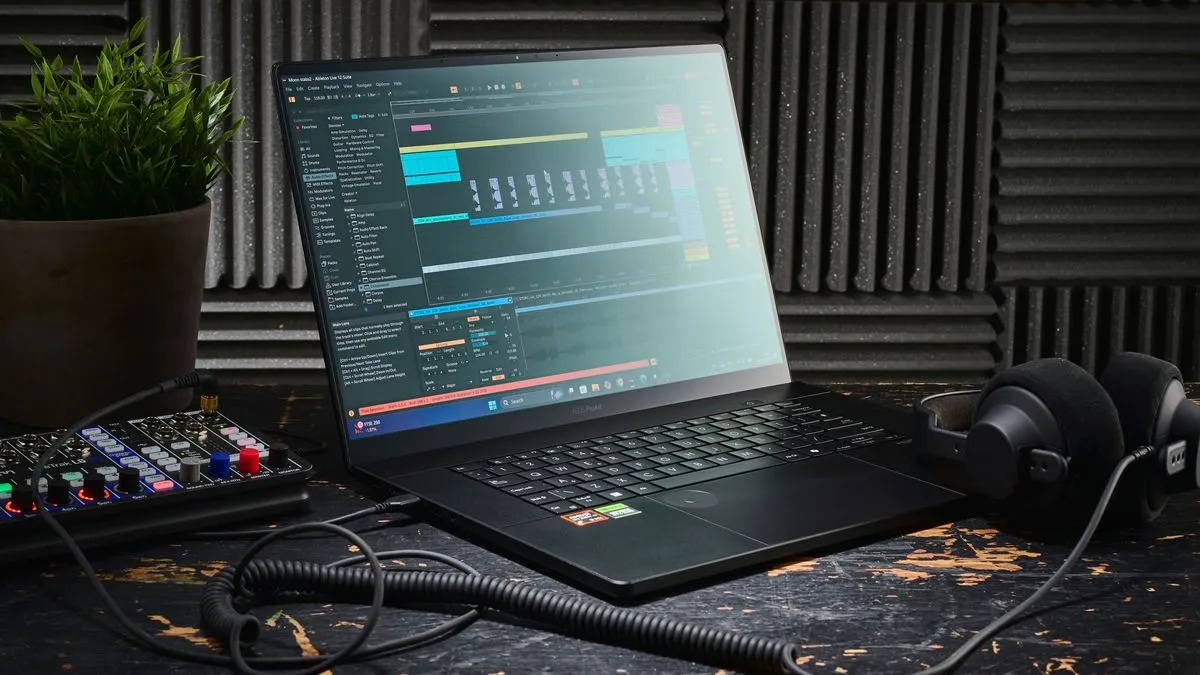
For Windows users seeking performance that rivals MacBooks, the Asus ProArt P16 is a formidable option. This laptop is a powerhouse for music production and creative tasks, boasting a sleek design and robust build quality.
Specifications:
- CPU: AMD Ryzen AI 9 HX 370 Processor 2.0GHz (36MB Cache, up to 5.1GHz, 12 cores, 24 Threads); AMD XDNA NPU up to 50TOPS
- Graphics: NVIDIA GeForce RTX 4070 Laptop GPU (321 AI TOPs)
- RAM: 64GB LPDDR5X on board
- Screen: 4K (3840 x 2400) OLED 16:10 aspect ratio, 0.2ms response time, 60Hz refresh rate
- Storage: 2TB M.2 NVMe™ PCIe® 4.0 SSD
- Ports: 1x USB 3.2 Gen 2 Type-C, 1x USB 4.0 Gen 3 Type-C, 2x USB 3.2 Gen 2 Type-A, 1x HDMI 2.1 FRL, 1x 3.5mm Combo Audio Jack, 1x DC-in, SD Express 7.0 card reader
- Battery: 6-10 hours
Reasons to Buy:
- Incredibly powerful CPU with substantial RAM.
- Smooth trackpad for intuitive software navigation.
- Durable construction suitable for mobile use.
Reasons to Avoid:
- Fans can become loud under heavy load.
- The power supply is somewhat bulky.
The ProArt P16 features a sophisticated, understated design, moving away from the flashy aesthetics of some gaming laptops. Its 16-inch 4K OLED screen offers exceptional clarity for any software interface. In testing, it handled hundreds of tracks with multiple instances of effects without issue, demonstrating its capacity for demanding workflows. While the battery life is moderate, averaging around 6 hours during intensive use, it’s sufficient for many sessions, though keeping the charger nearby is advisable for longer work periods. The main drawback is the fan noise, which can be noticeable during demanding tasks, potentially impacting recording sessions in quiet environments.
Best Portable: Apple MacBook Air M4
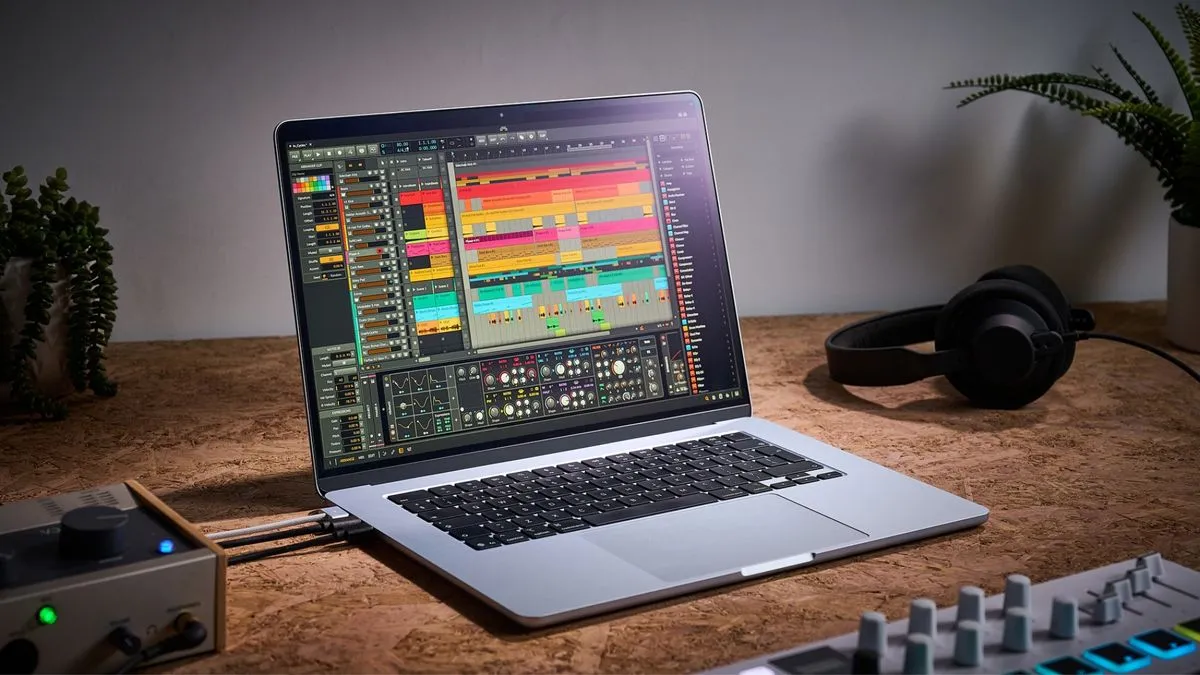 An Apple MacBook Air M4 on a desk with audio interface, headphones, and MIDI controller
For producers who prioritize portability without sacrificing power, the Apple MacBook Air M4 is an outstanding choice. This ultra-lightweight laptop packs a serious punch, making it ideal for creating music on the go.
Specifications:
- CPU: 10‑core CPU with 4 performance cores and 6 efficiency cores
- Graphics: M4 GPU
- RAM: 64GB LPDDR5X on board
- Screen: Liquid Retina display, 15.3-inch (diagonal)
- Storage: 512GB SSD (as reviewed) – 256GB, 1TB, 2TB options available
- Ports: MagSafe 3 charging port, 3.5 mm headphone jack, 2x Thunderbolt 4 (USB-C) ports
- Battery: Up to 18 hours
Reasons to Buy:
- Extremely powerful processor and unified RAM.
- Compact size and lightweight design.
- Durable, all-aluminum enclosure.
- Exceptional battery life.
Reasons to Avoid:
- Limited ports may necessitate a hub for peripherals.
The MacBook Air M4’s all-aluminum chassis is both sleek and durable, capable of withstanding the rigors of travel. Weighing just 1.51 kg (3.3 lbs), it’s exceptionally easy to carry. Its performance is remarkable, handling intensive tasks with thousands of plugin instances without issue, ensuring it will remain a capable machine for years. The backlit keyboard and vibrant display enhance usability, making it comfortable to work with in various lighting conditions. Battery life is a significant advantage, contributing to its suitability for mobile production. However, with only two Thunderbolt ports, users who rely on multiple peripherals will need to invest in a USB hub.
Best 2-in-1: Microsoft Surface Pro 9
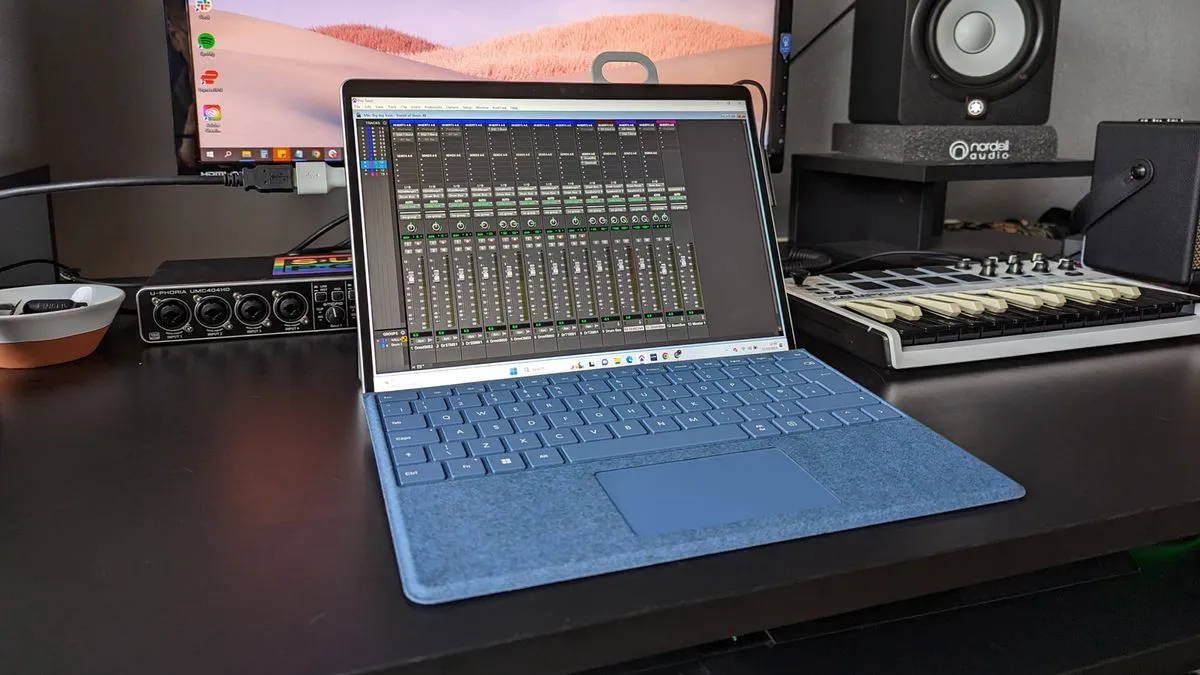
The Microsoft Surface Pro 9 offers a unique blend of laptop power and tablet versatility, making it an appealing option for musicians who value flexibility. Its robust performance and beautiful display make it a capable tool for music production and other creative endeavors.
Specifications:
- CPU: 12th Gen Intel Core i7-1255U
- Graphics: Intel Iris Xe Graphics
- RAM: 16GB
- Screen: 13”
- Storage: 256GB
- Ports: 2x USB-C/Thunderbolt 4
- Battery life: Up to 15.5 hours
Reasons to Buy:
- Sufficient power for music production tasks.
- Stunning, high-refresh-rate touchscreen.
- Convenient tablet functionality for enhanced portability.
- Excellent touchpad for navigating DAWs.
Reasons to Avoid:
- Weight distribution can feel slightly off in laptop mode.
- Limited to two USB-C ports.
The Surface Pro 9 features a gorgeous 13-inch display with a 120Hz refresh rate, offering smooth visuals and responsive multi-touch capabilities that can aid in quick adjustments within a DAW. Its 12th-gen i7 processor, 16GB RAM, and 256GB SSD provide ample power for large projects, performing admirably even with hundreds of tracks at low buffer sizes. Compatibility with Windows 11 is excellent. While battery life may not reach the advertised 15.5 hours under heavy use, it’s still respectable for a device of its kind. The ability to detach the keyboard and use it as a tablet is a significant advantage, particularly for those who might use it for live sound engineering or simply want a more versatile device.
Best for Gaming: Razer Blade 15 Studio Edition
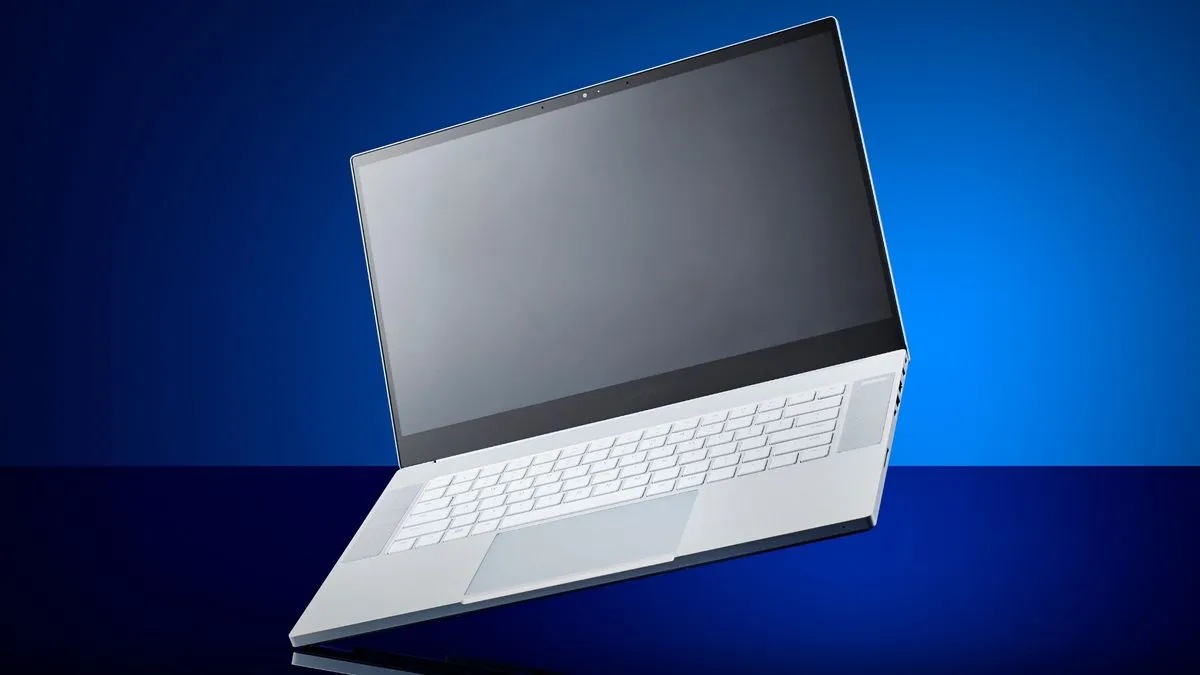 A Razer Blade 15 Studio Edition laptop on a blue background
For musicians who also happen to be avid gamers, the Razer Blade 15 Studio Edition offers a compelling solution. This laptop combines the raw power needed for demanding music production with the graphical capabilities required for high-end gaming, such as running titles like Cyberpunk 2077.
Specifications:
- CPU: 8th Gen Intel Core i7
- Graphics: Up to GeForce RTX 4070
- RAM: 32GB to 64GB
- Screen: 15.6” OLED 4K Touch
- Storage: 1TB SSD
- Ports: 1x USB-C/Thunderbolt 3, 3x USB-A 3.1, 1x HDMI 2.0, 1x mini DisplayPort, 1x headphones
- Battery: Up to 6 hours
Reasons to Buy:
- Extremely powerful CPU and ample RAM for intensive tasks.
- Excellent for both gaming and music production.
- Stylish, professional design.
Reasons to Avoid:
- Potentially overkill and overpriced if only used for music production.
- Styling might not appeal to everyone.
The Razer Blade 15 Studio Edition features a professional aesthetic, eschewing typical gaming laptop flair for a more understated look. Its powerful CPU and generous RAM capacity (32GB to 64GB) allow for seamless multitasking of numerous plugins in large projects. The inclusion of a potent GeForce RTX GPU makes it a strong choice for gamers and video editors alike. While battery life is relatively short, typically around 5-6 hours for music production, it’s adequate for focused work sessions. This laptop is best suited for users who genuinely need the combined capabilities for both gaming and professional music endeavors, given its premium price point.
Spec Comparison
| Model | CPU | RAM | Storage | Battery | Screen |
|---|---|---|---|---|---|
| Apple MacBook Pro M4 | M4 | 42-128GB | 512GB-8TB | Up to 24hrs | 16″ |
| Apple MacBook Air M2 | M2 | 8-24GB | 256GB-2TB | Up to 18hrs | 13.6″ |
| Asus ProArt P16 | AMD Ryzen AI 9 | 32-64GB | 1-2TB | Up to 10hrs | 16″ |
| Apple MacBook Air M4 | M4 | 16-32GB | 256GB-2TB | Up to 18hrs | 15″ |
| Microsoft Surface Pro 9 | Intel i7 | 16-64GB | 256GB-1TB | Up to 15.5hrs | 13″ |
| Razer Blade 15 Studio Edition | Intel i7 | 32-64GB | 1TB | Up to 6hrs | 15.6″ |
Also Consider
- Acer Swift X14: This slim Ultrabook packs a powerful CPU and GPU, complemented by a beautiful OLED screen, making it a great portable option for mixing on the go.
- Apple MacBook Air M3: With its sleek, lightweight design, the M3 MacBook Air is perfect for travel and offers a noticeable performance boost over the M2 model.
- Dell XPS 17 (9730): A powerful machine capable of handling music production, gaming, and more, featuring a large, immersive screen.
- Apple MacBook Pro M3: The M3 chips provide excellent performance for running VSTs and plugins, with high RAM options ensuring future-proofing for large projects.
- Samsung Galaxy Book4 Pro: Available in 14″ and 16″ models, its standout OLED screen with a 120Hz refresh rate and touch input make it a compelling choice, though connectivity could be more extensive.
How to Choose the Right Laptop for Music Production
Selecting the best laptop for music production involves considering several key factors to ensure it meets your specific needs and workflow.
1. Define Your Goals
The primary use of your laptop for music production should guide your decision. Are you creating simple demos, recording multi-track sessions, or composing complex film scores? The demands of these tasks vary significantly. For basic demos, lower CPU and RAM might suffice. However, for demanding applications like orchestral VSTs, substantial processing power and memory are crucial.
2. Read Reviews
Thoroughly research reviews from reputable sources. Look for real-world usage insights that go beyond manufacturer marketing. Independent reviews, like those on MusicRadar, offer unbiased assessments focused on the musician’s perspective.
3. Compare Specifications
Once you have a shortlist, compare specifications closely. Pay attention to CPU performance scores, RAM capacity, and storage speed (SSDs are highly recommended). Consider how these specs align with your production goals.
4. Choose Your Retailer
Decide whether to purchase directly from the manufacturer or a third-party retailer. Utilize price comparison tools to find the best deals.
5. Wait for Sales
If you’re not in a hurry, consider waiting for major sales events like Black Friday, Memorial Day, or President’s Day for potential discounts.
FAQs
What are the minimum specs for a music production laptop?
For Windows, aim for at least an i5 or AMD Ryzen 5 CPU and 16GB of RAM, with an SSD for storage. This configuration can handle most basic tasks, but may require rendering audio for more complex projects.
How do CPU and RAM affect performance?
The CPU is the brain of your laptop, handling all processing tasks, including running your DAW and plugins. RAM temporarily stores data for the CPU to access quickly, enabling smoother multitasking and faster operation. A strong combination of both is essential for optimal performance.
Is Mac or Windows better for music production?
While MacBooks have long been favored in professional studios due to their efficiency and stability, modern Windows laptops offer comparable power, often at a better price point. Apple’s Silicon chips have further enhanced Mac performance, but high-quality Windows machines are perfectly capable of producing excellent music.
What brands are best for music production laptops?
Apple is a top choice, but brands like Asus, Dell, Lenovo, Acer, Samsung, Razer, and Microsoft also produce capable laptops. The key is focusing on specifications—a strong CPU, ample RAM, and an SSD—rather than solely brand name.
Do I need a graphics card for music production?
A dedicated graphics card (GPU) is generally not essential for music production. However, if you also engage in video editing or gaming, a powerful GPU becomes a significant benefit.
Can a laptop handle heavy music production tasks?
Yes, modern laptops are more than capable of handling intensive production tasks. With advancements in CPU power and efficiency, laptops can now serve as the central hub of a studio, allowing for portable project workflows.
What accessories will I need for producing music on a laptop?
Essential accessories include an external hard drive for storing sample libraries, plugins, and audio files, and a USB hub to expand connectivity options, especially if your laptop has limited ports.
Does the type of hard drive matter for music production?
Yes, the type of hard drive significantly impacts performance. SSDs (Solid State Drives) are much faster than traditional HDDs (Hard Disk Drives) for data retrieval and transfer, leading to a snappier overall experience and increased reliability due to the absence of moving parts.
Key Terms
- ASIO (Audio Stream Input/Output): A low-latency driver protocol for Windows computers.
- Benchmarking: Testing a laptop’s performance through software or specific tasks.
- Bus-powered: Devices that draw power directly from a USB port.
- Chipset: Manages data flow between a computer’s CPU, RAM, and other components.
- CPU (Central Processing Unit): The main processor responsible for executing instructions and calculations.
- DAW (Digital Audio Workstation): Software used for recording, editing, and producing music.
- GPU (Graphics Processing Unit): Processes video output and graphical elements.
- HDD (Hard Disk Drive): An older, slower storage technology using spinning disks.
- Latency: The delay between audio input and output, crucial to minimize for real-time performance.
- MIDI (Musical Instrument Digital Interface): A communication protocol for musical devices and software.
- OS (Operating System): The fundamental software that manages a computer’s operations (e.g., macOS, Windows).
- Plugin: Software instruments or effects used within a DAW.
- RAM (Random Access Memory): Temporary storage for active data, vital for multitasking and performance.
- Sample library: A collection of recorded sounds used in virtual instruments.
- SSD (Solid State Drive): A faster, more reliable storage technology using integrated circuits.
- Thunderbolt: A high-speed data transfer port, often integrated with USB-C.
- Throttling: Performance reduction due to overheating.
- USB (Universal Serial Bus): A standard port for connecting peripherals.
- VST (Virtual Studio Technology): A popular plugin format for virtual instruments and effects.
Why Trust Us
MusicRadar has been a trusted source for musicians since 2007, offering over 9,500 reviews and 17 years of combined expert experience. Our team of seasoned musicians and producers rigorously tests gear from the perspective of real-world music-making, ensuring impartial and valuable recommendations. We strive to provide the most accurate and helpful information to empower musicians of all levels.
Meet the Experts
Our team comprises experienced musicians and journalists dedicated to providing in-depth reviews and advice:
- Matt McCracken: A seasoned audio engineer and producer with extensive experience testing music production gear.
- Simon Arblaster: Oversees reviews for MusicRadar and Future Music magazine, with over 15 years of hands-on testing experience.
- Andy Jones: An expert in music production technology with decades of editorial experience across major music publications.
- Chris Corfield: A journalist with over 12 years of experience writing about music gear for top industry brands.
How We Test
Our testing methodology focuses on practical, real-world performance relevant to music production. We prioritize power and portability, evaluating how well laptops handle demanding tasks like large multitrack sessions with numerous plugins and virtual instruments. While connectivity options are considered, the emphasis is on sheer processing horsepower. We often use standardized DAW projects to compare processors and assess performance under load. Screen and speaker quality are also evaluated, with particular attention paid to features that enhance the music-making experience.
Latest Updates
- January 5, 2026: The introduction has been refined for conciseness, detailing testing procedures and optimal specs. A new header image has been added, and the pros/cons for each product have been clarified.
- October 18, 2025: The guide now includes the Asus ProArt P16 and Apple MacBook Air M4. The number of featured laptops has been reduced for easier decision-making. The FAQs section has been thoroughly revised, and a new glossary of key terms has been added. Expert verdict boxes now offer additional insights for each product.