
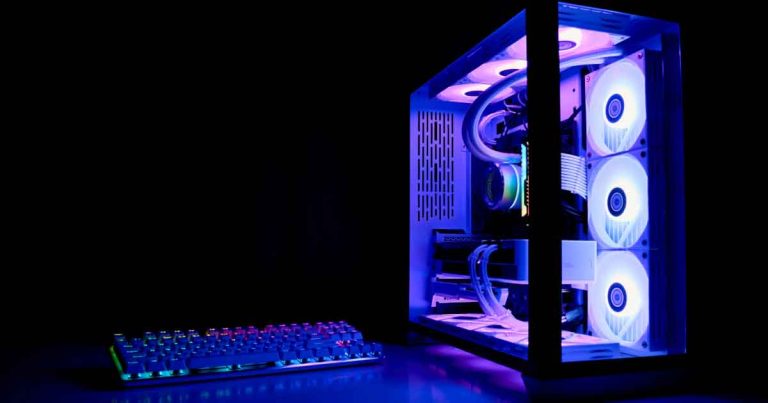
Building your own gaming PC can be a rewarding experience, offering a cost-effective way to achieve respectable performance for modern titles. While the initial investment might seem substantial, especially in the current economic climate, a DIY approach often proves more economical than purchasing a pre-built system. This guide aims to demystify the process, focusing on creating a budget-friendly yet capable gaming rig, suitable for this winter’s major releases and beyond.
Essential Considerations for a Budget Build
The core of building a budget gaming machine lies in making strategic compromises. A primary decision involves prioritizing either screen resolution (graphical detail) or refresh rate (game smoothness). While high resolutions like 1440p or 4K offer stunning visual fidelity, they may necessitate lower refresh rates, leading to a choppier experience. Many experts advocate for a balanced approach, ensuring your Graphics Processing Unit (GPU) and Central Processing Unit (CPU) are of comparable price and capability to avoid system bottlenecks. For a budget build, aiming for specifications that support 1080p resolution at a 60-144Hz refresh rate is a sensible target.
Understanding PC Components
A PC is comprised of several key components: the motherboard, CPU, GPU, system memory (RAM), storage (HDD or SSD), power supply unit (PSU), and case. Modern components are designed for broad compatibility, but resources like PC Part Picker are invaluable for identifying potential compatibility issues.
The motherboard acts as the central hub, connecting all other components. Motherboard sizes, port availability, and associated software vary, with detailed guides available for further understanding. For a balanced build, the MSI Mag B760 Tomahawk motherboard offers a good combination of features, including multiple M.2 SSD slots and comprehensive performance analysis software, at a reasonable price.
When selecting a CPU and GPU, a common pairing is Intel and Nvidia. The Intel Core i5-13400F is a strong contender for a budget gaming CPU, offering impressive processing speeds and efficient power consumption. For the GPU, an MSI Ventus 2X Nvidia GeForce RTX 3050 provides solid visual performance for its price point, capable of running modern games at 1080p with high settings. While the RTX 3060 offers enhanced performance for an additional cost, the RTX 3050 remains a viable option, especially considering that many Steam users still utilize older GPUs like the GeForce GTX 1650. This setup has been shown to handle demanding titles like Apex Legends, Resident Evil 4, and Baldur’s Gate with fluidity and detail.
For the case and PSU, manufacturers like Be Quiet! are known for their quiet operation and well-organized designs. A spacious case, such as the Be Quiet! Pure Base 500DX, simplifies the building process and accommodates all necessary components. When choosing a PSU, ensure it meets the power demands of your CPU and GPU; a 550W modular PSU, like the Be Quiet! Pure Power 12 M, offers flexibility and reliable power delivery.
Storage is crucial for fast load times. A 1TB P3 SSD from Crucial provides a good balance of read/write performance and affordability, serving as a capable alternative to traditional HDDs. For system memory, 16GB is generally recommended for gaming PCs, with a 32GB kit from Crucial offering dependable performance at a reasonable cost.
The Building Process
Dedicate ample time and space for the build. Thoroughly read the instruction manuals for each component and consult online guides and videos from reputable gaming sites. [cite:0, cite:1, cite:2, cite:3] Engaging with online communities like Reddit’s r/buildapc and r/PcBuildHelp can provide valuable support. [cite:4, cite:5] A highly recommended step is to perform a preliminary build outside the case: connect the CPU, GPU, RAM, and storage to the motherboard, connect the PSU, and boot up the system. This allows for easier troubleshooting if any issues arise before final assembly.
Essential Peripherals
Beyond the core PC components, you’ll need a monitor, keyboard, and mouse. For a budget build, a 1080p/120-144Hz monitor from brands like Asus, AOC, or MSI, such as the Asus TUF VG249Q1R, offers good value. When selecting a mouse, look for programmable buttons and a high DPI for sensitivity. For keyboards, mechanical keyboards with interchangeable keys are preferred. Brands like Corsair, Razer, and Logitech offer excellent options, with specialized retro-inspired mechanical keyboards also being a viable choice.
Example Specifications and Cost Breakdown
Core Components:
- MSI Mag B760 Tomahawk Motherboard: £170
- Intel Core i5 13400F CPU: £200
- MSI Ventus 2X Nvidia GeForce RTX 3050 GPU: £215
- Be Quiet! Pure Base 500DX Case: £100
- Be Quiet! Pure Power 12 M PSU: £100
- Crucial 1TB P3 SSD: £35
- Crucial DDR4 32GB RAM Kit: £50
Total Estimated Cost: £870
Cost-Saving Alternatives
To reduce the overall cost, consider a more budget-oriented CPU like the Intel I3 13100 (£120) and a GPU such as the GeForce GTX 1050 TI (£150). This configuration will still provide a functional gaming experience, though it may require more careful management of in-game graphics settings. Alternative motherboards like the Asus TUF gaming board (£130) and more affordable cases from Antec or Thermaltake (£50) can also lower the price. While memory and SSD prices are already competitive, exploring refurbished parts from reputable PC retailers or secondhand options on platforms like eBay can offer further savings. Regardless of your budget, thorough research and ensuring component compatibility are paramount to a successful build.