
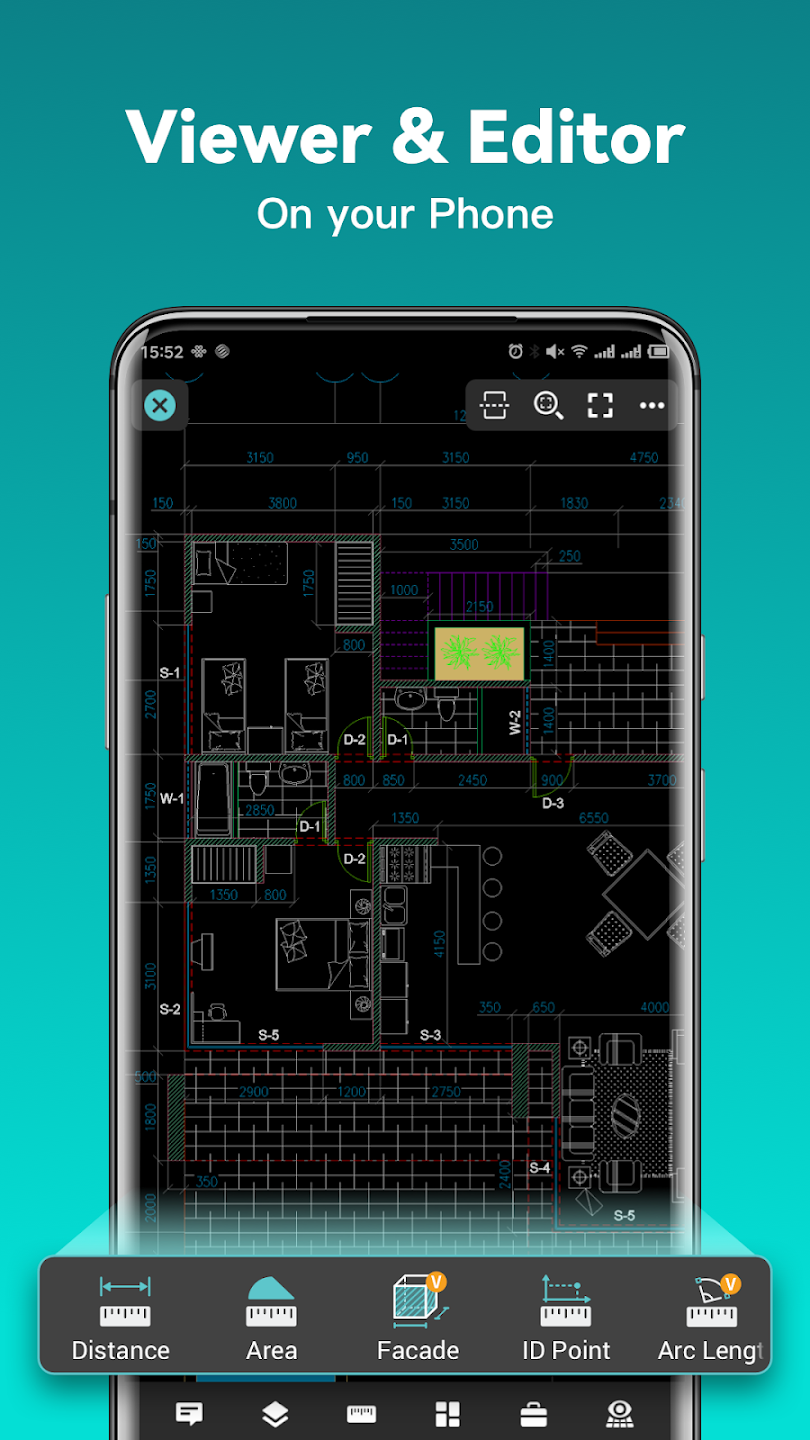
In today’s fast-paced world, designers and engineers need tools that offer flexibility and power, allowing them to work efficiently from anywhere. DWG FastView emerges as a robust cross-platform CAD software designed to meet these demands, enabling users to create, view, and edit drawings with advanced tools. Whether you’re a seasoned professional or just starting, DWG FastView provides a comprehensive solution for all your CAD needs. With over 100 million users worldwide, it has established itself as a go-to application for on-the-go design work.
Accessing and Editing Your Drawings with Precision
DWG FastView excels in providing fast and accurate access to your drawings. It boasts full compatibility with AutoCAD, supporting DWG and DXF formats, ensuring a seamless workflow for those accustomed to Autodesk’s suite. The software allows for the creation, viewing, and editing of CAD files, with no limitations on file size. This means you can confidently work on large, complex projects without performance issues.
Versatile Drawing and Editing Tools
The application offers a rich set of CAD features, including tools for moving, copying, rotating, scaling, and coloring objects. You can meticulously manage layers, utilize layouts, and select from ten different perspectives in 3D mode. Advanced editing functionalities such as trim, offset, and dimensioning tools are readily available, allowing for precise adjustments. Furthermore, users can set the precision and display formats for coordinates, distances, and angles, enhancing accuracy in their designs. Zooming in and out is intuitive, achieved by adjusting the space between two fingers on the touch screen.
Seamless 2D and 3D Design Capabilities
DWG FastView allows for an easy switch between 2D and 3D modes. The 3D mode offers various visual styles, including Wireframe, Realistic, and Hidden views, powered by robust layer and layout management. Users can view a wide array of 3D model formats, including those from popular software like Revit, Solidworks, Creo, NX, CATIA, Inventor, and SolidEdge, supporting over 40 formats in total. Rotating 3D CAD drawings is as simple as touching and moving the drawing area, allowing for a comprehensive 360-degree view. Tapping the screen stops the rotation and locks the view at the desired perspective.
Advanced 3D Features
Beyond basic viewing, DWG FastView supports advanced 3D functionalities. These include assembly part previews, scaling, rotation, sectioning, and explosion of models. For measurement tasks, the software offers precise distance measurements between points, lines, and surfaces, as well as arc length calculations. Users can also add 3D annotations and display or hide PMI (Product Manufacturing Information). The software also offers free color matching and the ability to view multiple perspectives simultaneously.
Share Your Work and Collaborate Effortlessly
Exporting your designs is straightforward, with support for various formats including PDF, BMP, JPG, and PNG. This allows for easy sharing with clients, colleagues, or stakeholders. The ability to convert CAD drawings into PDF format, with customizable paper size, orientation, and color, adds another layer of flexibility. Additionally, DWG FastView supports converting PDF files back to DWG.
Offline Access and Cloud Integration
One of the significant advantages of DWG FastView is its no-registration policy, allowing users to download and use the application immediately. Crucially, you can save your work in the local workspace and access drawings without an internet connection. For collaborative projects or accessing files stored remotely, DWG FastView integrates seamlessly with cloud services like Dropbox, OneDrive, Google Drive, Box, and WebDAV, enabling you to open, view, edit, and share these files with an internet connection.
Subscription and Support
DWG FastView offers auto-renewing monthly and annual subscriptions, with rates varying based on the chosen plan. Payments are processed through your iTunes or App Store account upon purchase confirmation. You have the flexibility to turn off auto-renewal at any time via your account settings, provided it’s done at least 24 hours before the end of the current subscription period to avoid charges for the next cycle. For any technical issues or queries, DWG FastView provides responsive technical support. Users can utilize the “Feedback” button to send an email detailing their problems to the support team at support@dwgfastview.com.
The privacy policy and terms of use are available at https://www.gstarcad.com/agreement/privacy-app and http://www.gstarcad.com/Terms-of-use respectively. DWG FastView is committed to providing a powerful, flexible, and user-friendly CAD experience, empowering designers to create and collaborate effectively, anytime and anywhere.