
Are you frustrated by unsightly color banding ruining the immersive skies and shadows in your favorite games? If you’re a PC gamer or console enthusiast, you’ve likely heard the debate: is it time to move beyond the standard 8-bit color and embrace the billion-color spectrum of 10-bit? This guide cuts through the technical jargon to explore the real-world impact of color depth on your gaming experience, helping you decide if a 10-bit monitor is your next essential upgrade.
Understanding Color Depth in Gaming
Before diving into the visual showdown, it’s essential to grasp the basics of what “bit” actually means for your screen. Color depth refers to the number of bits used to define the color of a single pixel. More bits translate to a wider range of colors, which directly impacts how smooth and realistic the visuals on your monitor appear.
From 16 Million to 1.07 Billion Colors
An 8-bit color system dedicates 8 bits to each of the red, green, and blue (RGB) channels. This yields 256 possible shades per channel, resulting in a total palette of 16.7 million colors (256 x 256 x 256). In contrast, a 10-bit system allocates 10 bits per channel, offering 1,024 shades per channel. The result is a staggering 1.07 billion colors—a 64-fold increase in potential color information.
Why Smooth Gradients Matter for Gamers
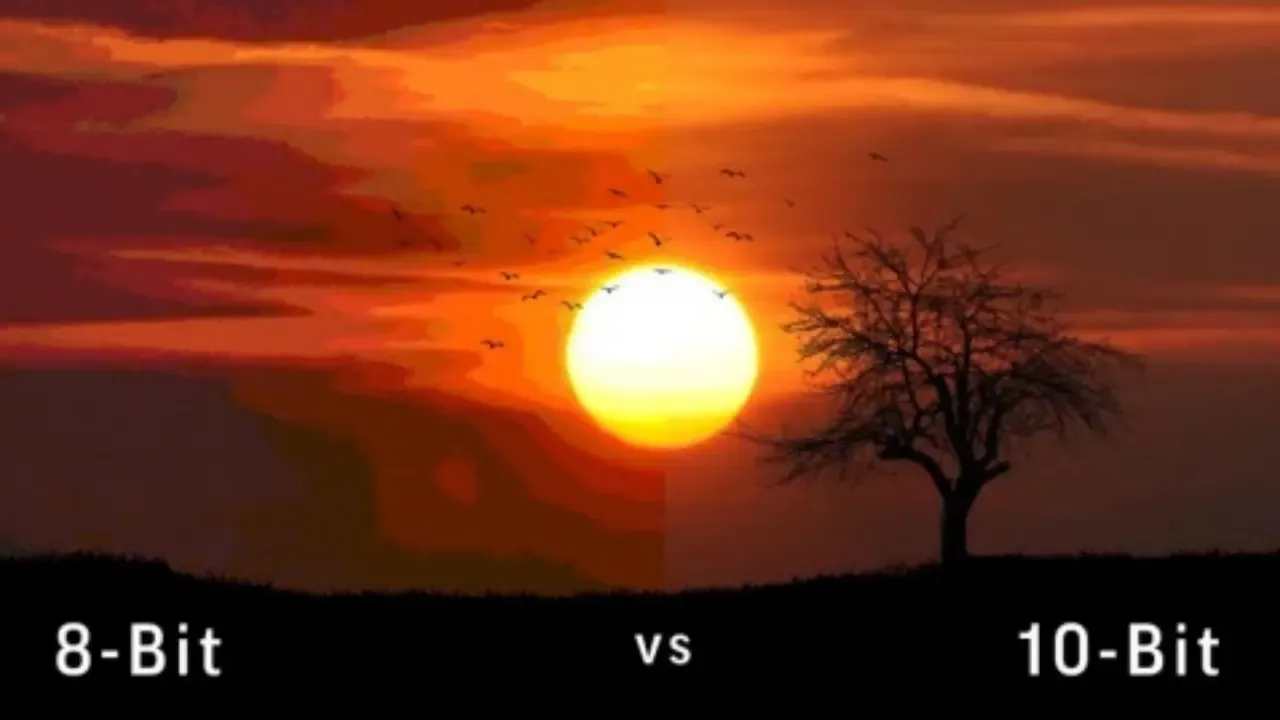
This massive leap in color information is most visible in color gradients—the subtle transitions between shades, like a sunset blending from orange to purple or a shadow gradually fading into darkness. With 8-bit color, these gradients can sometimes break down into visible steps or bands, a phenomenon known as color banding. A 10-bit system provides enough color data to make these transitions appear perfectly smooth and natural, which is crucial for modern game environments designed with intricate lighting and atmospheric effects.
The Visual Showdown: 8-Bit vs. 10-Bit in Games
While the numbers are impressive, the real question is how this translates to your gaming experience. Let’s break down the limitations of 8-bit and the benefits of 10-bit in practical gaming scenarios.
The 8-Bit Limitation: Color Banding
Many standard monitors and older games still operate within an 8-bit color space. The limitation becomes most apparent in scenes with subtle color variations. You might notice color banding in:
- Skies: A beautiful blue sky might show distinct rings of color instead of a smooth gradient.
- Fog and Smoke: These atmospheric effects can look patchy or posterized.
- Dark Scenes: Shadows can lose detail, appearing as large, flat black areas instead of showing subtle textures.
10-Bit’s Seamless Color Gradients
For gamers, a 10-bit monitor aims to eliminate these visual artifacts. The increased color depth allows for the display of subtle details that game artists intended. This results in:
- More Realistic Environments: Textures appear richer, and lighting effects are more nuanced.
- Enhanced HDR (High Dynamic Range): 10-bit color is a core requirement for true HDR gaming. It allows for the combination of bright highlights with deep, detailed shadows without losing information or causing banding.
When Does the Difference Matter Most?
The visual gap between 8-bit and 10-bit widens significantly depending on the type of content and hardware you’re using.
Gaming: Does 10-Bit Make a Noticeable Difference?
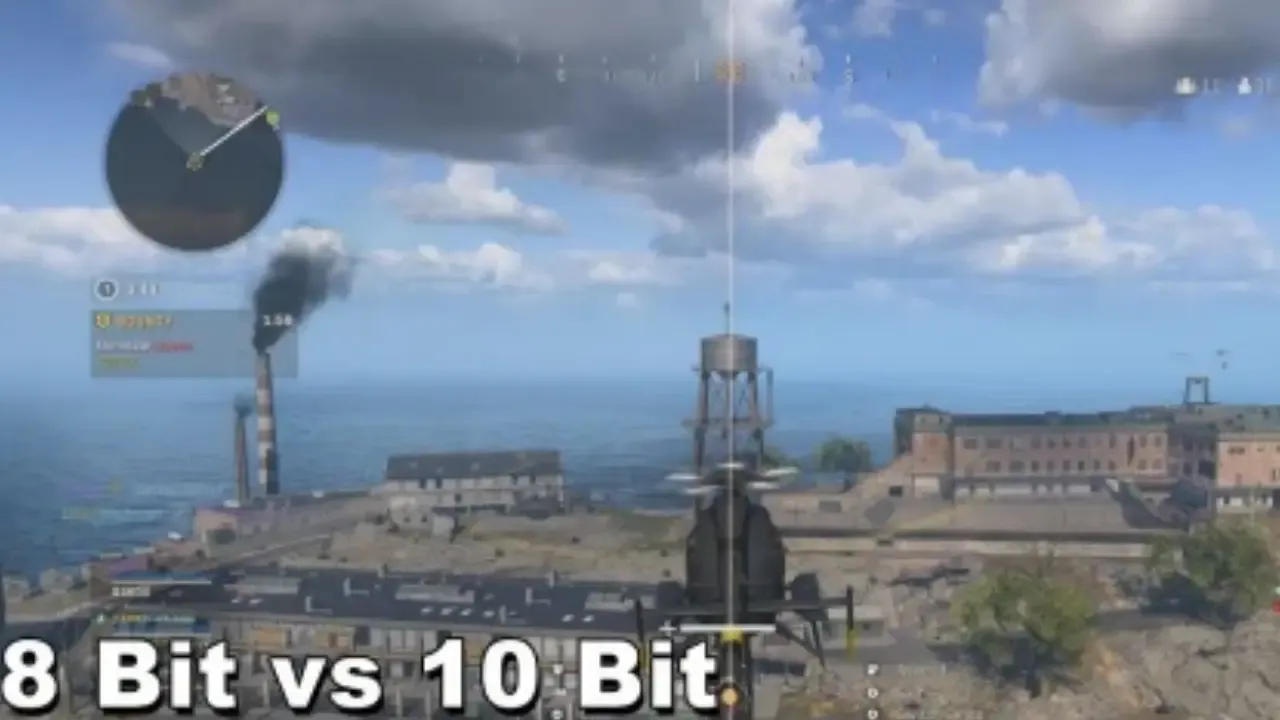
The short answer is yes, but with caveats. The benefit of 10-bit is most pronounced when playing HDR-compatible games on a true 10-bit display. Modern PC games and titles on consoles like the PlayStation 5 and Xbox Series X are often rendered in high color depth. Using a 10-bit monitor ensures you see these graphics as the developers intended. However, the difference can be less noticeable in fast-paced competitive shooters where you’re focused on motion rather than subtle color gradations.
Video Production and Content Consumption
While gaming is the focus, it’s worth noting that the content you watch also benefits. If you enjoy watching movies or series on your gaming setup, you’ll find that 10-bit panels excel at displaying high-quality streaming content, especially Dolby Vision or HDR10+ formats, which are designed for wide color gamuts and smooth gradients.
Do You Need a 10-Bit Monitor for Gaming?
Deciding whether to invest in a 10-bit monitor depends on your gaming habits, your hardware, and your sensitivity to visual fidelity.
When 8-Bit is Sufficient
An 8-bit or 8-bit + FRC (Frame Rate Control, a technique that simulates 10-bit) monitor is perfectly adequate if:
- You are a competitive gamer prioritizing high refresh rates (240Hz+) over maximum visual fidelity.
- You primarily play older games or titles not optimized for HDR.
- You are on a tight budget, as 8-bit monitors are generally more affordable.
The 10-Bit Advantage for Enthusiasts
A true 10-bit monitor is a worthwhile investment if:
- You own a modern console (PS5, Xbox Series X) or a high-end gaming PC.
- You want to experience HDR gaming at its full potential.
- You are a content creator who also games, as the color accuracy benefits both activities.
- You are looking to future-proof your setup as more games and content adopt wider color standards.
Technical Considerations for Your Upgrade
Before you make a purchase, ensure your system is ready to support a 10-bit display.
Hardware and Software Compatibility
- Graphics Card: Both NVIDIA and AMD cards support 10-bit color output. For NVIDIA, you’ll need a Quadro or newer GeForce card (GTX 1000 series and above) with the driver settings configured correctly. For AMD, Radeon Pro or recent RX series cards support it.
- Connection: You’ll need a high-bandwidth connection. DisplayPort 1.4 is the standard for running a 10-bit signal at high resolutions and refresh rates. HDMI 2.1 is also capable, which is great for console gamers.
- Software: Games and your operating system must be set to output in 10-bit color. In Windows, this is managed through the graphics control panel.
Display Technology and Color Space
- Panel Types: IPS and OLED panels are typically preferred for 10-bit color due to their superior color accuracy and contrast ratios.
- Color Gamut: Look for monitors that cover a wide color gamut, such as DCI-P3 or Adobe RGB. A 10-bit panel combined with a wide color gamut is the gold standard for vibrant, lifelike visuals.
Cost-Benefit Analysis: Is It Worth It?
The decision often comes down to budget versus visual priority.
The Cost of 10-Bit
A true 10-bit monitor will generally cost more than a standard 8-bit display. Prices can range from $300 for entry-level models to over $1,000 for high-end professional gaming monitors with features like 4K resolution and high refresh rates.
The Benefit for Gamers
For the enthusiast, the investment pays off in a more immersive and visually stunning gaming experience. The elimination of color banding and the addition of true HDR bring game worlds to life with a level of detail and realism that 8-bit displays simply cannot match. If you value visual storytelling and atmospheric game design as much as competitive performance, the upgrade is significant.
Conclusion: Is 10-Bit Color a Game-Changer or Just Hype?
For the average casual gamer, an 8-bit or 8-bit + FRC monitor remains a solid choice. However, for the dedicated enthusiast, PC gamer, or next-gen console owner, 10-bit color is far from hype. It represents a genuine leap in visual quality, unlocking the full potential of modern games and HDR content. Moving from 16.7 million to 1.07 billion colors allows you to experience digital worlds with the smoothness, depth, and vibrancy their creators intended. Are you ready to make the leap to a 10-bit setup? Share your thoughts and questions in the comments below, and don’t forget to share this guide with fellow gamers looking to upgrade their visual experience.