
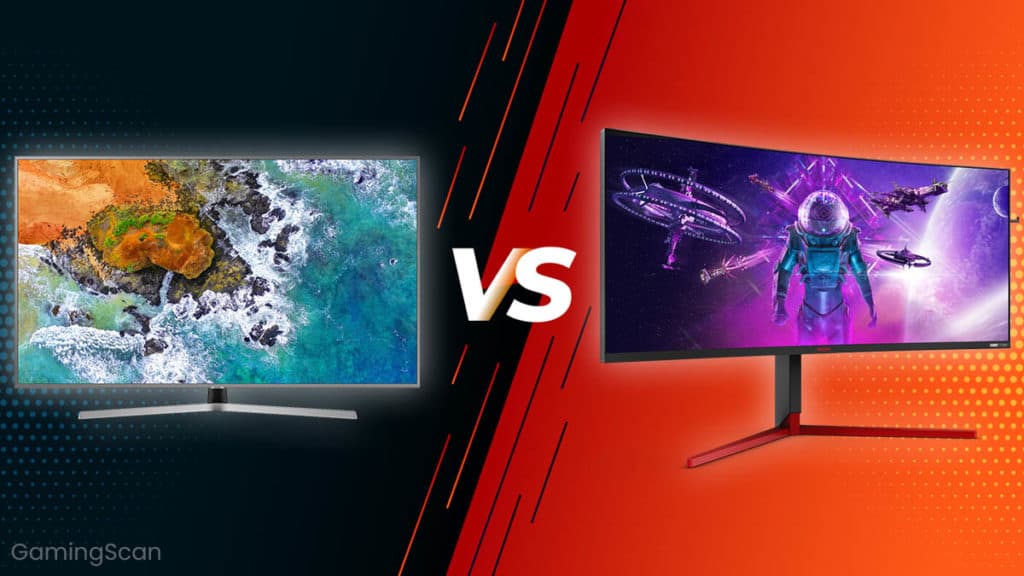
When it comes to building your first gaming setup, the temptation to use a large flat-screen TV is incredibly strong. You can easily find a 50-inch 4K TV for the same price as a 27-inch high-quality gaming monitor. TVs come with built-in speakers, massive screen real estate, and the convenience of being something most of us already own. It seems like a budget-friendly “no-brainer.”
However, using a TV as your primary display can severely bottleneck your PC gaming experience. While a TV is great for cinematic console gaming from a couch, it often lacks the technical specifications required for the precision and fluidity of PC gaming. In this article, we’ll explore why a dedicated gaming monitor is worth every penny and why sticking with a TV might actually be holding your skills back.
The Technical Bottlenecks of Using a TV
The biggest issue with using a TV for PC gaming is that TVs are designed for watching movies and broadcasts, not for processing the rapid, variable data output of a high-end graphics card.
Refresh Rate and FPS
Refresh rate, measured in Hertz (Hz), is how many times per second your screen updates the image. Most budget to mid-range TVs are capped at 60Hz. If your gaming PC is powerful enough to push 120 or 144 frames per second (FPS), a 60Hz TV will only show you 60 of those frames. You are essentially wasting half of your PC’s power.
Furthermore, when your FPS doesn’t match your refresh rate, you encounter “screen tearing”—where the image looks split or jagged. While you can fix this with V-Sync, it often introduces significant input lag. Gaming monitors, on the other hand, typically start at 144Hz, offering a much smoother visual experience that is essential for fast-paced shooters or racing games.
Input Lag and Response Time
In competitive gaming, every millisecond counts. “Response time” is how quickly a pixel can change colors. High-quality gaming monitors usually boast a response time of 1ms or lower. TVs, because they prioritize post-processing for image “beautification,” can have response times ranging from 10ms to over 20ms. This results in “input lag”—the delay between you clicking your mouse and seeing the action on screen. On a TV, your gameplay will often feel “heavy” or “floaty.”
Essential Features Only Found in Gaming Monitors
Gaming monitors include specialized hardware to bridge the gap between your GPU and your eyes.
- Variable Refresh Rate (VRR): Technologies like NVIDIA G-Sync and AMD FreeSync allow the monitor to change its refresh rate on the fly to match your PC’s output. This eliminates stuttering and tearing without the lag of V-Sync.
- DisplayPort Support: While TVs rely on HDMI, PC gamers prefer DisplayPort. DisplayPort 1.4 can handle much higher bandwidth, supporting 4K at 120Hz or 1080p at 240Hz, which many older HDMI ports on TVs simply cannot do.
- Color Accuracy and HDR: While TVs look “vivid,” they are often poorly calibrated for the nuanced details of a game world. Gaming monitors are factory-calibrated for accuracy, ensuring that the shadows in a horror game or the landscapes in an RPG look exactly as the developers intended.
Ergonomics and Multi-Tasking
Beyond technical specs, there is the issue of physical comfort. A PC is a multi-functional tool used for work, study, and browsing. Using a giant TV at a desk is a recipe for eye strain and neck pain.
- Viewing Angles: Gaming monitors are designed for “near-field” viewing. They often include anti-glare coatings that handle sunlight better than the glossy finish of many TVs.
- Pixel Density: A 50-inch 4K TV has much lower pixel density than a 27-inch 4K monitor. When sitting close, the text on a TV will look blurry and pixelated, making it nearly impossible to read in-game chat or write a document.
- Productivity: It is much easier to manage a dual-monitor setup than to navigate a single massive TV screen. Monitor arms allow you to position your screens perfectly for your posture.
Conclusion: Which Should You Choose?
While high-end “Gaming TVs” do exist, they often cost twice as much as a high-tier gaming monitor. For the average gamer, a dedicated monitor like the NZXT Canvas series provides the best balance of speed, clarity, and ergonomics.
If you want to play at your best—with zero lag, no screen tearing, and a display that fits comfortably on your desk—investing in a gaming monitor is the single best upgrade you can make for your PC setup. Don’t let a cheap TV bottleneck your hardware; give your GPU the display it deserves.