
ElumTools is a powerful, user-friendly lighting analysis software fully integrated into Autodesk Revit, bringing accurate calculations, visualizations, and real-time insights directly into your BIM workflow for lighting professionals.
What is ElumTools?
ElumTools® is specifically designed for lighting professionals working within the Building Information Modeling (BIM) environment of Revit. It enables you to perform accurate lighting calculations and visualizations directly within your design models without exporting data to external tools. This seamless integration saves time while ensuring your designs remain accurate and synchronized, allowing you to focus on creating optimal lighting solutions .
For lighting professionals seeking to enhance their BIM workflow, ElumTools represents a significant advancement in how lighting analysis is conducted within architectural design projects.
Seamless Revit Integration with ElumTools
ElumTools brings the proven AGi32 calculation engine directly into Autodesk Revit, enabling seamless lighting analysis inside BIM models. This integration eliminates the need for exporting data to external tools, saving time and ensuring designs remain accurate and synchronized. You can focus on creating optimal lighting solutions without the complexity of managing multiple software platforms .
The seamless Revit integration means that your lighting analysis becomes part of your natural design process rather than a separate, time-consuming step. This workflow efficiency is particularly valuable for complex projects with tight timelines.

Accurate Radiosity Calculations in BIM
Achieve realistic and reliable lighting predictions with ElumTools’ advanced radiosity engine that calculates illuminance, luminance, and daylighting directly within Autodesk Revit environments. This industry-standard method provides a true representation of light distribution in interior spaces, empowering designers and engineers with reliable data to validate code compliance, optimize energy use, and ensure visual comfort all within their BIM workflow .
The radiosity calculation method is recognized as the industry standard for lighting analysis, providing confidence in your results for both residential and commercial projects. This accuracy is essential for meeting building codes and energy efficiency requirements.
Dynamic Lighting Performance and Visualization
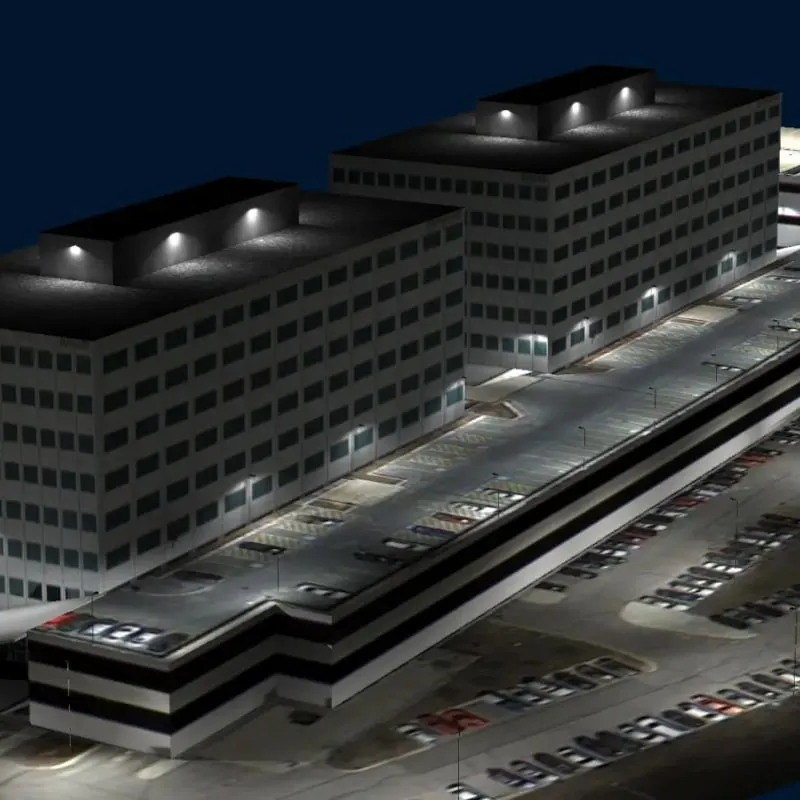
ElumTools generates rich visual outputs including renderings, color-coded analysis views, and detailed reports. You can focus precisely on the areas that matter most and visualize results directly within your Revit views to provide immediate insights into your design. This includes pseudocolor analysis, isolines, and spatial maps that let you easily communicate lighting performance to clients and project stakeholders clearly, turning technical calculations into actionable design insights .
The visualization capabilities transform complex numerical data into intuitive visual representations that clients and stakeholders can understand immediately. This communication advantage is crucial for winning project approvals and ensuring everyone understands the lighting design intent.
Efficiency Through Automation
ElumTools leverages Revit’s native families and room definitions to automate lighting calculation setup, reducing repetitive tasks and shortening project timelines. Spend less time on manual data preparation and more time focused on design excellence. This automation capability significantly improves workflow efficiency for lighting professionals managing multiple projects .
The automation features handle routine tasks that traditionally consumed hours of manual work, allowing you to dedicate more time to creative design solutions and client collaboration. This efficiency gain is particularly valuable during peak project periods.

Intelligent Layout Assistant
ElumTools’ Layout Assistant transforms fixture placement into an intuitive, guided experience. Simply specify your target light levels, and the Layout Assistant instantly generates multiple layout options with fixture quantities and positioning suggestions. Review each proposed layout, select the approach that fits your design intent, and ElumTools calculates precise illumination values before seamlessly exporting fixture positions into your Revit model. This intelligent workflow eliminates hours of trial-and-error, letting you move confidently from concept to accurate lighting design .
The Layout Assistant represents a significant time-saving innovation, automatically generating optimal fixture arrangements based on your specific requirements. This feature is especially beneficial for standard spaces like offices, classrooms, and retail environments where consistent lighting levels are critical.
Tutorial Training
Learn AGi32 and ElumTools software in live online trainings with industry specialists. LAI’s training is personal and interactive with smaller class sizes. The online sessions utilize Zoom with a live instructor, offered at various days and times over 2–4 sessions. This comprehensive training program ensures you can maximize ElumTools’ capabilities for your lighting analysis projects .
The interactive training approach with smaller class sizes provides personalized attention that accelerates your mastery of ElumTools. Whether you’re new to lighting analysis or experienced with other tools, this training helps you leverage ElumTools’ full potential effectively.
Why ElumTools is Essential for Lighting Professionals
ElumTools is a powerful and convenient tool for lighting professionals using Autodesk Revit. Its seamless integration, accurate calculation engine, and interactive visualizations make it an invaluable tool for designing and analyzing lighting systems within a BIM workflow. The combination of advanced radiosity calculations, automation features, and intelligent layout assistance positions ElumTools as a industry-leading solution for modern lighting design challenges .
For lighting professionals committed to delivering high-quality, code-compliant lighting designs efficiently, ElumTools provides the tools needed to excel in today’s competitive BIM environment. The software’s ability to integrate lighting analysis directly into the Revit workflow eliminates traditional bottlenecks and enhances overall project quality.
Getting Started with ElumTools
To begin using ElumTools for your lighting calculation projects, consider enrolling in LAI’s tutorial training program to build your expertise. The combination of proper training and ElumTools’ powerful features will enable you to deliver exceptional lighting designs that meet client expectations and regulatory requirements. Explore how ElumTools can transform your lighting analysis workflow and elevate your project outcomes.