
AutoCAD 2019 introduces a paradigm shift in design accessibility with the integration of AutoCAD Anywhere, empowering users with the flexibility to work on their DWG files from virtually any device. This significant enhancement ensures that your design workflow is no longer confined to a single workstation. The new AutoCAD web and mobile apps provide seamless access, allowing you to draft, edit, measure, and annotate with the core functionalities of the original AutoCAD, wherever inspiration strikes. These advancements are designed to cater to the modern technologist who demands efficiency and mobility in their professional toolkit.
The cornerstone of this new accessibility lies in the “Save to Web & Mobile” and “Open From Web & Mobile” capabilities. These commands form a bridge between your desktop application and the cloud-based web and mobile platforms, enabling a truly ubiquitous design experience. Imagine working on a complex project in your office, then effortlessly accessing and refining it in the field using the AutoCAD web or mobile apps, and finally saving your updates back to your local network to continue your work back at the office. This fluid transition between devices minimizes downtime and maximizes productivity. To make the most of AutoCAD on the web and mobile, AutoCAD 2019 includes these new “Save To Web & Mobile” and “Open From Web & Mobile” capabilities.
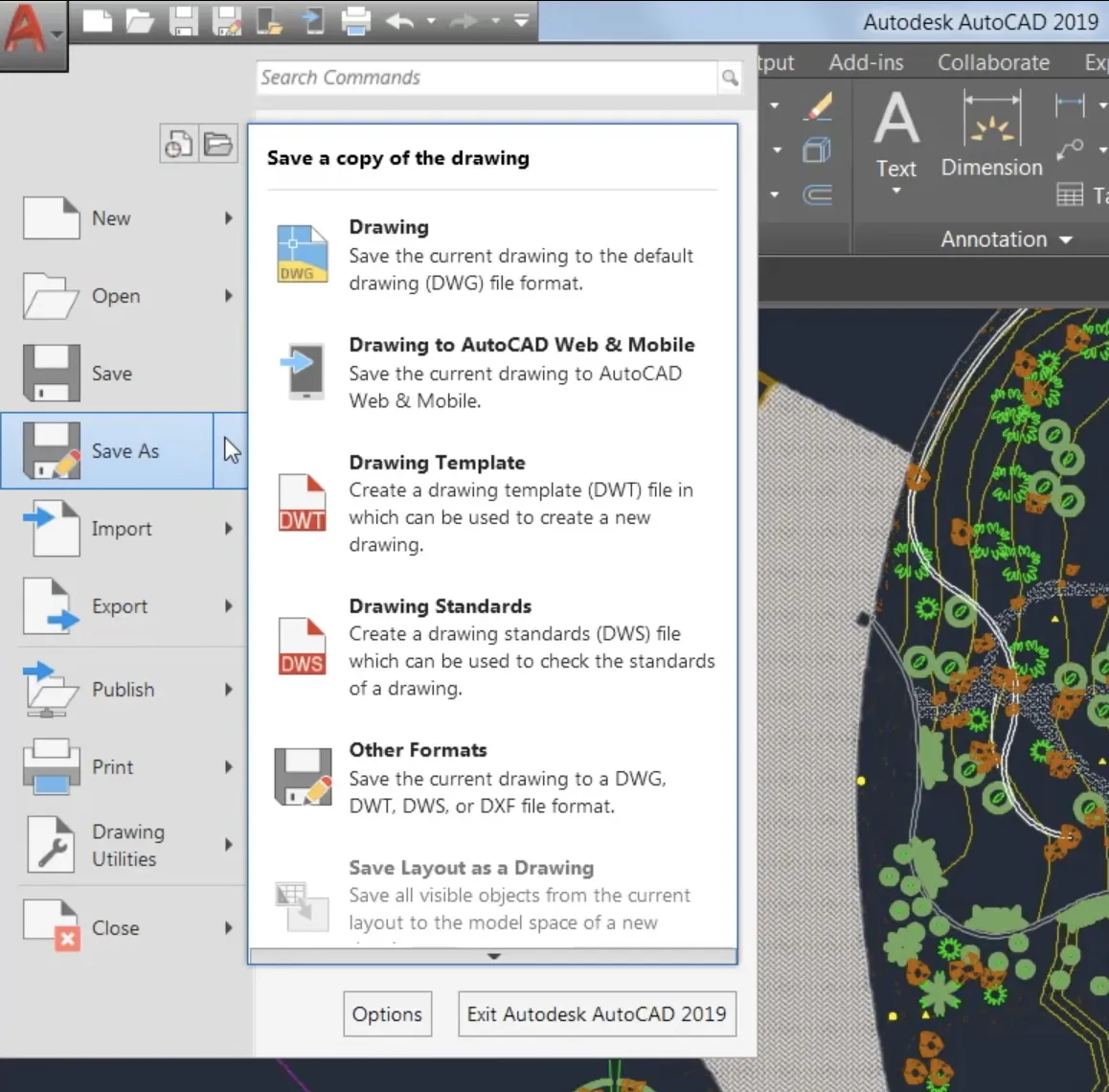
To upload a drawing from your desktop to the AutoCAD web and mobile apps, navigate to the App Menu and select “Save As,” then choose the “Save to Web & Mobile” option. This action synchronizes your current drawing with the cloud. Conversely, when you need to access files that you’ve been working on via the web or mobile applications, you can utilize the “Open From Web & Mobile” command, also found within the App Menu’s Open option. It’s important to note that files accessed or created through this command are stored in the cloud. However, retrieving them for local storage is straightforward: simply use the “Save As” command to create a new version or overwrite an existing file on your local network. For more information on AutoCAD new features or queries, request to chat with one of our AutoCAD Specialists by clicking here.
A minor prerequisite for utilizing these powerful features is the initial installation of the “Save to Web & Mobile” extension. This one-time installation process, usually prompted the first time you engage these commands, ensures that your desktop application is fully integrated with the cloud services. Once the extension is loaded, you can enjoy uninterrupted access to your designs across all your devices. This integration fundamentally enhances the collaborative potential and flexible application of AutoCAD, making it an even more indispensable tool for professionals in architecture, engineering, and construction. The ability to access and edit critical design files on the go redefines project management and on-site verification processes.